How to Automate Acuity Scheduling
Acuity Scheduling automates the appointment itself. Automated confirmations, email and SMS reminders, intake forms, packages and cancellation policies all run from a booking that already exists. Finding the clients who have not rebooked, and the gaps still open on Friday, is the part left to a person, or to an agent like WebRun.
 Written by
Tom Kessler
Field operations analyst
Written by
Tom Kessler
Field operations analyst
 Reviewed by
Hannah Vogel
Finance operations
Reviewed by
Hannah Vogel
Finance operations
Acuity is the front desk for a business with no front desk
Acuity Scheduling is online booking software and has been part of Squarespace since 2019. For a while new Squarespace customers met it under the name Squarespace Scheduling, and both were later brought back under the Acuity name. What it sells is a page where somebody picks a time.
That sounds small until you look at who runs on it. A hair stylist, a tattoo artist, a massage therapist, a pilates instructor, a driving instructor, a tutor. Almost all of them are the person doing the work, and the receptionist would be them, between clients, with a phone in one hand.
So the scheduling page is not a convenience. It is the only member of staff who is always available. It holds the appointment types and how long each takes, the hours somebody is genuinely willing to work, the intake answers, the deposit, the package balance and the note about which colour they had last time.
The booking takes a minute and the rest of the week does not
The booking itself was solved. What sits either side of it was not.
Somebody scrolls the client list working out who has not been in since March, because a stylist on a six-week cycle loses people quietly and nothing sends up a flare. Somebody looks at Friday, sees two hours open in the middle of the afternoon, and starts texting the people most likely to take them. Somebody checks which clients have one session left on a package before it lapses. Somebody copies the week's takings out of the payment processor into a spreadsheet, because the card statement and the calendar are never quite the same shape.
Then there is the review. A good appointment ends, the client leaves happy, and asking them to say so publicly is the job everybody means to do. It happens twenty minutes after they walk out or it does not happen.
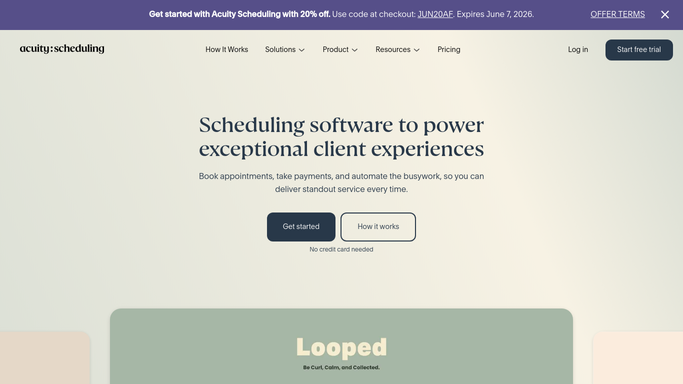
Confirmations and reminders wait for a booking to exist
Acuity automates the appointment thoroughly, and plenty of accounts run a fraction of what they already pay for.
Automated email confirmations, updates and reminders go out on their own, with SMS reminders alongside them, and cancellation policies and deposits are enforced at the point of booking rather than argued about later. Client intake forms collect what you need to know before somebody arrives. Appointment packages, subscriptions, gift certificates and discount codes handle the money that arrives in advance. Availability controls do the unglamorous work: buffer time, daily limits, service-specific hours and blocking off the personal appointment nobody should be able to book over.
One thread runs through all of it. Every feature there starts from an appointment that exists, or from a client already on the booking page with a finger over a time.
Nothing in it goes looking. The client who has not rebooked has not done anything for Acuity to react to. A gap on Friday afternoon is an absence, and software built around events does not fire on an absence. The review left on Google last night happened somewhere Acuity has never been.
The gap on Friday can be filled before Friday
A quiet week is only quiet because nobody looked in time.
The clients whose usual interval has run out, listed by name with what they last had and who they saw, so a stylist gets a short list on Monday. The two hours still open on Friday matched against people who have taken a late slot before, with a message prepared for each. Packages down to their last session, caught while there is still a reason to renew.
It works outward too. Last week's takings in the payment processor set against what the calendar says was booked, so a missed charge surfaces now rather than in January. New reviews read the morning they appear and matched back to the appointment behind them. Enquiries that arrived through a directory listing rather than your own booking page, pulled in so they land with everything else instead of sitting unread while somebody books the salon down the road.
One line is worth drawing. Working out who to contact can run overnight. The message reaches a person trusting you with their hair, their back or their teenager learning to drive, so a person sends it.
Between clients is not when this gets done
Nobody opened a salon or a driving school to spend evenings comparing a payment processor against a calendar. That work is real and it pays, and it loses every time to the client sitting in front of you.
WebRun is an AI agent that works a real Chrome browser, signed in as you. It opens Acuity, the payment processor or the review page, reads what is there, and hands back a short list: who is due, what is open, what does not reconcile.
It runs on your schedule in your own private environment, and you can watch a run and stop it. Anything going to a client is drafted and waits for you.
The workflows below are already built, and each one names what it opens.
Questions people ask
Who actually presses send on the rebooking messages?
No. It works out who is due and prepares each message, and a person sends it. A nudge aimed at somebody who cancelled for a bad reason is the kind of mistake that costs a client, so that step stays with you.
Does this replace the reminders Acuity already sends?
No, and keep those switched on. Acuity's confirmations and reminders are the right tool for an appointment that is already booked. This covers the opposite case: the client with no appointment at all, and the hours nobody has taken yet.
Our client history only exists inside Acuity. Is that a problem?
No. It reads the client list and the calendar on screen the way you do, so nothing has to be exported first. That also means it can compare what Acuity shows against a payment processor or a review page that Acuity never connects to.
10 ready-made Acuity Scheduling workflows
Each one names the apps it touches and the exact steps it takes. Open one to read what it will do, then turn it on.





Want one of these running on your own Acuity Scheduling?
Show WebRun the process once and it will run it on schedule, in your own private browser environment.