Send appointment reminders and cut no-shows
Every evening, WebRun opens Acuity Scheduling, pulls tomorrow's confirmed bookings, drafts a personalised SMS reminder for each client via Twilio, and posts the full batch to Slack for you to approve before anything is sent.
- No credit card
- Under $0.01 per run
- Cancel anytime
What does WebRun do on every run?
The exact actions WebRun takes, in order - in plain language, so you can adjust anything.
-
WebRun signs in and gets to work
Opens
acuityscheduling.comin a real browser with your saved login - no setup, no API keys. -
1
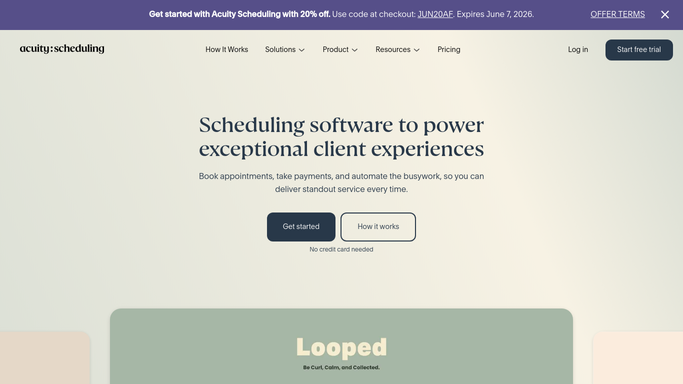
Acuity Scheduling - pull tomorrow's appointments
acuityscheduling.com How to Automate Acuity Scheduling

WebRun opens Acuity Scheduling to pull tomorrow's appointments. - Open Acuity and navigate to the Calendar view for tomorrow
- Collect each confirmed appointment: client name, service, time, and phone number
- Skip any appointment already marked as reminded or cancelled
Done when All of tomorrow's confirmed appointments have been listed with client details.
-
2
Twilio - draft SMS reminders
twilio.com How to Automate Twilio
WebRun opens Twilio to draft SMS reminders. - Draft a short, friendly SMS for each client using their name, service, and appointment time
- Stage all messages in Twilio but do not send yet
- Attach a cancellation link in each draft so clients can reschedule easily
Done when Every reminder SMS is drafted and staged, ready to send on approval.
-
3
Slack - send batch for your approval
slack.com How to Automate Slack
WebRun opens Slack to send batch for your approval. - Post a summary of all staged reminders to your chosen Slack channel
- Include client name, appointment time, and the draft message text for each
- Include a one-click approve link to release the batch
Done when You have the full reminder batch in Slack and can approve or edit before sending.


How can I automatically send appointment reminders to salon clients to reduce no-shows?
Every evening, WebRun opens Acuity Scheduling, pulls tomorrow's confirmed bookings, drafts a personalised SMS reminder for each client via Twilio, and posts the full batch to Slack for you to approve - reducing no-shows without requiring manual follow-up before each appointment.
- Clients reminded the evening before every appointment
- No-show rate reduced without manual staff effort
- Owner approves the full batch in one Slack review
Built for salon owners · beauty therapists · hair and beauty studios · spa managers
How is each run configured?
Secure by default
Connect once, stays signed in
WebRun signs in once and keeps each session in a persistent environment, so every run picks up right where it left off.
Every action is checked against this policy before it runs.
Questions, answered
Will it text clients without me seeing the messages first?
No. Every reminder is drafted and staged, then posted to Slack for your approval. Nothing is sent until you give the go-ahead.
What if a client cancels after the reminders are staged?
WebRun only stages reminders for confirmed bookings at the time it runs. If you spot a cancellation in the Slack preview, simply remove that message before approving.
Can I customise the reminder wording?
Yes. Give WebRun a template or a few example messages and it will match your tone and include any details you want, such as parking instructions or intake forms.
Related templates
Put this on autopilot.
Turn it on in minutes - or have our team set it up for you.