Request reviews after every visit
Every evening, WebRun pulls today's completed appointments from Acuity, drafts a personalised review-request email for each client pointing to your Google Business Profile, and posts the batch to Slack for you to approve before sending.
- No credit card
- Under $0.01 per run
- Cancel anytime
What does WebRun do on every run?
The exact actions WebRun takes, in order - in plain language, so you can adjust anything.
-
WebRun signs in and gets to work
Opens
acuityscheduling.comin a real browser with your saved login - no setup, no API keys. -
1
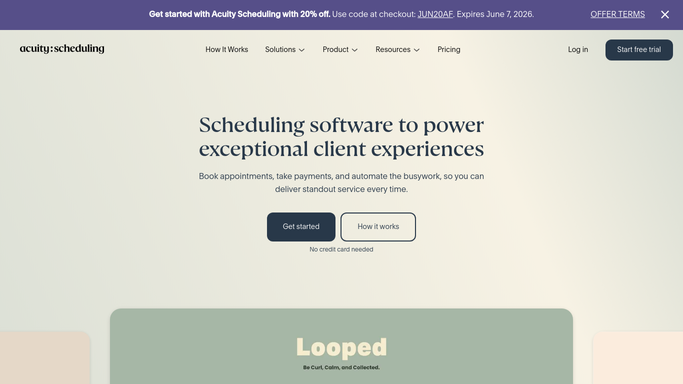
Acuity Scheduling - list today's completed visits
acuityscheduling.com How to Automate Acuity Scheduling

WebRun opens Acuity Scheduling to list today's completed visits. - Open Acuity and filter today's appointments to those marked as completed
- Collect each client's name, email, and the service they received
- Skip any client who received a review request in the last 90 days
Done when A list of eligible completed visits is ready with client contact details.
-
2
Google Business Profile - get your review link
business.google.com How to Automate Google Business Profile
WebRun opens Google Business Profile to get your review link. - Open your Google Business Profile and copy the current review link
- Confirm the link resolves to your review form
Done when A valid Google review link is ready to embed in each email.
-
3
Gmail - draft review-request emails
gmail.com How to Automate Gmail
WebRun opens Gmail to draft review-request emails. - Draft a warm, personal email for each client mentioning the service they had today
- Embed the Google review link with a clear call to action
- Save each email as a Gmail draft - do not send yet
Done when A Gmail draft exists for every eligible client from today.
-
4
Slack - post batch for your approval
slack.com How to Automate Slack
WebRun opens Slack to post batch for your approval. - Post a Slack summary listing how many drafts are ready and a link to Gmail drafts
- Highlight any VIP or repeat clients in the batch
Done when You are notified in Slack and can approve the Gmail drafts with one click.



How can I automatically request Google reviews after client appointments?
Every evening, WebRun pulls today's completed appointments from Acuity, drafts a personalised review-request email for each client pointing to your Google Business Profile, and posts the batch to Slack for your approval - so every visit turns into a review opportunity without any manual chasing.
- Every completed appointment becomes a review opportunity
- Google Business Profile rating grows consistently
- Staff spend zero time manually requesting reviews
Built for salon and spa owners · local service businesses · fitness studios · health and wellness practitioners
How is each run configured?
Secure by default
Connect once, stays signed in
WebRun signs in once and keeps each session in a persistent environment, so every run picks up right where it left off.
Every action is checked against this policy before it runs.
Questions, answered
Will it email clients automatically?
No. Every review request is saved as a Gmail draft and shown to you in Slack. You decide when to send.
How does it avoid pestering the same client twice?
It tracks when a review request was last sent per client and skips anyone who received one within the last 90 days. You can adjust that window.
What does the email say?
A short, friendly note thanking them for visiting, mentioning the service they had, and asking them to share their experience with a direct review link. Give WebRun your tone and it will match it.
Related templates
Put this on autopilot.
Turn it on in minutes - or have our team set it up for you.