Grow school reviews after a pass
Each morning, WebRun checks Acuity Scheduling for students whose road test was marked as passed the previous day, drafts a personalised review request for each one in Google Business, and posts a Slack summary to the office. Every draft is held for staff to review and approve before it reaches the student, so only genuine passes generate outreach.
- No credit card
- Under $0.01 per run
- Cancel anytime
How do I automatically request Google reviews after a driving test pass?
WebRun checks Acuity Scheduling each morning for students who passed their road test the previous day, drafts a personalised Google Business review request for each one, and posts a Slack summary to the office. Every draft is held for staff approval before reaching the student, turning each pass into a timely review opportunity.
- Every road-test pass generates a timely, personalised review request draft
- Google Business profile grows steadily without staff tracking passes manually
- Review requests go to genuine passers only, keeping outreach accurate and well-timed
Built for driving school owners · driving school admin staff · independent driving instructors · multi-location driving schools
What does WebRun do on every run?
The exact actions WebRun takes, in order - in plain language, so you can adjust anything.
-
WebRun signs in and gets to work
Opens
acuityscheduling.comin a real browser with your saved login - no setup, no API keys. -
1
Acuity Scheduling - find yesterday's road-test passes
acuityscheduling.com How to Automate Acuity Scheduling
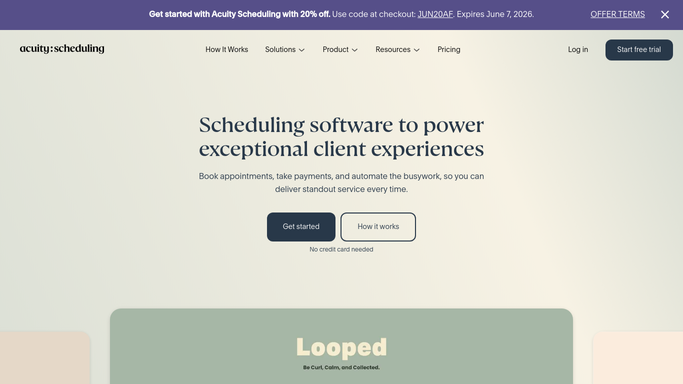
WebRun opens Acuity Scheduling to find yesterday's road-test passes. - Open Acuity Scheduling and filter appointments to road tests completed the previous day
- Find appointments flagged or noted as a pass in the calendar notes or appointment type
- Collect the student name, email address, and phone number for each pass
Done when Every student who passed their road test yesterday is listed with their contact details.
-
2
Google Business - draft review request for each pass
business.google.com How to Automate Google Business

WebRun opens Google Business to draft review request for each pass. - Open Google Business and navigate to the review request or messaging section
- Draft a personalised review request for each passing student, mentioning their first name and the school
- Save each draft without sending, leaving it in the approval queue for staff to review
Done when One draft review request exists in Google Business for each passing student. None have been sent.
-
3
Slack - log the action and alert the office
slack.com How to Automate Slack

WebRun opens Slack to log the action and alert the office. - Post a summary to the office Slack channel listing each student who passed and has a draft review request waiting
- Note the student name and remind staff to review and approve the drafts before sending
- Tag the channel so the message reaches staff promptly
Done when The office has a Slack log of yesterday's passes and knows review request drafts are ready for approval.
How is each run configured?
Secure by default
Connect once, stays signed in
WebRun signs in once and keeps each session in a persistent environment, so every run picks up right where it left off.
Every action is checked against this policy before it runs.
Questions, answered
Will it send the review request to the student automatically?
No. WebRun drafts the request in Google Business and posts a Slack alert, but the message is left unsent until a staff member reviews and approves it. No student is contacted without human sign-off.
How does it know who passed their road test?
It reads Acuity Scheduling appointment notes or outcome fields updated by your instructors. Appointments not marked as a pass are skipped, so only genuine passes trigger a draft.
Can it send review requests for students who failed or cancelled?
No. WebRun only drafts requests for appointments confirmed as passes. Failed, cancelled, or rescheduled tests are excluded each run, keeping outreach relevant and on-brand.
Related templates
Put this on autopilot.
Turn it on in minutes - or have our team set it up for you.