Chase both parties to sign the agreement to mediate
Every morning, WebRun reviews DocuSign for agreements to mediate awaiting signature, matches each envelope to its case in ADR Notable, drafts a courteous reminder in Outlook to the party who has not yet signed, and leaves each reminder unsent for you to review and send.
- No credit card
- Under $0.01 per run
- Cancel anytime
How do I automatically chase parties who have not signed the agreement to mediate?
WebRun checks DocuSign every morning for agreements to mediate that remain unsigned, matches each envelope to its case and parties in ADR Notable, and drafts a courteous reminder in Outlook to the party who has not signed. Every reminder stays an unsent draft until you review the case and send it yourself.
- Unsigned agreements are chased the same day they stall
- Only the outstanding party is reminded, never a completed signer
- No signature reminder leaves without your review
Built for mediators · ADR firms · arbitrators · case managers
What does WebRun do on every run?
The exact actions WebRun takes, in order - in plain language, so you can adjust anything.
-
WebRun signs in and gets to work
Opens
account.docusign.comin a real browser with your saved login - no setup, no API keys. -
1
DocuSign - find unsigned agreements to mediate
docusign.com How to Automate DocuSign

WebRun opens DocuSign to find unsigned agreements to mediate. - Open DocuSign and filter envelopes to those sent but not yet completed
- Keep only agreements to mediate that are still awaiting a signature
- Note which recipient has signed and which party is still outstanding
Done when Every unsigned agreement to mediate is listed with the party still to sign.
-
2
ADR Notable - match each envelope to its case
adrnotable.com How to Automate ADR Notable
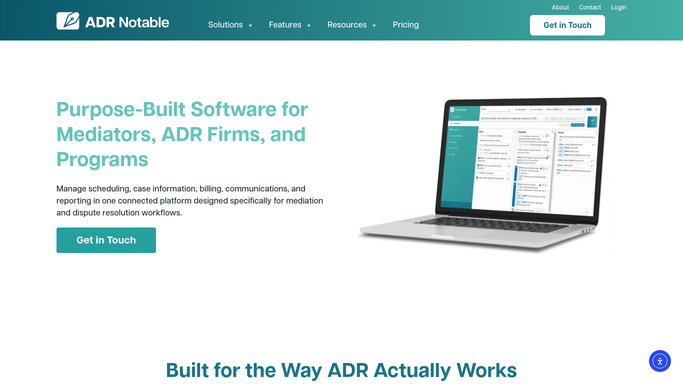
WebRun opens ADR Notable to match each envelope to its case. - Open ADR Notable and match each unsigned envelope to its case and parties
- Confirm the outstanding signer's name and contact details on the case record
- Note how many days the agreement has been awaiting signature
Done when Each unsigned agreement is linked to its ADR Notable case and outstanding party.
-
3
Outlook - draft a reminder to the missing signer
outlook.com How to Automate Outlook

WebRun opens Outlook to draft a reminder to the missing signer. - Draft a polite reminder in Outlook to the party who has not signed
- Reference the case, restate the signing link, and offer to answer questions
- Save each reminder as an Outlook draft. Do not send anything to parties automatically.
Done when A reminder draft exists in Outlook for every outstanding signer, awaiting your send.
How is each run configured?
Secure by default
Connect once, stays signed in
WebRun signs in once and keeps each session in a persistent environment, so every run picks up right where it left off.
Every action is checked against this policy before it runs.
Questions, answered
Will it send reminders to the parties on its own?
No. Each reminder is saved as an unsent Outlook draft tied to the case. You review who is being chased and what it says, then send it yourself, so no party is contacted without your approval.
How does it know who still needs to sign?
It reads the recipient status on each DocuSign envelope, so it targets only the party who has not signed and never nudges someone who already completed the agreement.
What if the agreement gets signed mid-day?
It checks the live DocuSign status each morning, so any agreement completed since the last run is dropped from the list and no stale reminder is drafted for it.
Related templates
Put this on autopilot.
Turn it on in minutes - or have our team set it up for you.