Remind parties of the upcoming session and what to prepare
Every morning, WebRun reads the next day's sessions from ADR Notable and Google Calendar, and for each party drafts a clear reminder in Outlook with the session time, location or video link, and the prep documents to bring. Every reminder is saved unsent for you to review and send.
- No credit card
- Under $0.01 per run
- Cancel anytime
What does WebRun do on every run?
The exact actions WebRun takes, in order - in plain language, so you can adjust anything.
-
WebRun signs in and gets to work
Opens
www.adrnotable.comin a real browser with your saved login - no setup, no API keys. -
1
ADR Notable - read tomorrow's sessions and prep docs
adrnotable.com How to Automate ADR Notable

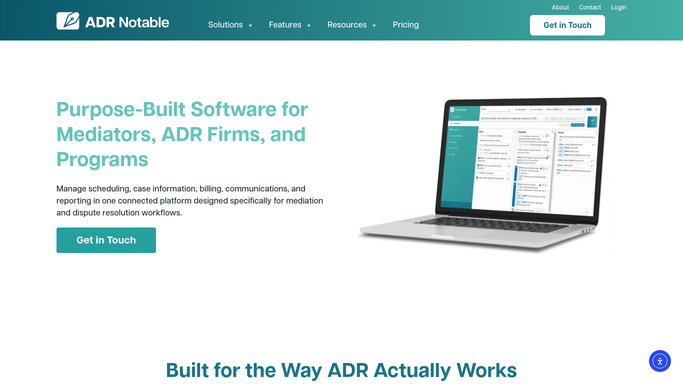
WebRun opens ADR Notable to read tomorrow's sessions and prep docs. - Open ADR Notable and list sessions scheduled for the next business day
- For each session, capture the parties, case type, and any required prep documents
- Note the assigned mediator and the location or video conferencing detail
Done when Tomorrow's sessions, parties, and prep documents are gathered from ADR Notable.
-
2
Google Calendar - confirm session times and details
calendar.google.com How to Automate Google Calendar
WebRun opens Google Calendar to confirm session times and details. - Open Google Calendar and confirm the exact start time and duration for each session
- Cross-check the meeting location or video link against the ADR Notable record
- Flag any session where the calendar and case details disagree
Done when Each session's time, location, and link are confirmed against Google Calendar.
-
3
Outlook - draft prep reminders to each party
outlook.com How to Automate Outlook
WebRun opens Outlook to draft prep reminders to each party. - Draft a clear reminder in Outlook to each party for their session
- Include the confirmed time, location or link, the mediator, and the documents to prepare
- Save every reminder as an unsent Outlook draft. Do not message parties automatically.
Done when A prep reminder draft exists in Outlook for every party with a session tomorrow.


How do I automatically remind parties about an upcoming mediation session?
WebRun reads tomorrow's mediation sessions from ADR Notable each morning and confirms every time and location against Google Calendar. For each party it drafts a reminder in Outlook covering the session time, the location or link, the mediator, and the documents to prepare. Every reminder stays unsent until you review and send it.
- Parties get a clear prep reminder the day before every session
- Time and location mismatches are caught before reminders go out
- No party reminder is sent without your review
Built for mediators · ADR firms · arbitrators · case managers
How is each run configured?
Secure by default
Connect once, stays signed in
WebRun signs in once and keeps each session in a persistent environment, so every run picks up right where it left off.
Every action is checked against this policy before it runs.
Questions, answered
Will it send session reminders to parties without me?
No. Every reminder is saved as an unsent Outlook draft. You confirm the details and send each one yourself, so no party receives a message about a session without your review.
What if the calendar and the case file disagree?
It flags any session where Google Calendar and ADR Notable show different times or locations, and holds that reminder for you to reconcile rather than drafting a reminder with conflicting details.
Can it list the specific documents each party should bring?
Yes. It reads the prep documents noted on the case in ADR Notable and lists them in that party's reminder, so each side arrives with the paperwork the session needs.
Related templates
Put this on autopilot.
Turn it on in minutes - or have our team set it up for you.