Flag open cases that have no next session scheduled
Every morning, WebRun opens ADR Notable, reviews every open matter, identifies active cases that have no future session scheduled, and posts your team a short Slack list ranked by how long each case has gone without a next date, so nothing quietly stalls.
- No credit card
- Under $0.01 per run
- Cancel anytime
What does WebRun do on every run?
The exact actions WebRun takes, in order - in plain language, so you can adjust anything.
-
WebRun signs in and gets to work
Opens
www.adrnotable.comin a real browser with your saved login - no setup, no API keys. -
1
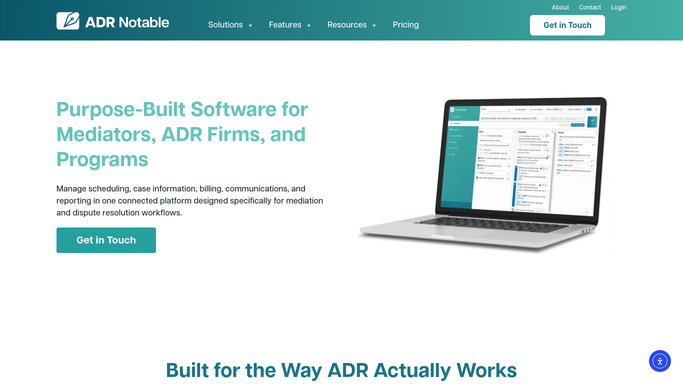
ADR Notable - find open cases with no future session
adrnotable.com How to Automate ADR Notable

WebRun opens ADR Notable to find open cases with no future session. - Open ADR Notable and list all matters with an open or active status
- For each case, check the scheduling calendar for any session dated in the future
- Keep the cases that have no upcoming session on the calendar
- Note the assigned mediator and the date of the last activity on each
Done when Every active case without a future scheduled session is identified with its mediator and last-activity date.
-
2
Slack - post the stalled-case list
slack.com How to Automate Slack
WebRun opens Slack to post the stalled-case list. - Post a ranked Slack list of active cases that have no next session scheduled
- Put the longest-idle cases first, each with its mediator @-mentioned
- Include the case name, days since last activity, and the assigned mediator
Done when Your team has today's list of stalled cases in Slack, ranked by idle time.

How do I find mediation cases with no next session scheduled?
WebRun scans every open matter in ADR Notable each morning and finds the active cases that have no future session on the scheduling calendar. It posts your team a ranked Slack list, longest-idle first, with each case's mediator and days since last activity, so no matter quietly stalls without someone booking the next date.
- Idle cases surface every morning before they slip further
- Team sees the longest-stalled matters ranked at the top
- Closed and on-hold cases are excluded automatically
Built for mediators · ADR firms · case managers · practice coordinators
How is each run configured?
Secure by default
Connect once, stays signed in
WebRun signs in once and keeps each session in a persistent environment, so every run picks up right where it left off.
Every action is checked against this policy before it runs.
Questions, answered
Does it contact the parties about scheduling?
No. This workflow only posts an internal Slack list for your team. It never messages parties or counsel. Your coordinator reads the list and books the next session through your normal process.
How does it decide a case is stalled?
It treats a case as stalled when its status in ADR Notable is open or active but the scheduling calendar holds no session dated in the future, so only genuinely un-booked matters appear.
What about cases that are paused or on hold?
It reads the live status in ADR Notable, so matters you have marked closed, settled, or on hold are excluded and only actionable open cases reach the list.
Related templates
Put this on autopilot.
Turn it on in minutes - or have our team set it up for you.