Run your month-end payment reconciliation across all client books
On the first Monday of each month, WebRun opens Fathom to pull each client entity's reconciliation status, cross-checks unreconciled items in Xero, logs the results in a Google Sheet, and posts a status digest to your Slack channel so your team knows exactly what still needs attention before the books close.
- No credit card
- Under $0.01 per run
- Cancel anytime
What does WebRun do on every run?
The exact actions WebRun takes, in order - in plain language, so you can adjust anything.
-
WebRun signs in and gets to work
Opens
app.fathomhq.comin a real browser with your saved login - no setup, no API keys. -
1
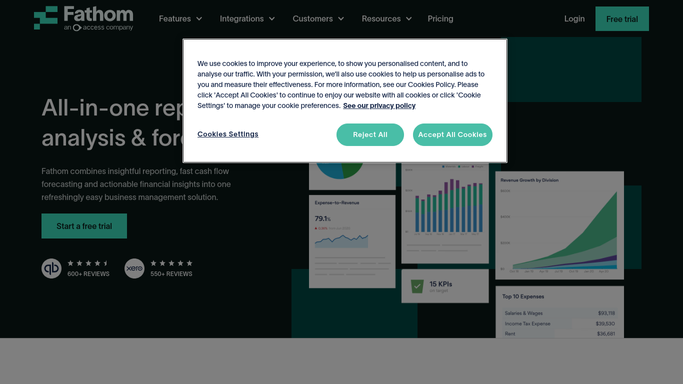
Fathom - pull client entity reconciliation overview
fathomhq.com How to Automate Fathom

WebRun opens Fathom to pull client entity reconciliation overview. - Open Fathom and navigate to the consolidated client list
- For each client entity, check the last-sync date and data freshness indicator
- Flag any entity whose data is more than two days stale
Done when Every client entity has a sync-status note and stale entities are flagged.
-
2
Xero - check unreconciled items per entity
xero.com How to Automate Xero
WebRun opens Xero to check unreconciled items per entity. - Open each client's Xero organisation and navigate to the Bank Reconciliation summary
- Record the number of unreconciled items and the oldest transaction date
- Note any client where unreconciled items exceed your review threshold
Done when Every client entity has an unreconciled-item count and oldest-transaction date recorded.
-
3
Google Sheets - log reconciliation status
google.com How to Automate Google Sheets
WebRun opens Google Sheets to log reconciliation status. - Open the shared reconciliation tracker sheet
- Add a new row for each client entity with today's date, unreconciled count, and status
- Mark entities as Clear, Needs Attention, or Urgent based on the count and age of items
Done when The reconciliation tracker sheet is updated with this month's status for every client.
-
4
Slack - post month-end status digest
slack.com How to Automate Slack
WebRun opens Slack to post month-end status digest. - Post a concise digest to the month-end Slack channel listing all client entities by status
- Lead with Urgent and Needs Attention items so the team can prioritise
- Include a link to the Google Sheet for full detail
Done when The team has a ranked reconciliation status digest in Slack with a link to the tracker.



How can I automatically track month-end reconciliation status across all my CFO clients?
WebRun checks Fathom and Xero for every client entity at month-end, records unreconciled item counts in a Google Sheet, and posts a ranked status digest to Slack. Your team sees which clients need urgent attention and which are clear, all before the close deadline.
- Month-end reconciliation gaps are surfaced before the close deadline
- Every client entity status is logged automatically in one shared tracker
- The team starts each Monday with a ranked list of what needs fixing
Built for fractional CFOs · outsourced accounting teams · CFO advisory practices · multi-client finance teams
How is each run configured?
Secure by default
Connect once, stays signed in
WebRun signs in once and keeps each session in a persistent environment, so every run picks up right where it left off.
Every action is checked against this policy before it runs.
Questions, answered
Can it handle multiple client Xero organisations at once?
Yes. WebRun loops through each client entity in sequence, opening each Xero organisation in turn and logging the results before moving to the next.
Will it make any changes to the client books?
No. WebRun reads reconciliation status only. It never posts, edits, or reconciles transactions in Xero or Fathom.
How do I customise the threshold for flagging urgent items?
You set the unreconciled-item count and age threshold during setup. WebRun applies your rules on every run without any further input from you.
Related templates
Put this on autopilot.
Turn it on in minutes - or have our team set it up for you.