Route board pack approvals to the right stakeholder before client delivery
Before any board pack is delivered to a client, WebRun opens Fathom to confirm the management report is finalised and all KPIs are current, drafts an internal approval-request email in Gmail to the designated reviewer, and queues a DocuSign sign-off request if required. It then posts a board-pack summary to Slack so the approver can review and release the pack for delivery.
- No credit card
- Under $0.01 per run
- Cancel anytime
How can I route board pack approvals internally before delivering them to fractional CFO clients?
WebRun checks Fathom to confirm each management report is ready, then drafts an internal approval-request email in Gmail and queues a DocuSign sign-off envelope if required. It posts a board-pack summary to Slack so designated approvers can review and release each pack. Nothing reaches any client until a human approves it.
- No board pack reaches a client without a documented internal approval step
- Approvers get a Slack summary with key metrics so they can review faster
- Blocked packs are flagged automatically when Fathom data is not yet finalised
Built for fractional CFOs · CFO advisory practices · outsourced finance directors · finance teams with board reporting obligations
What does WebRun do on every run?
The exact actions WebRun takes, in order - in plain language, so you can adjust anything.
-
WebRun signs in and gets to work
Opens
app.fathomhq.comin a real browser with your saved login - no setup, no API keys. -
1
Fathom - confirm management report is finalised
fathomhq.com How to Automate Fathom
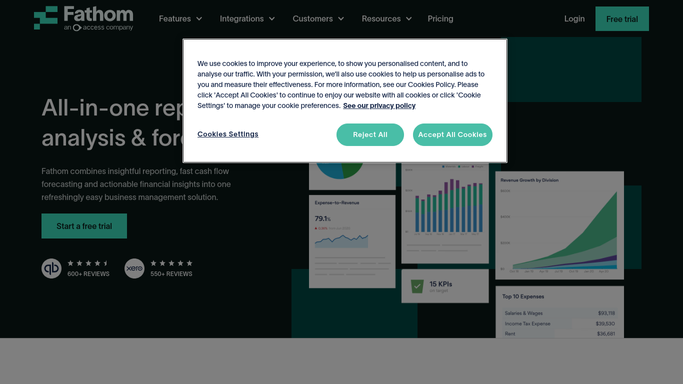
WebRun opens Fathom to confirm management report is finalised. - Open each client's Fathom organisation and navigate to the current management report
- Confirm that all data is synced, all KPIs are green, and the report is in a deliverable state
- Note any section that still requires commentary or manual update
Done when Every client's Fathom management report has a deliverable-ready or needs-update status.
-
2
Gmail - draft internal approval-request email
gmail.com How to Automate Gmail

WebRun opens Gmail to draft internal approval-request email. - Draft an internal approval-request email to the designated board-pack reviewer for each ready client
- Include the client name, reporting period, and a summary of key metrics from Fathom
- Leave every approval email unsent for the reviewer to send manually after completing their check
Done when An unsent internal approval-request email draft exists in Gmail for each ready board pack.
-
3
DocuSign - queue sign-off envelope if required
docusign.com How to Automate DocuSign

WebRun opens DocuSign to queue sign-off envelope if required. - For clients requiring a formal sign-off, queue a DocuSign envelope to the internal reviewer
- Include the management report summary as the document for review
- Leave the envelope in draft status until the reviewer confirms they are ready to sign
Done when A DocuSign draft sign-off envelope is queued for every client requiring formal internal approval.
-
4
Slack - post board-pack summary for approver review
slack.com How to Automate Slack

WebRun opens Slack to post board-pack summary for approver review. - Post a board-pack summary to the approvals Slack channel for each client pack ready for review
- Tag the designated approver and include the key metrics summary from Fathom
- Note which packs are blocked pending additional commentary in the report
Done when The designated approvers have a Slack summary of every board pack awaiting their sign-off.
How is each run configured?
Secure by default
Connect once, stays signed in
WebRun signs in once and keeps each session in a persistent environment, so every run picks up right where it left off.
Every action is checked against this policy before it runs.
Questions, answered
Will it send the board pack to the client without approval?
No. WebRun never delivers anything to a client. It only stages the internal approval request. The pack goes to the client only after the designated approver completes their review and releases it manually.
What if the Fathom report is not ready yet?
WebRun marks the pack as blocked in the Slack summary and skips the approval-request email for that client until the report is finalised.
Is DocuSign always required for internal sign-off?
No. DocuSign is optional per client. You configure which clients require a formal sign-off envelope during setup. For others, the Gmail approval email and Slack review are sufficient.
Related templates
Put this on autopilot.
Turn it on in minutes - or have our team set it up for you.