Automated CFO Month-End Close Status Tracker
On the first Monday of each month, WebRun checks the close progress for every client entity by reviewing Fathom sync status and your Google Sheet close checklist. It updates the status for each entity to Open, In Progress, or Closed, posts a ranked close-status digest to Slack, and sends a quick summary to your personal Telegram so you can triage blocked clients from anywhere.
How can I automatically track month-end close status across all my fractional CFO client entities?
WebRun checks Fathom sync status and your Google Sheet close checklist for every client entity at month-end, updates each status to Open, In Progress, or Closed, and posts a ranked digest to Slack. Blocked clients are also sent as a short personal Telegram summary so the lead CFO can triage from anywhere.
- Blocked client entities are visible and assigned before the close deadline passes
- The full team sees a ranked close-status digest every Monday without manual updates
- The lead CFO gets a personal blocked-client list on Telegram to triage on the go
Built for fractional CFOs · CFO advisory practices · outsourced finance teams · multi-client accounting managers
What does WebRun do on every run?
The exact actions WebRun takes, in order - in plain language, so you can adjust anything.
-
WebRun signs in and gets to work
Opens
app.fathomhq.comin a real browser with your saved login - no setup, no API keys. -
1
Fathom - check data sync and close readiness per client
fathomhq.com
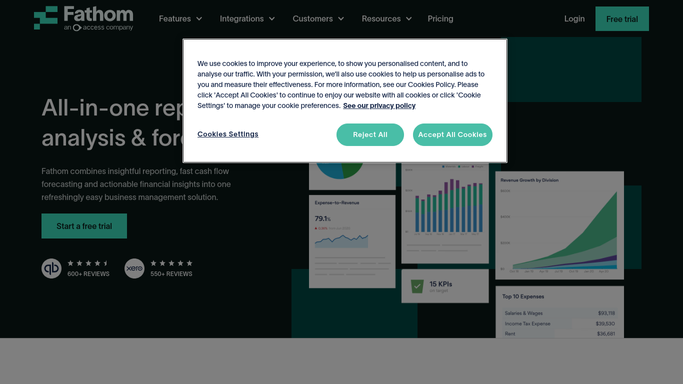
WebRun opens Fathom to check data sync and close readiness per client. - Open each client organisation in Fathom and check the most recent data sync timestamp
- Review whether the current-month management report has been generated and is showing complete data
- Flag any client where sync is stale or the report has data gaps
Done when Every client entity has a sync status, a report-ready status, and any flags noted.
-
2
Google Sheets - update close-status checklist
google.com

WebRun opens Google Sheets to update close-status checklist. - Open the month-end close checklist sheet
- Update the status column for each client entity to Open, In Progress, or Closed based on the Fathom check
- Note any blocking issue in the comments column, such as missing bank reconciliation or outstanding documents
Done when Every client entity has an updated status and any blocking issues are noted in the tracker.
-
3
Slack - post ranked close-status digest to team
slack.com

WebRun opens Slack to post ranked close-status digest to team. - Post a ranked close-status digest to the month-end Slack channel
- Lead with Blocked and Open entities, followed by In Progress, then Closed
- Tag the responsible CFO for each blocked entity and include a link to the tracker
Done when The team has a ranked month-end close-status digest in Slack with tagged owners.
-
4
Telegram - send personal close-status summary
telegram.org

WebRun opens Telegram to send personal close-status summary. - Send a short personal summary to your Telegram account with the count of Closed, In Progress, and Blocked entities
- List only the Blocked clients by name so you can prioritise outreach
- This message is for the lead CFO only and is not client-facing
Done when A close-status summary with blocked client names is delivered to your personal Telegram.
How is each run configured?
Secure by default
Connect once, stays signed in
WebRun signs in once and keeps each session in a persistent environment, so every run picks up right where it left off.
Every action is checked against this policy before it runs.
Questions, answered
What counts as a Closed entity at month-end?
An entity is marked Closed when Fathom shows a recent successful sync for the month, the management report data is complete, and all checklist items in your Google Sheet are ticked.
Can it send a close-status message directly to clients?
No. All digests are internal only: Slack for the team and Telegram for the lead CFO. No close-status communication is sent to any client automatically.
How is the Telegram summary different from the Slack digest?
The Slack digest is a full ranked list for the whole team. The Telegram message is a short personal summary for the lead CFO with only the blocked client names, so they can act quickly from their phone.
Related templates
Put this on autopilot.
Turn it on in minutes - or have our team set it up for you.