Monitor financial covenants and loan conditions across your CFO client base
Every Monday, WebRun opens Fathom for each client with active loan covenants, checks their current debt service coverage ratio, current ratio, and other configured covenant metrics against the thresholds in your Google Sheet covenant tracker, logs the results, and posts a weekly digest to Slack. Any near-breach or breach triggers an immediate internal flag so you can prepare a client conversation before the lender issues a notice.
- No credit card
- Under $0.01 per run
- Cancel anytime
What does WebRun do on every run?
The exact actions WebRun takes, in order - in plain language, so you can adjust anything.
-
WebRun signs in and gets to work
Opens
app.fathomhq.comin a real browser with your saved login - no setup, no API keys. -
1
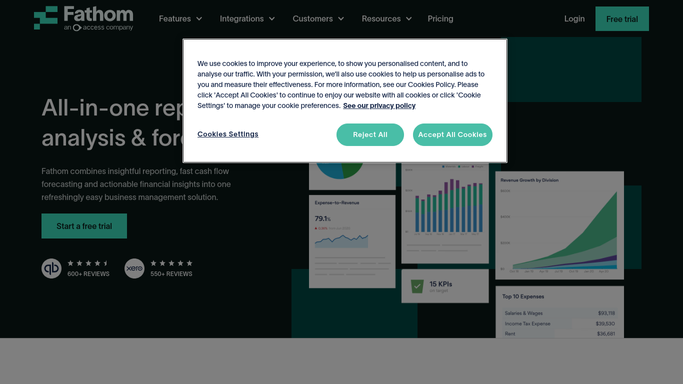
Fathom - pull current financial ratios per client
fathomhq.com How to Automate Fathom

WebRun opens Fathom to pull current financial ratios per client. - Open each client organisation in Fathom and navigate to the KPI dashboard
- Read the current values for each covenant metric, such as debt service coverage ratio, current ratio, and net debt to EBITDA
- Record the current value and the direction of trend versus last month
Done when Every covenant metric for every client has a current value and trend direction recorded.
-
2
Google Sheets - compare ratios against covenant thresholds
google.com How to Automate Google Sheets
WebRun opens Google Sheets to compare ratios against covenant thresholds. - Open the covenant tracker sheet
- For each client and each covenant metric, compare the current Fathom value against the minimum or maximum threshold
- Mark each metric as Safe, Watch, or Breach based on the comparison and your configured headroom buffer
Done when Every covenant metric is marked Safe, Watch, or Breach in the tracker for this week.
-
3
Slack - post weekly covenant health digest
slack.com How to Automate Slack
WebRun opens Slack to post weekly covenant health digest. - Post a weekly covenant health digest to the risk-monitoring Slack channel
- Lead with any Breach or Watch items, listing client, covenant type, current value, and threshold
- Provide a full Safe summary at the end for clients with no covenant concerns
Done when The team has a ranked covenant health digest in Slack covering every client.
-
4
Gmail - draft breach-alert email for CFO review
gmail.com How to Automate Gmail
WebRun opens Gmail to draft breach-alert email for CFO review. - For any client with a Breach status, draft an internal alert email summarising the breach details and recommended next steps
- Leave the draft unsent for the responsible CFO to review and personalise before any client or lender contact
- Do not send any email to the client or lender without explicit CFO approval
Done when An unsent internal breach-alert email draft exists for every client in Breach status.



How can I automatically monitor loan covenants and financial conditions across all my fractional CFO clients?
WebRun pulls current financial ratios from Fathom for every client with active loan covenants, compares them against thresholds in your Google Sheet tracker, and posts a weekly covenant health digest to Slack. Any breach triggers an internal Gmail draft alert for the CFO to review before any contact with the client or lender.
- Covenant breaches and near-breaches are caught before the next lender reporting date
- Every client's covenant health is visible in one Slack digest every Monday
- Internal breach alerts are staged for CFO review without any manual ratio checking
Built for fractional CFOs · CFO advisory practices · debt-funded business advisors · outsourced finance directors
How is each run configured?
Secure by default
Connect once, stays signed in
WebRun signs in once and keeps each session in a persistent environment, so every run picks up right where it left off.
Every action is checked against this policy before it runs.
Questions, answered
Which financial ratios can it monitor?
It monitors any KPI available in Fathom for each client, including debt service coverage ratio, current ratio, net debt to EBITDA, and any custom KPIs configured in the client's Fathom organisation.
Will it contact the lender or client if a covenant is breached?
No. All breach alerts are internal only. WebRun drafts an internal email for the CFO to review. No communication goes to the client or lender without your explicit approval.
Can I set different thresholds and headroom buffers for different clients?
Yes. Each client's covenant thresholds and headroom buffer percentages are configured in the Google Sheet covenant tracker during setup. WebRun applies each client's individual settings on every run.
Related templates
Put this on autopilot.
Turn it on in minutes - or have our team set it up for you.