Kick off new shipper onboarding the moment a customer signs up
When a new customer is added to Truckbase, WebRun reads their contact details, creates a new onboarding checklist row in Google Sheets, and drafts a welcome email in Gmail with next steps for your review before anything is sent to the customer.
- No credit card
- Under $0.01 per run
- Cancel anytime
How do I automatically kick off customer onboarding when a new shipper is added?
When a new customer is added to Truckbase, WebRun immediately reads their contact details, creates an onboarding checklist row in Google Sheets with standard setup tasks, and drafts a welcome email in Gmail for your review. You approve and send the email so every new customer relationship starts with a timely, professional first contact.
- Every new customer gets an onboarding checklist the moment they are added
- No new shipper sits without a welcome email draft waiting for review
- Onboarding is consistent regardless of which team member adds the customer
Built for freight dispatch services · third-party dispatchers · carrier sales teams · owner-operator dispatchers
What does WebRun do on every run?
The exact actions WebRun takes, in order - in plain language, so you can adjust anything.
-
WebRun signs in and gets to work
Opens
app.truckbase.comin a real browser with your saved login - no setup, no API keys. -
1
Truckbase - detect new customer record
truckbase.com How to Automate Truckbase
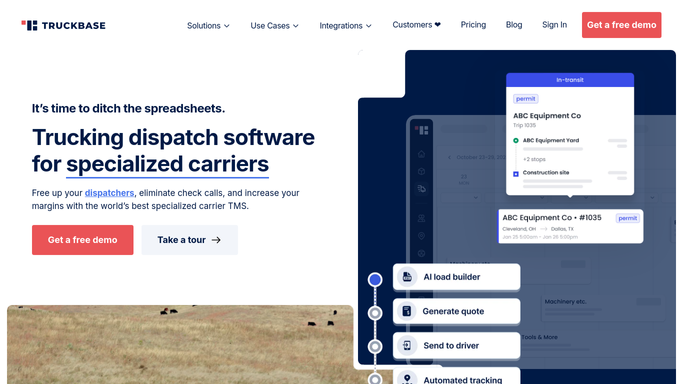
WebRun opens Truckbase to detect new customer record. - Detect when a new customer is added to Truckbase
- Read the customer name, contact name, email address, and any notes about their freight requirements
- Note whether they are a broker, shipper, or direct customer
Done when New customer details are captured from Truckbase.
-
2
Google Sheets - create onboarding checklist row
google.com How to Automate Google Sheets

WebRun opens Google Sheets to create onboarding checklist row. - Open the customer onboarding checklist sheet
- Add a new row for the customer with their name, contact email, date added, and a standard onboarding task list
- Mark the row as In Progress so the team knows it is being handled
Done when A new onboarding checklist row is created for the customer.
-
3
Gmail - draft welcome email with next steps
gmail.com How to Automate Gmail

WebRun opens Gmail to draft welcome email with next steps. - Draft a welcome email addressed to the new customer's contact
- Include an introduction to your dispatch service, next steps for setting up the relationship, and a request for any required documents
- Save the draft for your review. Do not send without human approval
Done when A draft welcome email is ready in Gmail for the new customer.
How is each run configured?
Secure by default
Connect once, stays signed in
WebRun signs in once and keeps each session in a persistent environment, so every run picks up right where it left off.
Every action is checked against this policy before it runs.
Questions, answered
Will it send the welcome email to the new customer automatically?
No. WebRun drafts the welcome email and saves it in Gmail for your review. You approve and send it, so the first impression your new customer gets is one you have personally signed off on.
What is included in the onboarding checklist?
The checklist includes standard setup tasks such as collecting a W-9, setting up billing terms, confirming load requirements, and scheduling an intro call. You can customize the task list during setup.
Does it work for broker customers as well as direct shippers?
Yes. WebRun reads the customer type from Truckbase and can tailor the checklist and draft email to reflect whether the new account is a broker, direct shipper, or repeat customer.
Related templates
Put this on autopilot.
Turn it on in minutes - or have our team set it up for you.