Track open cargo claims and make sure none slip past their filing deadline
Every Monday, WebRun opens Truckbase for load-level damage notes and your Google Sheet claim register for open claims, checks each claim's age against filing and response deadlines, and drafts a follow-up email in Gmail for any claim approaching its cutoff.
- No credit card
- Under $0.01 per run
- Cancel anytime
How do I automatically track cargo claims and their filing deadlines?
WebRun opens Truckbase every Monday for load damage notes and checks your Google Sheet cargo claim register for open claims approaching their filing deadlines. It updates the register with new exceptions and drafts a follow-up email in Gmail for every claim nearing its cutoff, so your team never misses a deadline.
- No cargo claim deadline is missed due to manual oversight
- Open claims are tracked in a single register updated weekly
- Time-sensitive claim follow-ups are drafted before the deadline passes
Built for freight dispatch services · trucking carriers · claims managers · carrier operations teams
What does WebRun do on every run?
The exact actions WebRun takes, in order - in plain language, so you can adjust anything.
-
WebRun signs in and gets to work
Opens
app.truckbase.comin a real browser with your saved login - no setup, no API keys. -
1
Truckbase - pull load notes for damage or shortage flags
truckbase.com How to Automate Truckbase
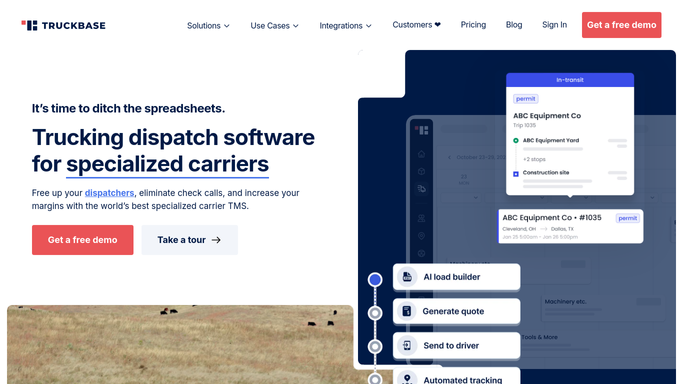
WebRun opens Truckbase to pull load notes for damage or shortage flags. - Open Truckbase and review completed loads for any damage, shortage, or loss notes recorded by the driver or dispatcher
- Identify loads with open exception flags that may require a cargo claim
- Capture the load number, customer, date of delivery, and exception type
Done when All loads with potential cargo claim exceptions are identified.
-
2
Google Sheets - check claim register against filing deadlines
google.com How to Automate Google Sheets

WebRun opens Google Sheets to check claim register against filing deadlines. - Open the cargo claim register sheet
- Cross-reference Truckbase exceptions with existing open claims
- Add new exception loads as pending claims if not already logged
- Flag any open claim whose filing or response deadline is within 14 days
Done when The claim register is updated and claims nearing deadlines are flagged.
-
3
Gmail - draft follow-up for claims nearing cutoff
gmail.com How to Automate Gmail

WebRun opens Gmail to draft follow-up for claims nearing cutoff. - Draft a follow-up email for each flagged claim approaching its filing or response deadline
- Include the load number, claim amount, and deadline date in the draft
- Leave all drafts for human review. Do not submit or send without approval
Done when A draft follow-up is queued in Gmail for every claim near its deadline.
How is each run configured?
Secure by default
Connect once, stays signed in
WebRun signs in once and keeps each session in a persistent environment, so every run picks up right where it left off.
Every action is checked against this policy before it runs.
Questions, answered
Will it file a cargo claim automatically?
No. WebRun drafts follow-up emails and flags deadlines, but no claim is filed or submitted without your explicit approval. Filing a claim is an irreversible step that always requires human sign-off.
Where does it store the claim register?
In a Google Sheet you designate during setup. WebRun reads and writes to that sheet each run, so your team can also update it manually between runs.
How does it know the filing deadline for each claim?
You configure the standard deadline window during setup, for example nine months from delivery date. WebRun calculates the cutoff from the delivery date in Truckbase and flags claims within 14 days of that cutoff.
Related templates
Put this on autopilot.
Turn it on in minutes - or have our team set it up for you.