Draft follow-up reminders for anesthesia patients due for recall
Every Monday, WebRun opens Graphium Health, identifies patients whose post-anesthesia follow-up or recall visit is due this week based on case date and prescribed recall interval, logs the due list to Google Sheets, and drafts a follow-up outreach message in Gmail for each patient for your care coordinator to review and send.
- No credit card
- Under $0.01 per run
- Cancel anytime
How do I automatically draft recall reminders for anesthesia patients due for follow-up?
WebRun opens Graphium Health every Monday, identifies anesthesia patients whose follow-up or recall visit is due this week, and logs them to a Google Sheets tracker. A draft reminder email is queued in Gmail for each patient for your care coordinator to review and send individually, so no recall visit is missed and patient outreach is never automated without approval.
- Every patient due for recall is identified weekly and never missed due to a manual oversight
- Care coordinators review and send draft reminders with a single click, saving hours of list-building
- Patients who already have a follow-up scheduled are excluded automatically from the outreach queue
Built for anesthesia care coordinators · anesthesia group administrators · anesthesia practice managers
What does WebRun do on every run?
The exact actions WebRun takes, in order - in plain language, so you can adjust anything.
-
WebRun signs in and gets to work
Opens
app.graphiumhealth.comin a real browser with your saved login - no setup, no API keys. -
1
Graphium Health - identify patients with recall due this week
graphiumhealth.com How to Automate Graphium Health
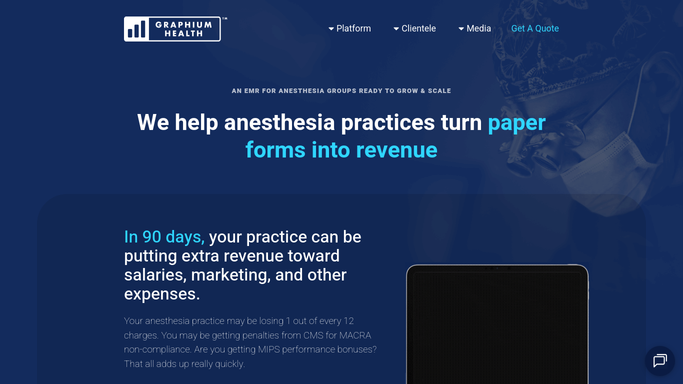
WebRun opens Graphium Health to identify patients with recall due this week. - Open Graphium Health and filter the case history for patients with a follow-up or recall due date falling this week
- Pull the patient identifier, case date, procedure type, provider, and recall interval for each
- Exclude patients who already have a follow-up appointment scheduled or who have opted out of recall contact
Done when Every patient with a recall due this week is identified from the Graphium Health case history.
-
2
Google Sheets - log recall due list
google.com How to Automate Google Sheets

WebRun opens Google Sheets to log recall due list. - Append each due patient to the weekly recall tracker sheet with their case date, procedure, and due date
- Mark the status as Pending Outreach so the coordinator can update it once the reminder is sent
- Flag any patient overdue from a prior week who has not yet been contacted
Done when The recall due list is logged in Google Sheets with status tracking for each patient.
-
3
Gmail - draft outreach messages for coordinator review
gmail.com How to Automate Gmail

WebRun opens Gmail to draft outreach messages for coordinator review. - Draft a recall reminder message for each patient using the care coordinator's email account
- Keep the message brief and clinical, referencing the procedure date and the reason for follow-up without disclosing case details in the subject line
- Leave every draft unsent in Gmail for the coordinator to review, personalize if needed, and send individually
Done when A Gmail draft recall reminder exists for every due patient, ready for coordinator review and sending.
How is each run configured?
Secure by default
Connect once, stays signed in
WebRun signs in once and keeps each session in a persistent environment, so every run picks up right where it left off.
Every action is checked against this policy before it runs.
Questions, answered
Will it send the recall reminder emails to patients automatically?
No. All patient outreach is drafted and left unsent in Gmail for your care coordinator to review and send. No message reaches a patient without explicit human approval, in keeping with HIPAA-safe handling of patient communications.
Does the draft email include protected health information?
The draft references only the follow-up purpose and the procedure date. It does not include diagnosis codes, clinical notes, or other protected health information in the message body or subject line unless your coordinator chooses to add it before sending.
What if a patient has already booked their follow-up appointment?
Patients with an existing follow-up appointment in Graphium Health are excluded from the recall list automatically. Only patients with no scheduled follow-up and a due recall date this week appear in the draft queue.
Related templates
Put this on autopilot.
Turn it on in minutes - or have our team set it up for you.