Hand off completed anesthesia cases to billing without any gaps
Every night, WebRun opens Graphium Health, pulls all anesthesia cases completed during the day, verifies that each has the required CPT codes, ASA codes, time units, and provider attestation, flags any case that is incomplete, and posts a clean handoff digest to your billing coordinator via Telegram with the day's case count and flagged exceptions logged to Google Sheets.
- No credit card
- Under $0.01 per run
- Cancel anytime
How do I automate the nightly anesthesia billing handoff verification?
WebRun opens Graphium Health every night, verifies that each completed anesthesia case has its CPT codes, time units, ICD-10 codes, and provider attestation in place, and posts a handoff digest to your billing coordinator in Telegram. Incomplete cases are flagged in an exceptions list logged to Google Sheets, so billing only receives clean, complete records.
- Billing exceptions are caught the same night before the billing window closes
- Billing completeness rates are tracked daily in Google Sheets for trend reporting
- Billing coordinators receive a nightly case count and exception list without any manual review
Built for anesthesia billing coordinators · anesthesia RCM managers · anesthesia group administrators · billing companies serving anesthesia groups
What does WebRun do on every run?
The exact actions WebRun takes, in order - in plain language, so you can adjust anything.
-
WebRun signs in and gets to work
Opens
app.graphiumhealth.comin a real browser with your saved login - no setup, no API keys. -
1
Graphium Health - pull completed cases with CPT codes and time units
graphiumhealth.com How to Automate Graphium Health
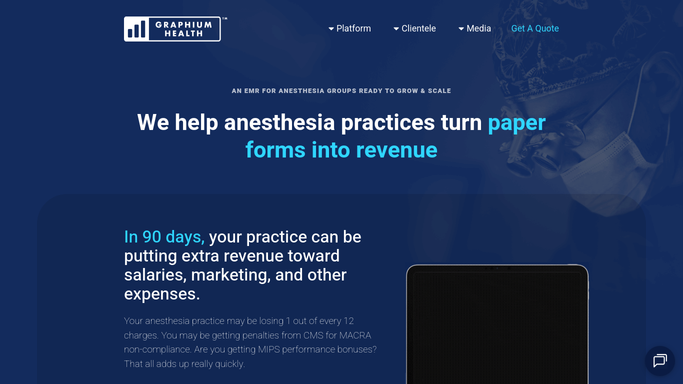
WebRun opens Graphium Health to pull completed cases with CPT codes and time units. - Open Graphium Health and filter cases to Completed status for today's date
- For each case, verify that CPT codes, ASA codes, anesthesia time units, ICD-10 codes, and provider attestation are all present
- Flag any case missing a required billing field so it can be corrected before the billing file is generated
- Confirm the billing handoff file or interface to the biller is ready for all complete cases
Done when All completed cases are verified for completeness and cases with missing billing fields are identified.
-
2
Google Sheets - log handoff summary and exceptions
google.com How to Automate Google Sheets

WebRun opens Google Sheets to log handoff summary and exceptions. - Log today's billing handoff summary: total cases completed, cases ready for billing, and cases with exceptions
- Add a row for each incomplete case noting the missing field and the provider responsible
- Update the running daily handoff log so billing managers can track completeness rates over time
Done when Today's handoff summary and all incomplete case exceptions are recorded in Google Sheets.
-
3
Telegram - notify billing coordinator
telegram.org How to Automate Telegram

WebRun opens Telegram to notify billing coordinator. - Send a Telegram message to the billing coordinator with today's case count, the number ready for billing, and the count of exceptions requiring correction
- List each exception case by provider and missing field so corrections can be made before the billing window closes
- Confirm the time of the handoff so the billing company can reconcile their received records
Done when The billing coordinator has tonight's handoff summary and exception list in Telegram.
How is each run configured?
Secure by default
Connect once, stays signed in
WebRun signs in once and keeps each session in a persistent environment, so every run picks up right where it left off.
Every action is checked against this policy before it runs.
Questions, answered
Does it send patient case data to the billing company automatically?
No. WebRun verifies completeness and alerts your coordinator in Telegram. The actual billing file transmission uses Graphium Health's existing SFTP or custom billing interface, controlled by your team. WebRun does not transmit clinical data externally.
What happens when a required field is missing from a case?
The case is flagged in the exception list with the specific missing field noted, so the provider or coordinator can correct it in Graphium Health before the billing file is finalized. The clean cases proceed normally.
Can it track handoff completeness rates over time?
Yes. The Google Sheets log accumulates daily case counts and exception rates, so your billing manager can spot providers or facilities with recurring documentation gaps and address them proactively.
Related templates
Put this on autopilot.
Turn it on in minutes - or have our team set it up for you.