Stay ahead of expiring anesthesia prior authorizations
Every morning, WebRun opens Graphium Health, reviews upcoming scheduled anesthesia cases, checks prior authorization status for each case on the next five days of the schedule, flags any case missing an auth or with an auth expiring before the procedure date, logs the list to Google Sheets, and alerts your scheduling and billing team in Slack.
- No credit card
- Under $0.01 per run
- Cancel anytime
How do I automatically track expiring prior authorizations for anesthesia cases?
WebRun checks Graphium Health every morning, reviews all anesthesia cases scheduled in the next five days, and flags any case missing a prior authorization or carrying one that expires before the procedure date. Gaps are logged to Google Sheets and posted to your scheduling and billing team in Slack, so every case arrives at the OR with a valid auth in place.
- Cases with missing or expiring auth are flagged 5 days before the procedure, not the morning of
- The scheduling team works from a sorted list, soonest procedure dates first
- Resolved authorizations are removed from subsequent alerts automatically
Built for anesthesia scheduling coordinators · anesthesia billing teams · anesthesia group administrators
What does WebRun do on every run?
The exact actions WebRun takes, in order - in plain language, so you can adjust anything.
-
WebRun signs in and gets to work
Opens
app.graphiumhealth.comin a real browser with your saved login - no setup, no API keys. -
1
Graphium Health - check scheduled cases for prior auth status
graphiumhealth.com How to Automate Graphium Health
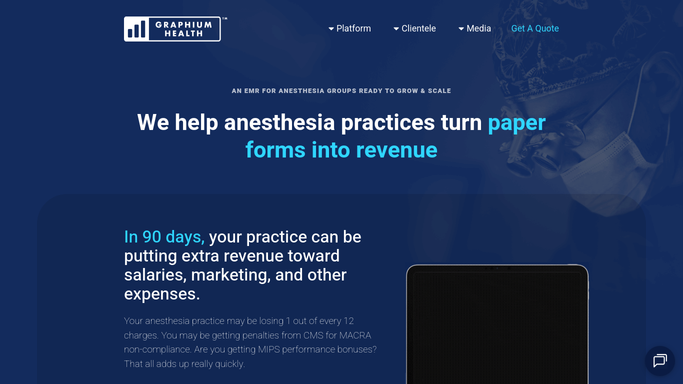
WebRun opens Graphium Health to check scheduled cases for prior auth status. - Open Graphium Health and navigate to the scheduling and case list view
- Pull all cases scheduled in the next 5 business days
- For each case, check the prior authorization field for a valid auth number and expiry date
- Flag cases where no auth number is recorded or the auth expiry date falls before the procedure date
Done when Every case in the next 5 days has been checked and cases without valid prior auth are identified.
-
2
Google Sheets - log auth gaps and expiry dates
google.com How to Automate Google Sheets

WebRun opens Google Sheets to log auth gaps and expiry dates. - Append flagged cases to the prior-auth tracker sheet with case date, provider, facility, and auth status
- Record the auth number and expiry date where one exists, and note the gap type: missing or expiring
- Mark each row as Open until the scheduling team confirms auth is obtained
Done when All prior-auth gaps for the next 5 days are logged in the Google Sheets tracker.
-
3
Slack - alert scheduling and billing team
slack.com How to Automate Slack

WebRun opens Slack to alert scheduling and billing team. - Post an alert to the scheduling-ops Slack channel listing each case with a missing or expiring auth
- Sort by procedure date, soonest first, so the team works the most urgent cases immediately
- Include the case date, provider, and the gap type so coordinators know what action to take
Done when The scheduling team has today's prior-auth action list in Slack.
How is each run configured?
Secure by default
Connect once, stays signed in
WebRun signs in once and keeps each session in a persistent environment, so every run picks up right where it left off.
Every action is checked against this policy before it runs.
Questions, answered
Will it contact the payer or patient to obtain the authorization?
No. WebRun identifies the gaps and alerts your team. All payer calls and patient communications to obtain or renew an authorization are handled by your coordinators and are drafted for human review before anything is sent.
How far in advance does it check the schedule?
By default it looks 5 business days ahead, catching authorizations that expire before the procedure date or are simply missing from the case record in Graphium Health.
What if an auth is obtained after the morning run?
The Google Sheets log is the source of truth. Once a coordinator updates the row status to Resolved, that case no longer appears in the next day's Slack alert.
Related templates
Put this on autopilot.
Turn it on in minutes - or have our team set it up for you.