Keep your MIPS quality measures on track all year
Every Monday, WebRun opens Graphium Health, reads each provider's MIPS and QCDR measure performance year-to-date, identifies gaps against the required thresholds, logs findings to Google Sheets, and posts a prioritized gap worklist to your quality-ops Slack channel.
- No credit card
- Under $0.01 per run
- Cancel anytime
How do I automatically track MIPS quality measure gaps for my anesthesia group?
WebRun opens Graphium Health every Monday, reads each provider's year-to-date MIPS and QCDR quality measure performance, and compares it against annual thresholds. Providers and measures that are behind are logged to Google Sheets and posted as a prioritized gap worklist in Slack, so your quality team can intervene early and avoid end-of-year penalties.
- Quality gaps are identified weekly, not at year-end when it is too late to fix them
- The highest-risk providers and measures are surfaced first each Monday
- MIPS performance history is preserved in a running Google Sheets log
Built for anesthesia quality directors · anesthesia group administrators · compliance officers · anesthesia practice managers
What does WebRun do on every run?
The exact actions WebRun takes, in order - in plain language, so you can adjust anything.
-
WebRun signs in and gets to work
Opens
app.graphiumhealth.comin a real browser with your saved login - no setup, no API keys. -
1
Graphium Health - read MIPS and QCDR measure performance
graphiumhealth.com How to Automate Graphium Health
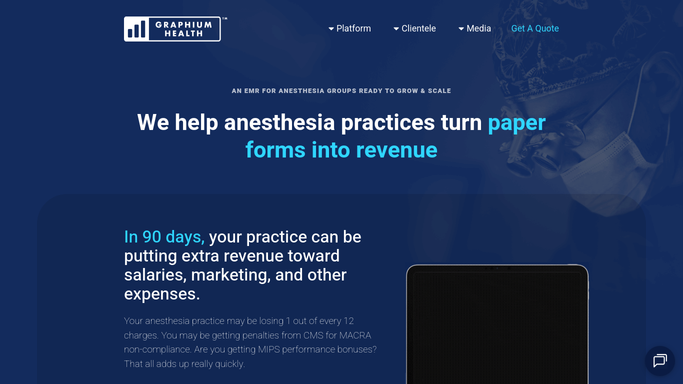
WebRun opens Graphium Health to read MIPS and QCDR measure performance. - Open Graphium Health and navigate to the QCDR quality reporting dashboard
- Pull year-to-date performance data for each active provider across all assigned MIPS measures
- Compare each measure's current rate against the required annual performance threshold
- Identify providers and measures that are below threshold or at risk of falling short by year-end
Done when Every provider's current MIPS measure performance has been compared to the annual target and gaps are identified.
-
2
Google Sheets - log provider gap details
google.com How to Automate Google Sheets

WebRun opens Google Sheets to log provider gap details. - Append this week's gap results to the MIPS tracker sheet, one row per provider-measure combination
- Record the current performance rate, the required threshold, and the number of additional qualifying cases needed
- Update the status column for any measure that moved from at-risk to on-track since last week
Done when The Google Sheets MIPS tracker is updated with this week's performance data and gap counts.
-
3
Slack - post weekly quality gap worklist
slack.com How to Automate Slack

WebRun opens Slack to post weekly quality gap worklist. - Post a summary to the quality-ops Slack channel listing each provider below threshold
- Sort by the largest gap first so the quality team knows where to focus
- Include a link to the full Google Sheets tracker for detailed measure-level data
Done when The quality team has this week's MIPS gap worklist in Slack, sorted by priority.
How is each run configured?
Secure by default
Connect once, stays signed in
WebRun signs in once and keeps each session in a persistent environment, so every run picks up right where it left off.
Every action is checked against this policy before it runs.
Questions, answered
Does it show individual patient data in Slack?
No. The Slack digest shows only provider names, measure names, performance rates, and gap counts. No patient identifiers or protected health information are included in the Slack post.
Which MIPS measures does it track?
It reads whatever measures are assigned to each provider in Graphium Health's QCDR dashboard, so it automatically covers your group's full measure set without any manual configuration per provider.
What if a provider is already on track for all measures?
They are excluded from the gap list automatically. Only providers with at least one measure below threshold or at risk of missing the year-end target appear in the weekly digest.
Related templates
Put this on autopilot.
Turn it on in minutes - or have our team set it up for you.