Spot your Zoho POS low margin items before they eat your profit
Every Monday, WebRun opens Zoho POS, calculates the margin on every product from its selling price and cost, flags items below your minimum margin threshold, and writes a Google Sheets list ranked by units sold so you can reprice the highest volume, lowest margin items first.
- No credit card
- Under $0.01 per run
- Cancel anytime
How do I flag Zoho POS items selling below my minimum margin?
WebRun opens Zoho POS every Monday, calculates the margin on every product from its selling price and cost, and flags any item below your minimum margin threshold. It ranks the flagged list in Google Sheets by units sold, so the highest volume, lowest margin items get repriced first, before they quietly erode a full month of profit.
- Low margin items are flagged every Monday instead of discovered at year end
- High volume, low margin products are prioritized first for repricing
- Items selling at or below cost are marked urgent so losses do not compound
Built for retail store owners · category and pricing managers · Zakya POS users · small chain retailers
What does WebRun do on every run?
The exact actions WebRun takes, in order - in plain language, so you can adjust anything.
-
WebRun signs in and gets to work
Opens
www.zoho.com/posin a real browser with your saved login - no setup, no API keys. -
1
Zoho POS - calculate margin per product
zoho.com How to Automate Zoho POS
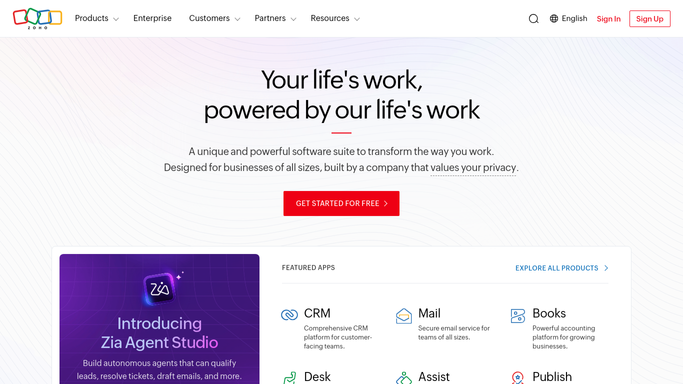
WebRun opens Zoho POS to calculate margin per product. - Open Zoho POS and pull the selling price and current cost for every active product
- Calculate the margin percentage for each item
- Capture units sold over the past 30 days alongside each item's margin
Done when Every active product has a calculated margin and 30 day units sold figure.
-
2
Google Sheets - rank and flag low margin items
google.com How to Automate Google Sheets

WebRun opens Google Sheets to rank and flag low margin items. - List every item whose margin falls below your set minimum threshold
- Rank the flagged list by units sold so high volume, low margin items sit at the top
- Note any item selling at or below cost as a separate, urgent flag
Done when The low margin list is ranked by sales volume with any below cost item marked urgent.
How is each run configured?
Secure by default
Connect once, stays signed in
WebRun signs in once and keeps each session in a persistent environment, so every run picks up right where it left off.
Every action is checked against this policy before it runs.
Questions, answered
Will it change my prices automatically?
No. It only flags which items fall below your minimum margin and ranks them by sales volume. Any price change is made by you in Zoho POS.
How is margin calculated?
As the difference between each product's selling price and its current cost in Zoho POS, shown as a percentage. It uses the same cost figure your Zakya dashboard already tracks.
What if cost changes mid week after a new purchase?
The next Monday run reads the live cost figure in Zoho POS, so an updated cost from a new purchase is reflected in the following week's margin calculation.
Related templates
Put this on autopilot.
Turn it on in minutes - or have our team set it up for you.