Turn commercial security film inquiries into organized bids
Through the day, WebRun watches Gmail for commercial and security film inquiries, extracts the site, glazing, and scope, opens a structured bid in Tint Wiz, logs it to a Google Sheet bid tracker, and drafts a same-day acknowledgment to the prospect, left unsent for your review.
- No credit card
- Under $0.01 per run
- Cancel anytime
How do I capture commercial security film bids from my inbox automatically?
WebRun watches Gmail for commercial and security film inquiries, extracts the site, glazing, and scope, and opens a structured bid in Tint Wiz. It logs each one to a Google Sheet pipeline sorted by value and deadline and drafts a same-day acknowledgment, left unsent for your review, so no large opportunity slips through.
- Every commercial inquiry becomes a structured Tint Wiz bid within minutes
- The bid pipeline stays sorted by value and deadline automatically
- Prospects get a same-day acknowledgment queued for a quick approval
Built for commercial film installers · security film contractors · architectural film shops · estimating teams
What does WebRun do on every run?
The exact actions WebRun takes, in order - in plain language, so you can adjust anything.
-
WebRun signs in and gets to work
Opens
app.tintwiz.comin a real browser with your saved login - no setup, no API keys. -
1
Gmail - read new bid inquiries
gmail.com How to Automate Gmail

WebRun opens Gmail to read new bid inquiries. - Watch Gmail for new inquiries about commercial, safety, or security window film
- Extract the company, site address, glazing type, square footage, and stated scope or deadline
- Draft a same-day acknowledgment to the prospect confirming receipt and next steps, and leave it unsent for your review
Done when Each new bid inquiry is parsed and a drafted acknowledgment is waiting for your approval.
-
2
Tint Wiz - open a structured bid
tintwiz.com How to Automate Tint Wiz
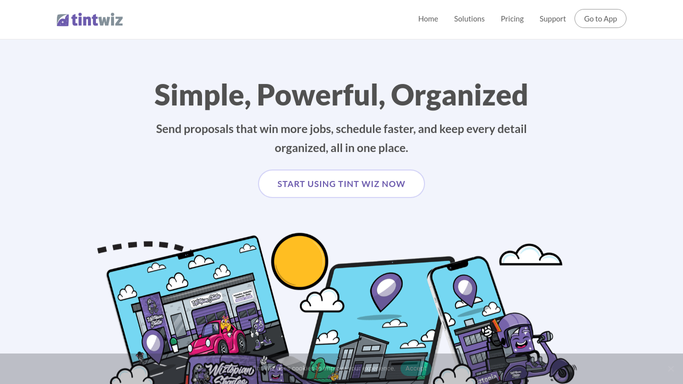
WebRun opens Tint Wiz to open a structured bid. - Open Tint Wiz and create a new commercial project with the company and site details
- Add the glazing, square footage, and security or safety film scope from the inquiry
- Set the project stage to bid so it enters your estimating queue
Done when Every inquiry has a structured commercial bid project in Tint Wiz.
-
3
Google Sheets - log the bid pipeline
google.com How to Automate Google Sheets

WebRun opens Google Sheets to log the bid pipeline. - Open the Commercial Bid Pipeline sheet and append the company, site, scope, value estimate, and source
- Set the status to new bid and stamp the received date and any deadline
- Sort the sheet so the largest and most time-sensitive bids sit at the top
Done when The bid pipeline sheet reflects every new commercial inquiry with its scope and deadline.
How is each run configured?
Secure by default
Connect once, stays signed in
WebRun signs in once and keeps each session in a persistent environment, so every run picks up right where it left off.
Every action is checked against this policy before it runs.
Questions, answered
Will it reply to the prospect without me?
No. WebRun drafts a same-day acknowledgment and leaves it unsent in Gmail. You review the wording and approve the send, so nothing reaches a commercial prospect on its own.
What if an inquiry is missing the square footage or scope?
It still opens the bid in Tint Wiz and logs the pipeline row, but marks the missing fields so your estimator knows what to ask before pricing. Nothing is invented.
How does it decide which bids are most urgent?
It reads any stated deadline and the estimated project value from the inquiry and sorts the Google Sheet so the largest and most time-sensitive bids sit at the top of your estimating queue.
Related templates
Put this on autopilot.
Turn it on in minutes - or have our team set it up for you.