Get the last few people to fill in the availability grid
Every morning, WebRun opens your When2meet event, compares the names on the availability grid against your invite list, updates a Trello card with who has responded and who has not, and drafts a short WhatsApp nudge per missing person for you to review and send.
- No credit card
- Under $0.01 per run
- Cancel anytime
How do I chase the people who have not filled in my When2meet grid?
WebRun chases When2meet responses every morning. It reads your event grid, compares the names who have entered availability against the invite checklist on your Trello card, updates that card with today's response count, and drafts a short WhatsApp nudge for each person still missing, ready for you to send.
- Scheduling stops being stuck on the last two names
- You know each morning exactly who is missing, not just the response count
- Nobody is nudged twice in two days
Built for meeting organizers · team leads · student groups · volunteer coordinators · committee chairs
What does WebRun do on every run?
The exact actions WebRun takes, in order - in plain language, so you can adjust anything.
-
WebRun signs in and gets to work
Opens
when2meet.comin a real browser with your saved login - no setup, no API keys. -
1
When2meet - see who has filled in the grid
when2meet.com
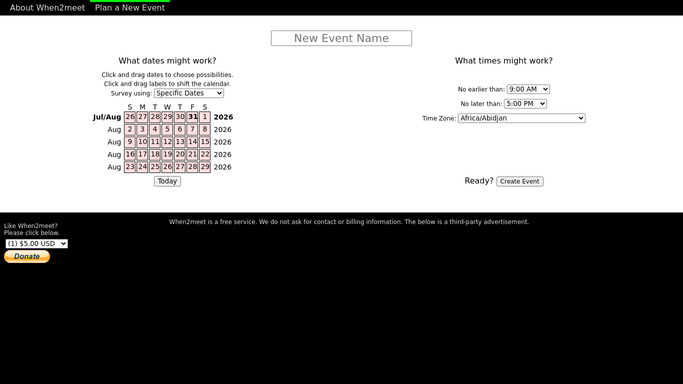
WebRun opens When2meet to see who has filled in the grid. - Open the When2meet event link for the meeting you are scheduling
- Read the list of participants who have entered their availability
- Compare it against the invite list held on the Trello card and work out who is missing
- Note how much of the grid is filled and whether any time slot already works for everyone who has responded
Done when You know exactly who has responded, who has not, and how complete the grid is.
-
2
Trello - track responses on the event card
trello.com How to Automate Trello

WebRun opens Trello to track responses on the event card. - Open the Trello card for this meeting and update its checklist of invitees
- Tick everyone who has now entered availability and leave the rest unticked
- Add a comment with today's response count and the days remaining before you need to lock the time
- Move the card forward once every invitee has responded
Done when The Trello card shows today's response count and the exact names still outstanding.
-
3
WhatsApp - draft a nudge for the missing names
whatsapp.com How to Automate WhatsApp

WebRun opens WhatsApp to draft a nudge for the missing names. - Draft a short nudge for each person who has not filled in the grid, with the event link and the date you need an answer by
- Keep it friendly and one or two lines long, no group blast
- Leave every message unsent for you to review and send. WebRun never messages a participant on its own
- Skip anyone nudged in the last two days
Done when A drafted nudge is ready for every person still missing from the grid.
How is each run configured?
Secure by default
Connect once, stays signed in
WebRun signs in once and keeps each session in a persistent environment, so every run picks up right where it left off.
Every action is checked against this policy before it runs.
Questions, answered
Will it message people without asking me?
No. Every WhatsApp nudge is left as an unsent draft for you to read and send. WebRun writes the message with the event link and the deadline, but a human presses send, so nobody is chased in your name unchecked.
Will it fill in the grid or pick a time for me?
No. WebRun only reads the When2meet grid to see who has and has not responded. It never enters availability on anyone's behalf and it never locks in a meeting time, so the grid stays exactly as your participants left it.
How does it know who was invited?
The invite list lives as a checklist on the Trello card for the meeting. WebRun compares the names on the grid against that checklist each morning, so you can add or remove an invitee at any time and the chase list follows.
Related templates
Put this on autopilot.
Turn it on in minutes - or have our team set it up for you.