Notify customers the moment their fabricated order is ready to ship
Every morning, WebRun opens Fulcrum, identifies jobs that have been marked ready to ship since the last run, drafts a professional shipment-ready notification email for each customer in Gmail, and holds every draft for your review so no customer is contacted without your approval.
- No credit card
- Under $0.01 per run
- Cancel anytime
How do I automatically notify customers when their fabrication order is ready to ship?
WebRun opens Fulcrum every morning, finds jobs newly marked ready to ship, and drafts a professional customer notification in Gmail for each one. Every draft is held for your review before anything reaches a customer, so your team controls every outgoing message while no completed job sits waiting for a notification.
- Every completed job gets a draft customer notification the next morning
- No shipment notification is sent without your review and approval
- Duplicate drafts for the same job are prevented automatically
Built for fabrication shop managers · welding shop customer service teams · job shop owners · custom metal shop coordinators
What does WebRun do on every run?
The exact actions WebRun takes, in order - in plain language, so you can adjust anything.
-
WebRun signs in and gets to work
Opens
app.fulcrumpro.comin a real browser with your saved login - no setup, no API keys. -
1
Fulcrum - find jobs newly marked ready to ship
fulcrumpro.com How to Automate Fulcrum
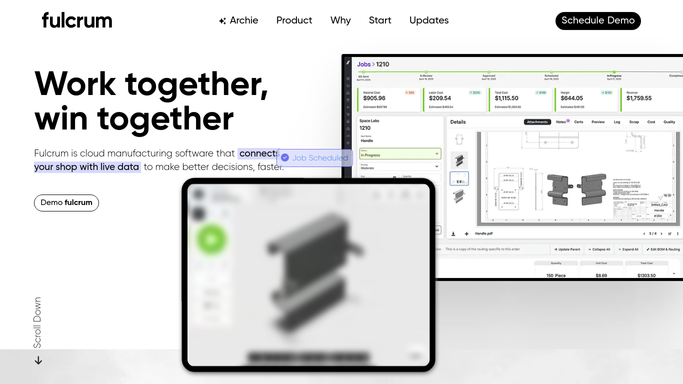
WebRun opens Fulcrum to find jobs newly marked ready to ship. - Open Fulcrum and filter jobs to those marked as ready to ship or completed since the last run
- Capture the customer name, job number, job description, and any shipping notes for each
- Exclude jobs that already had a notification drafted in a prior run
Done when Every job newly ready to ship is listed with its customer and job details.
-
2
Gmail - draft shipment-ready notification for each customer
gmail.com How to Automate Gmail

WebRun opens Gmail to draft shipment-ready notification for each customer. - Draft a professional shipment-ready notification for each customer
- Include the job number, description, and any relevant pickup or delivery instructions
- Save each draft to Gmail Drafts for your review
- Do not send any notification without your explicit approval
Done when A Gmail draft shipment notification is ready for every newly completed job.
How is each run configured?
Secure by default
Connect once, stays signed in
WebRun signs in once and keeps each session in a persistent environment, so every run picks up right where it left off.
Every action is checked against this policy before it runs.
Questions, answered
Will it send shipment notifications to customers without my approval?
No. Every notification is saved as a Gmail draft and held for your review. Nothing is sent to a customer until you open the draft and click Send yourself.
What if the same job appears on multiple days before I approve the draft?
It checks which jobs already have a draft from a prior run and skips them, so you will not receive a duplicate notification draft for the same job.
Can it include shipping tracking details or pickup instructions?
Yes. If those details are recorded in the Fulcrum job, WebRun includes them in the draft. Add any standard shipping instructions to your Fulcrum job templates and they will carry through automatically.
Related templates
Put this on autopilot.
Turn it on in minutes - or have our team set it up for you.