See where your shop is over or under capacity before it causes problems
Every Monday, WebRun opens Fulcrum, reviews all open jobs and their remaining operations, calculates total estimated hours against your available capacity for the week, and logs a shop load report to Google Sheets with over-capacity warnings so you can reschedule or quote new work confidently.
- No credit card
- Under $0.01 per run
- Cancel anytime
How do I automatically report shop capacity load from Fulcrum each week?
WebRun reviews all open Fulcrum jobs every Monday, sums the remaining operation hours by work centre, and compares them against available capacity. A weekly load report is logged to Google Sheets with utilisation percentages and over-capacity flags, so schedulers know exactly where to prioritise or hold off on new bookings.
- Over-capacity work centres are visible every Monday before the week starts
- Schedulers can quote and assign new work based on real available hours
- Weekly trend data shows shop utilisation over time for resource planning
Built for fabrication shop managers · production schedulers · job shop owners · welding shop supervisors
What does WebRun do on every run?
The exact actions WebRun takes, in order - in plain language, so you can adjust anything.
-
WebRun signs in and gets to work
Opens
app.fulcrumpro.comin a real browser with your saved login - no setup, no API keys. -
1
Fulcrum - review open jobs and remaining operation hours
fulcrumpro.com How to Automate Fulcrum
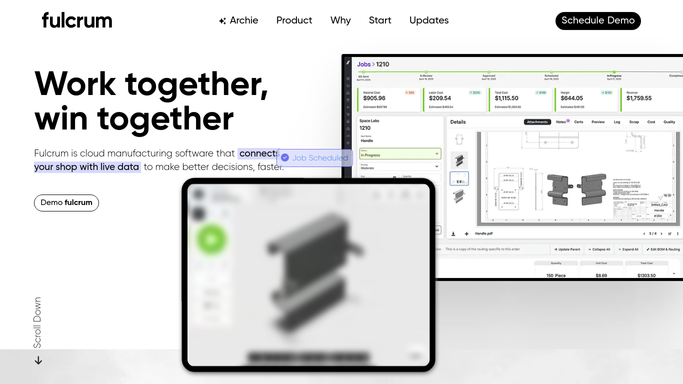
WebRun opens Fulcrum to review open jobs and remaining operation hours. - Open Fulcrum and navigate to the Jobs or Work Orders list
- Filter to all active jobs with remaining operations
- Sum estimated hours per operation type or work centre for the current week
- Compare total estimated hours against each work centre's available hours
- Flag work centres where estimated load exceeds available capacity
Done when Total load versus capacity is calculated for each work centre for the current week.
-
2
Google Sheets - log weekly capacity load report with over-capacity flags
google.com How to Automate Google Sheets

WebRun opens Google Sheets to log weekly capacity load report with over-capacity flags. - Open the Shop Capacity Load Report Google Sheet
- Append a row per work centre with estimated hours, available hours, utilisation percentage, and over-capacity flag
- Add a summary row with total shop load and overall utilisation for the week
Done when This week's capacity load report is appended to Google Sheets.
How is each run configured?
Secure by default
Connect once, stays signed in
WebRun signs in once and keeps each session in a persistent environment, so every run picks up right where it left off.
Every action is checked against this policy before it runs.
Questions, answered
How does it know the available capacity for each work centre?
It reads the hours you have configured in Fulcrum for each work centre or operator group. Update those settings in Fulcrum to reflect staffing changes and the report adjusts automatically.
Can I use this report to decide whether to take on new jobs?
Yes. The report shows which work centres have spare capacity and which are full, so you can quote new work with confidence and route it to under-loaded areas.
Does it reschedule jobs automatically?
No. The report surfaces the load and flags over-capacity work centres, but all rescheduling decisions are made by your team. It gives you the data to act, not the action itself.
Related templates
Put this on autopilot.
Turn it on in minutes - or have our team set it up for you.