Spot late fabrication jobs and flag them before they ship late
Every afternoon, WebRun opens Fulcrum, compares each active job's current progress against its due date, identifies jobs that are behind schedule or at risk, and logs a ranked watchlist to Google Sheets so you can track and resolve delays before they become missed deliveries.
- No credit card
- Under $0.01 per run
- Cancel anytime
How do I automatically track late or at-risk jobs in my fabrication shop?
WebRun reviews your active Fulcrum jobs every afternoon, compares each job's progress against its due date, and logs every late or at-risk job to a ranked Google Sheet. Jobs are sorted by urgency so your team can intervene and recover schedules before a delay becomes a missed shipment.
- Late and at-risk jobs are spotted every afternoon before they miss ship dates
- Production managers have a ranked watchlist to prioritize recovery actions
- Missed deliveries are reduced by catching schedule slippage early
Built for fabrication shop managers · job shop owners · production schedulers · welding supervisors
What does WebRun do on every run?
The exact actions WebRun takes, in order - in plain language, so you can adjust anything.
-
WebRun signs in and gets to work
Opens
app.fulcrumpro.comin a real browser with your saved login - no setup, no API keys. -
1
Fulcrum - review active jobs and identify late or at-risk ones
fulcrumpro.com How to Automate Fulcrum
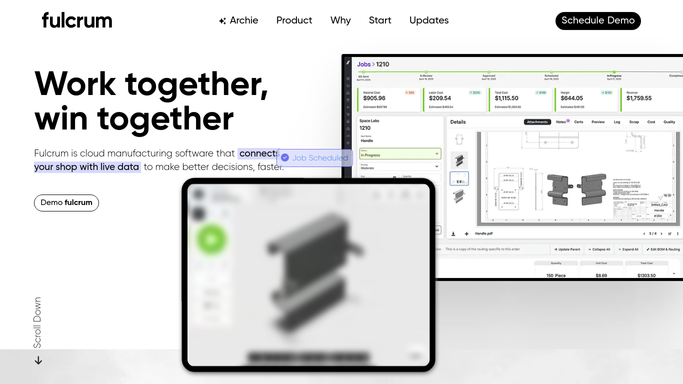
WebRun opens Fulcrum to review active jobs and identify late or at-risk ones. - Open Fulcrum and navigate to the Jobs list
- Filter to active jobs that have not been shipped or closed
- Compare each job's current operation stage against the scheduled due date
- Flag jobs that are past due or where remaining operations cannot complete before the due date
- Capture job name, customer, due date, current stage, and risk level
Done when Every late or at-risk job is identified with its due date and current stage.
-
2
Google Sheets - log ranked late-job watchlist
google.com How to Automate Google Sheets

WebRun opens Google Sheets to log ranked late-job watchlist. - Open the Late Job Watchlist Google Sheet
- Append a new row for each flagged job with its details and risk level
- Sort the sheet by due date so the most urgent jobs are at the top
Done when The watchlist sheet is updated with all late and at-risk jobs for today.
How is each run configured?
Secure by default
Connect once, stays signed in
WebRun signs in once and keeps each session in a persistent environment, so every run picks up right where it left off.
Every action is checked against this policy before it runs.
Questions, answered
Will it notify customers that their job is late?
No. The watchlist is an internal Google Sheet for your team. Any customer communication about delays is drafted separately and held for your approval before sending.
How does it determine if a job is at risk?
It compares the number of operations still open against the remaining calendar days before the due date. If the remaining work cannot fit in the remaining time, the job is flagged.
What if a job's due date changes in Fulcrum?
It reads the current due date from Fulcrum on each run, so updated due dates are reflected in that afternoon's watchlist automatically.
Related templates
Put this on autopilot.
Turn it on in minutes - or have our team set it up for you.