Keep welder certifications current and never miss an expiry
Every Monday, WebRun opens Fulcrum, checks welder qualification and certification records for upcoming expiry dates, flags any certification expiring within 60 days, and posts a clear alert to Slack so your compliance team can schedule recertification before any welder is taken off qualified work.
- No credit card
- Under $0.01 per run
- Cancel anytime
How do I automatically track welder certification expiry dates?
WebRun reviews welder certification and qualification records in Fulcrum every Monday and flags any expiring within 60 days. An alert is posted to your Slack compliance channel sorted by soonest expiry, so your team can schedule recertification before any welder is taken off qualified work or your shop falls out of compliance.
- Expiring welder certifications are flagged 60 days before they lapse
- Compliance team gets a weekly alert without any manual record checking
- No welder is accidentally assigned to work requiring a lapsed qualification
Built for welding shop compliance teams · fabrication HR managers · production supervisors · quality managers
What does WebRun do on every run?
The exact actions WebRun takes, in order - in plain language, so you can adjust anything.
-
WebRun signs in and gets to work
Opens
app.fulcrumpro.comin a real browser with your saved login - no setup, no API keys. -
1
Fulcrum - review welder certification expiry dates
fulcrumpro.com How to Automate Fulcrum
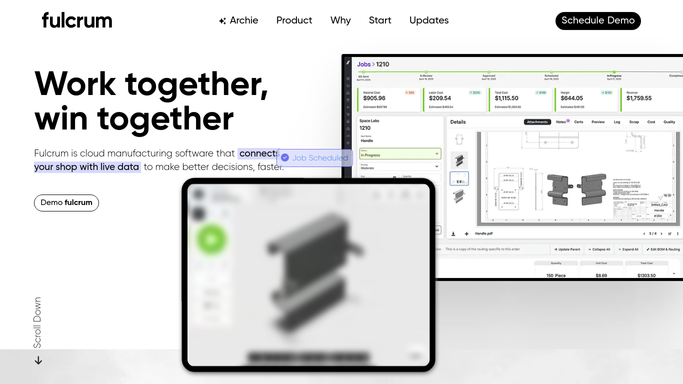
WebRun opens Fulcrum to review welder certification expiry dates. - Open Fulcrum and navigate to the operator or certification records section
- Review each welder's certification or qualification expiry date
- Flag any certification expiring within the next 60 days
- Capture welder name, certification type, and expiry date for each flagged record
Done when Every certification expiring within 60 days is listed with the welder and expiry date.
-
2
Slack - post certification expiry alert to compliance channel
slack.com How to Automate Slack

WebRun opens Slack to post certification expiry alert to compliance channel. - Post a Slack alert to the compliance or HR channel listing all expiring certifications
- Sort by soonest expiry first so the most urgent actions are at the top
- If no certifications are expiring soon, skip posting to avoid noise
Done when The compliance team has a weekly certification expiry alert in Slack.
How is each run configured?
Secure by default
Connect once, stays signed in
WebRun signs in once and keeps each session in a persistent environment, so every run picks up right where it left off.
Every action is checked against this policy before it runs.
Questions, answered
Will it notify welders directly about their certification?
No. The alert goes to your internal Slack compliance channel only. Any direct communication to a welder about recertification is handled by your team.
Where does it read certification data from?
It reads operator and qualification records stored in Fulcrum. Keeping those records up to date in Fulcrum ensures the tracker catches every expiry accurately.
Can I change the 60-day advance warning window?
Yes. Tell WebRun your preferred lead time during setup, such as 30 or 90 days, and it will use that window for every weekly check.
Related templates
Put this on autopilot.
Turn it on in minutes - or have our team set it up for you.