See your scrap and rework costs every week without chasing data
Every Monday, WebRun opens Fulcrum, collects all scrap and rework records logged in the prior week, calculates the total material cost and labor hours affected, and appends a concise weekly report to Google Sheets so you can spot quality trends and target corrective action.
- No credit card
- Under $0.01 per run
- Cancel anytime
How do I automatically report scrap and rework costs from my fabrication shop?
WebRun collects all scrap and rework records logged in Fulcrum during the prior week every Monday, calculates the total material cost and labor impact, and appends a ranked weekly report to Google Sheets. You can see cost trends, top reason codes, and which jobs drive the most waste without any manual data pulling.
- Scrap and rework cost is visible every Monday without manual data pulling
- Repeat quality issues are identified by job and reason code
- Weekly trend data builds a baseline for continuous improvement
Built for fabrication quality managers · welding shop owners · production supervisors · job shop continuous improvement teams
What does WebRun do on every run?
The exact actions WebRun takes, in order - in plain language, so you can adjust anything.
-
WebRun signs in and gets to work
Opens
app.fulcrumpro.comin a real browser with your saved login - no setup, no API keys. -
1
Fulcrum - collect scrap and rework records from last week
fulcrumpro.com How to Automate Fulcrum
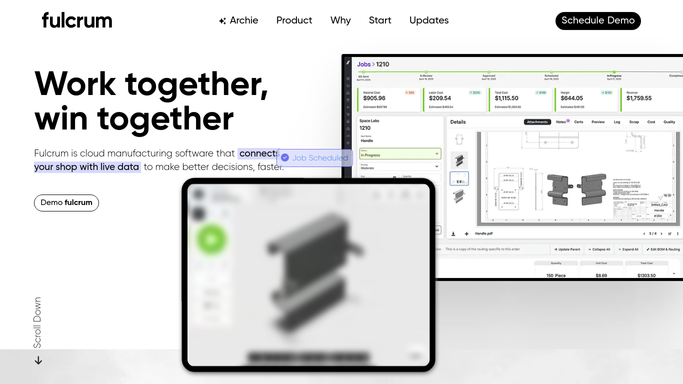
WebRun opens Fulcrum to collect scrap and rework records from last week. - Open Fulcrum and navigate to quality or inspection records for the prior 7 days
- Collect all scrap and rework entries with job name, operation, quantity scrapped, and reason code
- Estimate material cost impact from each scrap record
- Tally total scrap quantity, rework hours, and material cost for the week
Done when All scrap and rework records for last week are collected and totalled.
-
2
Google Sheets - log weekly scrap and rework cost report
google.com How to Automate Google Sheets

WebRun opens Google Sheets to log weekly scrap and rework cost report. - Open the Scrap and Rework Report Google Sheet
- Append a row with the week ending date, total scrap units, rework hours, estimated material cost, and top reason codes
- Add a breakdown by job and operation for the biggest contributors
Done when This week's scrap and rework summary is appended to the sheet.
How is each run configured?
Secure by default
Connect once, stays signed in
WebRun signs in once and keeps each session in a persistent environment, so every run picks up right where it left off.
Every action is checked against this policy before it runs.
Questions, answered
What data does it pull from Fulcrum?
It reads quality inspection and scrap entries logged in Fulcrum during the prior week, including job name, operation, quantity scrapped, and any reason codes recorded by operators.
How accurate is the cost estimate?
Cost is estimated from the material unit cost in Fulcrum multiplied by quantity scrapped. It reflects the data in your Fulcrum records, so keeping material costs current there improves accuracy.
Can I see which jobs cause the most scrap?
Yes. The report includes a breakdown by job and operation so you can identify repeat offenders and target corrective action at the right process.
Related templates
Put this on autopilot.
Turn it on in minutes - or have our team set it up for you.