Track your shop's on-time delivery rate without lifting a finger
Every Monday, WebRun opens Fulcrum, reviews all jobs completed in the prior week, compares each ship date against the original due date, calculates your on-time delivery rate, and logs a weekly scorecard row to Google Sheets so you can track trends and hold your shop accountable.
- No credit card
- Under $0.01 per run
- Cancel anytime
How do I track on-time delivery rates for my fabrication shop automatically?
WebRun reviews all jobs completed in Fulcrum during the prior week every Monday, checks each ship date against its original due date, and appends a weekly on-time delivery scorecard to Google Sheets. Your on-time rate, late job count, and individual late jobs are logged automatically for trend tracking.
- On-time delivery rate is tracked automatically every week
- Late jobs are identified with days-late detail for root cause review
- Scorecard builds into a running trend for continuous improvement
Built for fabrication shop owners · production managers · job shop supervisors · quality managers
What does WebRun do on every run?
The exact actions WebRun takes, in order - in plain language, so you can adjust anything.
-
WebRun signs in and gets to work
Opens
app.fulcrumpro.comin a real browser with your saved login - no setup, no API keys. -
1
Fulcrum - review jobs completed last week with ship and due dates
fulcrumpro.com How to Automate Fulcrum
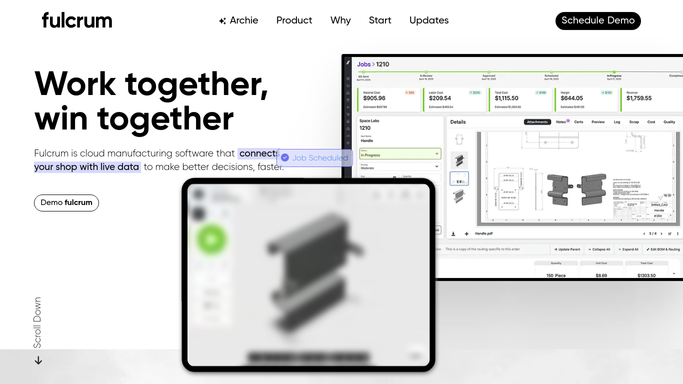
WebRun opens Fulcrum to review jobs completed last week with ship and due dates. - Open Fulcrum and filter jobs to those completed or shipped in the prior 7 days
- Capture the job name, customer, original due date, and actual ship date for each
- Mark each job as on-time or late based on whether the ship date was on or before the due date
- Calculate the total count, on-time count, and on-time percentage for the week
Done when Every completed job from last week is tallied with its on-time or late result.
-
2
Google Sheets - log weekly on-time delivery scorecard
google.com How to Automate Google Sheets

WebRun opens Google Sheets to log weekly on-time delivery scorecard. - Open the On-Time Delivery Scorecard Google Sheet
- Append a new row with the week ending date, total jobs, on-time jobs, late jobs, and on-time percentage
- Add a breakdown of late jobs with customer and days late
Done when This week's scorecard row is appended to the sheet.
How is each run configured?
Secure by default
Connect once, stays signed in
WebRun signs in once and keeps each session in a persistent environment, so every run picks up right where it left off.
Every action is checked against this policy before it runs.
Questions, answered
What counts as on-time?
A job is on-time if its actual ship date in Fulcrum is on or before the original customer due date. You can ask WebRun to adjust this definition during setup.
Can I see trends over multiple weeks?
Yes. Each Monday's run appends a new row to the same Google Sheet, so the scorecard builds into a running trend you can chart over time.
Will late jobs trigger a customer notification?
No. The scorecard is an internal tool for your team. Any customer-facing communication about late deliveries is drafted separately and held for your review.
Related templates
Put this on autopilot.
Turn it on in minutes - or have our team set it up for you.