Welcome every new fabrication customer with a complete onboarding packet
When a new customer record is created in Fulcrum, WebRun drafts a professional welcome email in Gmail with your shop's contact details and next steps, logs the new customer to your onboarding tracker in Google Sheets, and holds the draft for your review before any email is sent to the customer.
- No credit card
- Under $0.01 per run
- Cancel anytime
How do I automatically onboard new customers added to Fulcrum?
When a new customer is added to Fulcrum, WebRun logs them to your Google Sheets onboarding tracker and drafts a professional welcome email in Gmail. The draft is held for your review before any message reaches the customer, so every new relationship starts with a personalised, human-approved welcome.
- Every new Fulcrum customer gets a draft welcome email ready to send the same day
- New customers are logged to Google Sheets for onboarding status tracking
- No welcome email reaches a customer without human review and approval
Built for welding shop owners · fabrication customer success teams · job shop managers · custom metal shop coordinators
What does WebRun do on every run?
The exact actions WebRun takes, in order - in plain language, so you can adjust anything.
-
WebRun signs in and gets to work
Opens
app.fulcrumpro.comin a real browser with your saved login - no setup, no API keys. -
1
Fulcrum - detect new customer record creation
fulcrumpro.com How to Automate Fulcrum
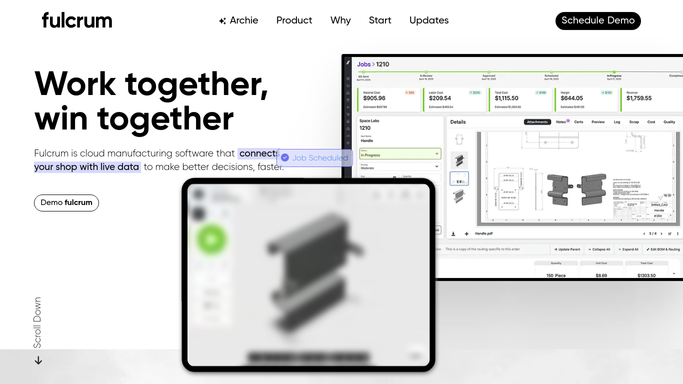
WebRun opens Fulcrum to detect new customer record creation. - Detect a new customer record added to Fulcrum
- Capture the customer name, company, contact email, and any notes from the record
- Check that the contact has not been previously onboarded
Done when The new customer's details are captured and confirmed as a first-time addition.
-
2
Google Sheets - log new customer to onboarding tracker
google.com How to Automate Google Sheets

WebRun opens Google Sheets to log new customer to onboarding tracker. - Open the New Customer Onboarding Tracker Google Sheet
- Append a row with the customer name, company, date added, and onboarding status set to Pending
- Leave a column for the date the welcome email was approved and sent
Done when The new customer is logged in Google Sheets with an onboarding status of Pending.
-
3
Gmail - draft welcome email for the new customer
gmail.com How to Automate Gmail

WebRun opens Gmail to draft welcome email for the new customer. - Draft a warm, professional welcome email addressed to the new customer
- Include your shop's contact details, what to expect on a first order, and a call to discuss their requirements
- Save the draft to Gmail Drafts for your review
- Do not send the email without your explicit approval
Done when A Gmail welcome email draft is ready for your review for every new Fulcrum customer.
How is each run configured?
Secure by default
Connect once, stays signed in
WebRun signs in once and keeps each session in a persistent environment, so every run picks up right where it left off.
Every action is checked against this policy before it runs.
Questions, answered
Will it send the welcome email automatically?
No. The welcome email is saved as a Gmail draft and held for your review. Nothing is sent to the customer until you open the draft, personalise it if needed, and click Send yourself.
What does the welcome email include?
It covers your shop's contact details, what the customer can expect on their first order, and an invitation to discuss their requirements. Give WebRun your standard onboarding copy during setup and it will use your voice.
How does it track which new customers have been welcomed?
It logs every new customer to a Google Sheets onboarding tracker with a Pending status. Once you approve and send the welcome, update the row to mark it as Sent for a complete record.
Related templates
Put this on autopilot.
Turn it on in minutes - or have our team set it up for you.