Catch low material stock before it stops production
Every morning, WebRun opens Fulcrum, scans material inventory levels against your reorder thresholds, and posts an alert to Slack listing every material that needs to be reordered before production is affected.
- No credit card
- Under $0.01 per run
- Cancel anytime
How do I get automatic low material stock alerts from Fulcrum?
WebRun scans your Fulcrum material inventory every morning and compares each item against its reorder threshold. Any material running low triggers a Slack alert sorted by severity, so your team can place orders before a shortage stops production, with no manual stock-checking needed.
- Low-stock materials are flagged before the shift starts
- Production stoppages from missing material are avoided
- Manual stock checks are eliminated with daily automated scans
Built for fabrication shop managers · production planners · welding supervisors · job shop owners
What does WebRun do on every run?
The exact actions WebRun takes, in order - in plain language, so you can adjust anything.
-
WebRun signs in and gets to work
Opens
app.fulcrumpro.comin a real browser with your saved login - no setup, no API keys. -
1
Fulcrum - check material stock levels against thresholds
fulcrumpro.com How to Automate Fulcrum
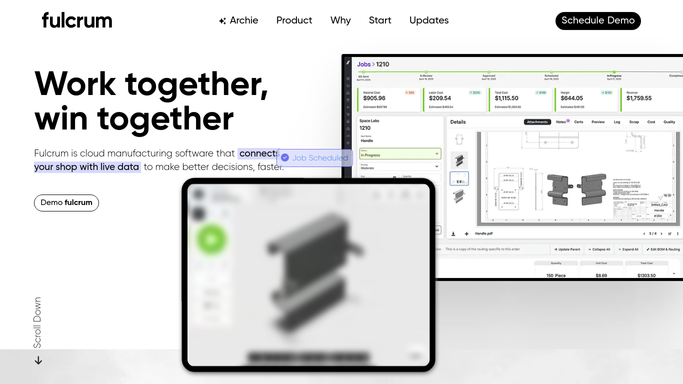
WebRun opens Fulcrum to check material stock levels against thresholds. - Open Fulcrum and navigate to the Materials or Inventory section
- Compare current stock quantity against the reorder threshold for each material
- Collect every material that is at or below its reorder point
- Note the material name, current quantity, unit, and reorder threshold for each
Done when Every material at or below its reorder threshold is listed with its details.
-
2
Slack - post low-stock alert to the shop channel
slack.com How to Automate Slack

WebRun opens Slack to post low-stock alert to the shop channel. - Post an alert to the shop Slack channel listing all low-stock materials
- Sort by most critically low first
- If no materials are low, skip posting to avoid noise
Done when The shop team has a low-stock alert in Slack before the shift starts.
How is each run configured?
Secure by default
Connect once, stays signed in
WebRun signs in once and keeps each session in a persistent environment, so every run picks up right where it left off.
Every action is checked against this policy before it runs.
Questions, answered
Will it place purchase orders automatically?
No. WebRun alerts your team in Slack so a human can place the order. It never purchases materials or contacts suppliers on its own.
How does it know what the reorder threshold is?
It reads the reorder point you have set on each material inside Fulcrum. Update those thresholds in Fulcrum and the alert logic updates automatically.
What if nothing is low that day?
If all materials are above their thresholds, WebRun skips posting to Slack so you are not flooded with unnecessary all-clear messages.
Related templates
Put this on autopilot.
Turn it on in minutes - or have our team set it up for you.