Get alerted the moment a machine goes down and tracks production time lost
Every morning, WebRun opens Fulcrum, checks operations that were paused or flagged as delayed due to equipment issues during the prior shift, posts a Slack alert for each downtime incident, and logs a daily downtime summary to Google Sheets so you can track machine reliability trends.
- No credit card
- Under $0.01 per run
- Cancel anytime
How do I get automatic machine downtime alerts from my fabrication shop software?
WebRun scans Fulcrum every morning for operations that were paused or delayed by equipment issues during the prior shift. It posts a Slack alert for each incident and logs every downtime event to Google Sheets, giving your maintenance team an immediate heads-up and building a long-term reliability record.
- Maintenance team is alerted in Slack within hours of any downtime event
- Every incident is logged to Google Sheets for trend analysis
- Machine reliability data is built automatically without manual log entry
Built for fabrication shop maintenance teams · production supervisors · job shop owners · welding facility managers
What does WebRun do on every run?
The exact actions WebRun takes, in order - in plain language, so you can adjust anything.
-
WebRun signs in and gets to work
Opens
app.fulcrumpro.comin a real browser with your saved login - no setup, no API keys. -
1
Fulcrum - scan for downtime or delay flags on operations
fulcrumpro.com How to Automate Fulcrum
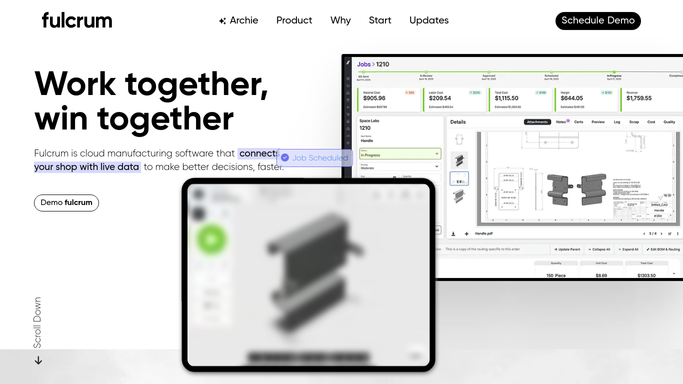
WebRun opens Fulcrum to scan for downtime or delay flags on operations. - Open Fulcrum and review operations that were paused or delayed in the prior shift
- Identify any operations flagged with equipment or machine-related delay reasons
- Capture machine name, job affected, downtime duration, and reason for each incident
Done when All downtime incidents from the prior shift are collected with their details.
-
2
Slack - post downtime alert for each incident
slack.com How to Automate Slack

WebRun opens Slack to post downtime alert for each incident. - Post a Slack alert for each downtime incident with machine name, job affected, and duration
- Tag the maintenance lead in each alert for awareness
- If no incidents occurred, skip posting to avoid noise
Done when The maintenance team has a Slack alert for every downtime event from the prior shift.
-
3
Google Sheets - log daily downtime summary for trend tracking
google.com How to Automate Google Sheets

WebRun opens Google Sheets to log daily downtime summary for trend tracking. - Open the Machine Downtime Log Google Sheet
- Append a row per incident with date, machine, job, duration, and reason code
- Tally total downtime hours for the day at the bottom
Done when All downtime incidents are logged to Google Sheets for trend tracking.
How is each run configured?
Secure by default
Connect once, stays signed in
WebRun signs in once and keeps each session in a persistent environment, so every run picks up right where it left off.
Every action is checked against this policy before it runs.
Questions, answered
Does it contact vendors or order parts automatically?
No. WebRun posts alerts to Slack and logs incidents to Google Sheets so your team can decide how to respond. It never contacts suppliers or places orders on its own.
How does it know a machine went down?
It reads operations in Fulcrum that were paused or flagged with equipment-related delay reasons by your operators. The more consistently your team logs delays in Fulcrum, the more complete the alerts will be.
Can I see which machines fail most often?
Yes. The Google Sheet log accumulates every incident over time, so you can filter by machine to see frequency and total downtime for trend analysis and maintenance planning.
Related templates
Put this on autopilot.
Turn it on in minutes - or have our team set it up for you.