Draft quarterly access review requests for clients
When quarterly access reviews come due in Vanta, WebRun identifies the client employees assigned as reviewers, reads the list of systems and user access needing review, drafts a clear request email for each reviewer explaining what to review and by when, and saves every email as a Gmail draft for your approval before it is sent to any client employee.
- No credit card
- Under $0.01 per run
- Cancel anytime
How do I automatically send access review requests when they are due in Vanta?
When quarterly access reviews come due in Vanta, WebRun identifies each assigned reviewer, reads the systems and user access in scope, and drafts a clear access review request email for each reviewer with the deadline and instructions. Every draft waits in Gmail for your vCISO advisor to approve before any client employee is contacted.
- Every access review deadline is spotted in Vanta before it becomes overdue
- Reviewer request emails are drafted with accurate scope and deadline details automatically
- Advisors approve and send in seconds rather than writing each request from scratch
Built for vCISO teams · GRC teams · compliance advisory firms · security consultants
What does WebRun do on every run?
The exact actions WebRun takes, in order - in plain language, so you can adjust anything.
-
WebRun signs in and gets to work
Opens
app.vanta.comin a real browser with your saved login - no setup, no API keys. -
1
Vanta - identify due access reviews and assigned reviewers
vanta.com How to Automate Vanta
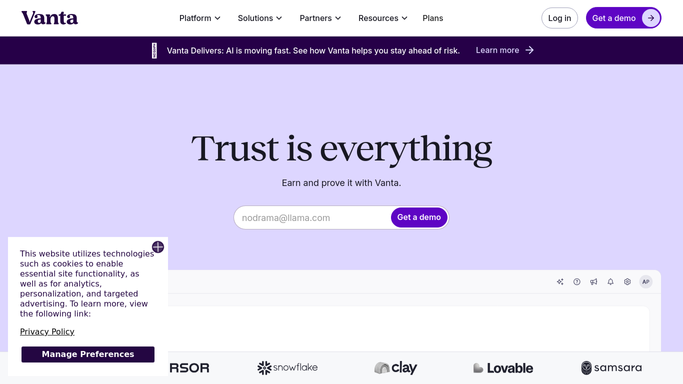
WebRun opens Vanta to identify due access reviews and assigned reviewers. - Open Vanta and navigate to the Access Reviews section for each client
- Find access reviews that are due within the next 14 days or are past due
- Capture the reviewer's name and email, the systems in scope, and the review deadline
- Note the number of users and permissions to be reviewed for each reviewer
Done when Every due access review is listed with its reviewer, scope, and deadline.
-
2
Google Calendar - log review deadlines for tracking
calendar.google.com How to Automate Google Calendar

WebRun opens Google Calendar to log review deadlines for tracking. - Create a calendar reminder for each upcoming access review deadline
- Invite the assigned vCISO advisor as the organizer
- Set a reminder for 3 days before the review deadline
Done when Calendar reminders are set for each upcoming access review deadline.
-
3
Gmail - draft a request email for each reviewer
gmail.com How to Automate Gmail

WebRun opens Gmail to draft a request email for each reviewer. - Draft a clear and specific access review request email for each reviewer
- Explain what they need to review, the deadline, and how to complete the review in Vanta
- Save every draft unsent in Gmail for vCISO advisor review before sending to the client reviewer
Done when A draft access review request email exists for every due reviewer.
How is each run configured?
Secure by default
Connect once, stays signed in
WebRun signs in once and keeps each session in a persistent environment, so every run picks up right where it left off.
Every action is checked against this policy before it runs.
Questions, answered
Will it send access review requests to client employees without approval?
No. Every request email is saved as a Gmail draft and waits for your vCISO advisor to review and send. No email reaches a client employee without human approval.
What if the same reviewer has multiple systems to review?
It groups all systems assigned to the same reviewer into a single email draft rather than sending separate messages for each system, so the reviewer gets one clear list.
Can it handle access reviews across multiple client organizations?
Yes. It iterates through every active client in Vanta and drafts a separate set of reviewer requests for each organization, grouped clearly by client in Gmail.
Related templates
Put this on autopilot.
Turn it on in minutes - or have our team set it up for you.