Stay ahead of vCISO contract renewals and retainer expiry
Every Monday, WebRun reviews your vCISO contract renewal dates in Google Sheets, cross-checks each client's active compliance program status in Vanta, and posts a renewal alert to Slack for every engagement expiring within 60 days, including the contract value, program status, and the advisor responsible for the renewal conversation.
- No credit card
- Under $0.01 per run
- Cancel anytime
What does WebRun do on every run?
The exact actions WebRun takes, in order - in plain language, so you can adjust anything.
-
WebRun signs in and gets to work
Opens
docs.google.com/spreadsheetsin a real browser with your saved login - no setup, no API keys. -
1
Google Sheets - find contracts expiring within 60 days
google.com How to Automate Google Sheets

WebRun opens Google Sheets to find contracts expiring within 60 days. - Open the vCISO contract tracker sheet
- Filter rows where the contract end date is within 60 days and status is Active
- Capture the client name, contract end date, contract value, and assigned advisor
Done when Every contract expiring within 60 days is listed with its details.
-
2
Vanta - check the client's active compliance program status
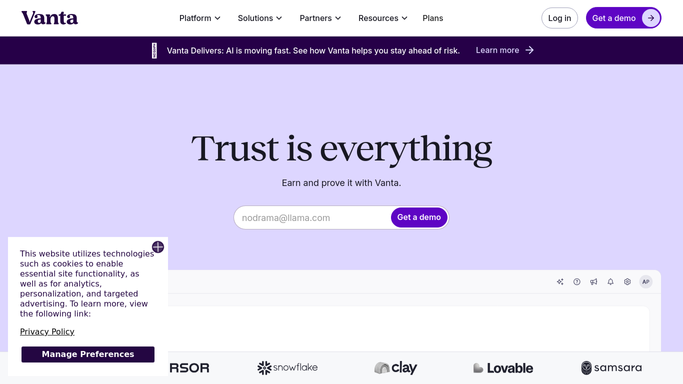
vanta.com How to Automate Vanta
WebRun opens Vanta to check the client's active compliance program status. - Open Vanta and navigate to each expiring client's organization
- Read the active framework certifications and the overall compliance program health
- Note any audit deadlines or milestones that would strengthen the renewal conversation
Done when Vanta program status and upcoming milestones are captured for each expiring contract.
-
3
Slack - post the renewal alert to the team
slack.com How to Automate Slack
WebRun opens Slack to post the renewal alert to the team. - Post the renewal alert to the #vciso-renewals Slack channel
- List each expiring contract with the client, days to expiry, contract value, and Vanta program status
- Tag the responsible advisor for each renewal
Done when Advisors have this week's contract renewal list in Slack.


How do I automatically track vCISO contract renewal dates across all my clients?
Every Monday, WebRun finds vCISO contracts expiring within 60 days in your Google Sheets tracker, checks each client's Vanta compliance program status for context, and posts a renewal alert to Slack with the contract value, days to expiry, program health, and the advisor responsible, so no engagement lapses without a timely renewal conversation.
- No vCISO engagement lapses because the renewal conversation started too late
- Advisors enter renewal talks armed with the client's Vanta program context
- Every advisor knows their upcoming renewals before the work week starts
Built for vCISO firm leaders · security consulting practices · compliance advisory businesses · managed security service providers
How is each run configured?
Secure by default
Connect once, stays signed in
WebRun signs in once and keeps each session in a persistent environment, so every run picks up right where it left off.
Every action is checked against this policy before it runs.
Questions, answered
Does it contact the client about the renewal automatically?
No. It only posts an internal Slack alert for your advisor. The advisor initiates the renewal conversation with the client directly.
Why does it check Vanta program status alongside contract dates?
Knowing whether a client is mid-audit or has just achieved certification helps your advisor frame the renewal conversation around the program's progress and upcoming needs.
What if a contract renewal date is not tracked in the sheet yet?
It skips contracts with no end date and flags the gap in the Slack alert so someone can add the missing date to the tracker before the contract renews without notice.
Related templates
Put this on autopilot.
Turn it on in minutes - or have our team set it up for you.