Chase missing compliance evidence documents from clients
Every Monday, WebRun opens Vanta for each active client, finds controls that are failing because client-supplied evidence has not been uploaded, builds a worklist of missing documents per client, posts the worklist to Slack for your team, and drafts a follow-up email to the client contact for each gap, leaving every email as a draft for your approval before sending.
- No credit card
- Under $0.01 per run
- Cancel anytime
How do I automatically chase clients for missing compliance evidence documents?
Every Monday, WebRun opens Vanta for each client and finds controls failing because required evidence has not been uploaded. It posts an internal chase worklist to Slack ranked by audit deadline and drafts a follow-up email to each client contact listing the specific missing documents. Every client-facing draft waits for your advisor's approval before sending.
- No missing evidence gap lingers unnoticed past the first week
- Advisors have a ranked worklist in Slack before the week starts
- Client chase emails are drafted and ready to send in one click
Built for vCISO teams · compliance consultants · GRC teams · security advisory firms
What does WebRun do on every run?
The exact actions WebRun takes, in order - in plain language, so you can adjust anything.
-
WebRun signs in and gets to work
Opens
app.vanta.comin a real browser with your saved login - no setup, no API keys. -
1
Vanta - find controls blocked by missing client evidence
vanta.com How to Automate Vanta
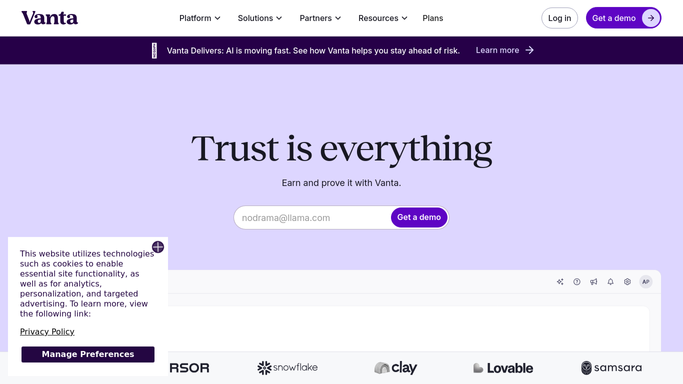
WebRun opens Vanta to find controls blocked by missing client evidence. - Open Vanta and navigate to each active client organization
- Filter controls to those failing because required evidence has not been provided
- List the control name, the evidence type needed, and the days the control has been open
- Group gaps by client and prioritize by audit deadline proximity
Done when Every missing evidence gap is listed with the client, control, and days outstanding.
-
2
Slack - post the internal evidence chase worklist
slack.com How to Automate Slack

WebRun opens Slack to post the internal evidence chase worklist. - Post the evidence chase worklist to the #compliance-evidence channel
- Group by client and sort by urgency based on audit deadline
- Tag the responsible advisor for each client block
Done when Team has the full evidence gap worklist in Slack.
-
3
Gmail - draft a follow-up email for each client
gmail.com How to Automate Gmail

WebRun opens Gmail to draft a follow-up email for each client. - Draft a follow-up email to the client contact listing each outstanding document
- Reference the specific Vanta control and why the evidence is needed
- Save every draft unsent for advisor review. Do not send to the client without approval
Done when A draft chase email exists in Gmail for every client with outstanding evidence gaps.
How is each run configured?
Secure by default
Connect once, stays signed in
WebRun signs in once and keeps each session in a persistent environment, so every run picks up right where it left off.
Every action is checked against this policy before it runs.
Questions, answered
Will it email clients directly to request documents?
No. Every client-facing email is saved as a Gmail draft for your advisor to review and send. WebRun only auto-posts the internal worklist to your Slack channel.
How does it know which controls need client-supplied evidence?
It reads the failing controls in Vanta and filters for those where the blocking reason is a missing upload or attestation that must come from the client rather than from an automated integration.
What if a client uploads the document between runs?
It reads live Vanta control status each Monday, so any controls that passed since the last run are removed from the chase list automatically.
Related templates
Put this on autopilot.
Turn it on in minutes - or have our team set it up for you.