Route new vCISO prospects to the right compliance advisor
When a new prospect submits an intake form, WebRun opens Vanta to check the compliance frameworks in scope, reads their current control posture, logs the opportunity in Google Sheets, and routes the lead to the right vCISO advisor in Slack with a brief scope summary.
- No credit card
- Under $0.01 per run
- Cancel anytime
How do I automatically route new compliance prospects to the right vCISO advisor?
WebRun reads each new prospect's compliance scope and control posture in Vanta, logs the opportunity in Google Sheets, and routes the lead to the right vCISO advisor in Slack with a briefing, so no inquiry sits unassigned and advisors start every engagement fully informed.
- Every new compliance inquiry is routed to an advisor within minutes of submission
- Advisors start each engagement with a full Vanta posture briefing
- No prospect sits unassigned in an inbox overnight
Built for vCISO teams · security consultancies · compliance advisory firms · managed security service providers
What does WebRun do on every run?
The exact actions WebRun takes, in order - in plain language, so you can adjust anything.
-
WebRun signs in and gets to work
Opens
app.vanta.comin a real browser with your saved login - no setup, no API keys. -
1
Vanta - check compliance scope and control posture
vanta.com How to Automate Vanta
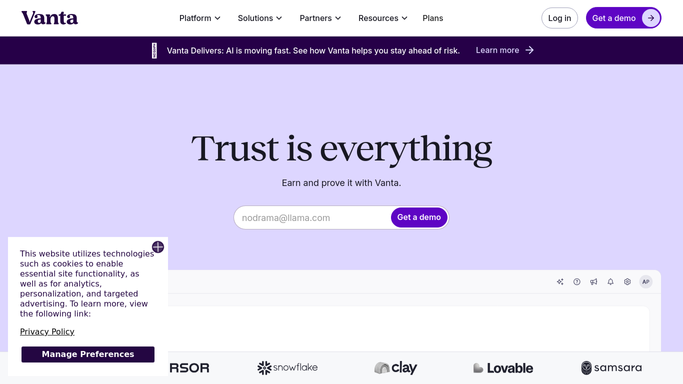
WebRun opens Vanta to check compliance scope and control posture. - Open Vanta and locate the prospect's organization if an account already exists
- Read which frameworks are in scope (SOC 2, ISO 27001, HIPAA, etc.)
- Note any failing controls or open gaps flagged in the dashboard
- Record the current compliance posture score for context
Done when Compliance scope and posture details are captured for the new prospect.
-
2
Google Sheets - log opportunity details
google.com How to Automate Google Sheets

WebRun opens Google Sheets to log opportunity details. - Open the vCISO lead log sheet
- Add a new row with the prospect name, frameworks in scope, posture score, and submission date
- Mark the status as Unassigned
Done when New prospect is logged in the lead sheet with full scope details.
-
3
Slack - route to the right vCISO advisor
slack.com How to Automate Slack

WebRun opens Slack to route to the right vCISO advisor. - Identify the advisor whose expertise matches the frameworks in scope
- Post a briefing in the #vciso-leads channel tagging the assigned advisor
- Include the prospect name, frameworks, posture gaps, and a link to the Sheets row
Done when The right advisor is notified in Slack with a full briefing.
How is each run configured?
Secure by default
Connect once, stays signed in
WebRun signs in once and keeps each session in a persistent environment, so every run picks up right where it left off.
Every action is checked against this policy before it runs.
Questions, answered
Will it contact the prospect directly?
No. WebRun only posts an internal Slack briefing for your advisor. It never emails or messages the prospect on its own.
What if the prospect is not yet in Vanta?
It logs the intake details in Google Sheets and routes the lead with the framework scope from the form so the advisor can create the Vanta account during onboarding.
How does it pick the right advisor?
It matches the frameworks in scope against a routing table you configure once in the sheet, then tags the matching advisor in the Slack post.
Related templates
Put this on autopilot.
Turn it on in minutes - or have our team set it up for you.