Alert your vCISO team when Vanta flags critical control failures
Every hour, WebRun scans Vanta for each active client and checks for newly failed critical controls, new high-severity exceptions, or control regressions since the last run. When it finds one, it reads the full control detail, logs the incident in a Google Sheets exception register, and sends an immediate Slack alert to the assigned vCISO advisor with a summary and a direct link to the failing control.
- No credit card
- Under $0.01 per run
- Cancel anytime
How do I get an immediate alert when Vanta flags a critical control failure for a client?
Every hour, WebRun scans Vanta for each active client and checks for newly failed critical or high-severity controls since the last run. When it finds one, it logs the incident in a Google Sheets exception register and sends an immediate Slack alert to the assigned advisor with the control details and a direct Vanta link, so critical gaps never go unnoticed.
- Critical Vanta control failures are escalated to the right advisor within minutes
- Every new exception is logged automatically in the register for audit traceability
- Advisors never discover a client's critical control failure by accident in a weekly review
Built for vCISO teams · GRC teams · security program managers · compliance advisory firms
What does WebRun do on every run?
The exact actions WebRun takes, in order - in plain language, so you can adjust anything.
-
WebRun signs in and gets to work
Opens
app.vanta.comin a real browser with your saved login - no setup, no API keys. -
1
Vanta - scan for new critical control failures and exceptions
vanta.com How to Automate Vanta
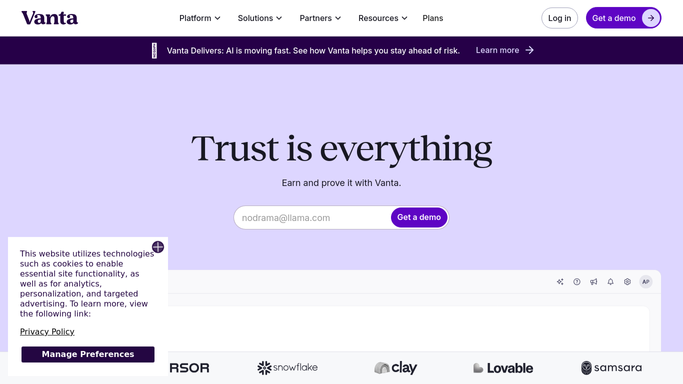
WebRun opens Vanta to scan for new critical control failures and exceptions. - Open Vanta and check each active client for controls that failed since the last run
- Filter for critical or high-severity failures based on the control's risk classification
- Read the full control name, failure reason, affected systems, and the time the control failed
- Skip controls that were already failing in the previous run to avoid duplicate alerts
Done when All new critical control failures and exceptions are identified with their details.
-
2
Google Sheets - log the incident in the exception register
google.com How to Automate Google Sheets

WebRun opens Google Sheets to log the incident in the exception register. - Open the security exception register sheet
- Add a new row for each new critical failure with the client, control name, severity, failure time, and current status
- Set the status to Open and timestamp the log entry
Done when Each new exception is logged in the register with full details.
-
3
Slack - send an immediate alert to the assigned advisor
slack.com How to Automate Slack

WebRun opens Slack to send an immediate alert to the assigned advisor. - Send an alert to the #vciso-alerts Slack channel for each new critical failure
- Include the client name, control name, severity, failure reason, and a direct link to the Vanta control
- Tag the assigned advisor for the client so they are notified immediately
Done when Assigned advisors are alerted in Slack for every new critical control failure.
How is each run configured?
Secure by default
Connect once, stays signed in
WebRun signs in once and keeps each session in a persistent environment, so every run picks up right where it left off.
Every action is checked against this policy before it runs.
Questions, answered
Will it alert anyone outside the vCISO team when a control fails?
No. Alerts go only to your internal Slack channel and the assigned advisor. No client is notified automatically. The advisor decides if and how to communicate the issue to the client.
Will it send a new alert every hour for the same failing control?
No. It tracks previously seen failures in the exception register and only alerts on controls that are newly failing since the last run, so each failure generates exactly one initial alert.
What severity level triggers an immediate alert?
It alerts on controls classified as critical or high severity in Vanta. Medium and low-severity failures are captured in the exception register but batched into the weekly digest instead.
Related templates
Put this on autopilot.
Turn it on in minutes - or have our team set it up for you.