Follow up on cancellation survey responses to save subscribers
Every morning, WebRun opens Subbly, reads cancellation reasons logged in the last 24 hours, categorises them as actionable or not, logs all responses to a Google Sheet for tracking, and drafts a personalised save-attempt email in Gmail for each cancellation where your team can make a genuine offer.
- No credit card
- Under $0.01 per run
- Cancel anytime
How do I automatically follow up with subscribers who cancel and give an actionable reason?
Every morning, WebRun opens Subbly to read yesterday's cancellations and their reasons, categorises each as actionable or non-actionable, logs every cancellation to a Google Sheet, and drafts a personalised save-attempt email in Gmail for each actionable case. No email is sent without your team's explicit review and approval.
- Every actionable cancellation gets a personalised save-attempt draft the same morning
- All cancellations are logged and categorised for trend analysis
- No former subscriber is contacted without your team's explicit approval
Built for subscription box retention teams · subscription customer success managers · e-commerce churn analysts
What does WebRun do on every run?
The exact actions WebRun takes, in order - in plain language, so you can adjust anything.
-
WebRun signs in and gets to work
Opens
subbly.co/managein a real browser with your saved login - no setup, no API keys. -
1
Subbly - read yesterday's cancellations and their reasons
subbly.co How to Automate Subbly
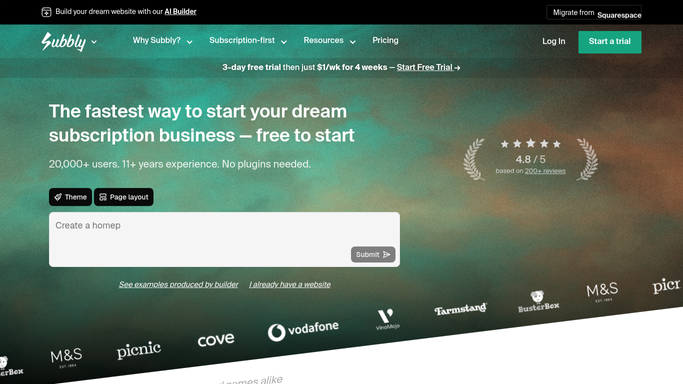
WebRun opens Subbly to read yesterday's cancellations and their reasons. - Open Subbly and navigate to Subscribers, filter to accounts cancelled in the last 24 hours
- Read the cancellation reason provided by each subscriber during the cancellation flow
- Classify each reason as actionable (price, shipping time, content fit) or non-actionable (moving, gifting ended, personal reasons)
Done when All cancellations from the last 24 hours are listed with their reasons and an actionable classification.
-
2
Google Sheets - log and categorise every cancellation reason
google.com How to Automate Google Sheets

WebRun opens Google Sheets to log and categorise every cancellation reason. - Open the cancellation tracking Google Sheet
- Append a row for each cancellation with the date, subscriber name, plan, tenure, cancellation reason, and actionable flag
- Update the running totals for each cancellation reason category
Done when All yesterday's cancellations are logged to the tracking sheet with their categories.
-
3
Gmail - draft save-attempt emails for actionable cancellations
gmail.com How to Automate Gmail

WebRun opens Gmail to draft save-attempt emails for actionable cancellations. - For each actionable cancellation, create a Gmail draft addressed to the subscriber
- Personalise the subject and body with the subscriber's name, their specific reason, and a relevant offer or response
- Save each email as a draft and never send. Leave every draft for your team to review and approve before sending
Done when A personalised save-attempt draft is saved in Gmail for every actionable cancellation.
How is each run configured?
Secure by default
Connect once, stays signed in
WebRun signs in once and keeps each session in a persistent environment, so every run picks up right where it left off.
Every action is checked against this policy before it runs.
Questions, answered
Will it send emails to cancelled subscribers automatically?
No. Every save-attempt email is saved as a Gmail draft and never sent without your team's review and approval. No former subscriber is contacted without a human sign-off.
What reasons does it classify as actionable?
During setup you define which cancellation reasons are actionable for your business, such as price concerns, shipping delays, or box content feedback. Reasons you mark as non-actionable, like moving away or a gift ending, are logged but no draft is created.
How does the categorisation help the business?
The Google Sheet accumulates a categorised log over time, revealing which reasons drive the most cancellations. This helps you spot patterns and make product or pricing changes that reduce future churn.
Related templates
Put this on autopilot.
Turn it on in minutes - or have our team set it up for you.