How to Automate Subbly
Subbly automates the subscription side well. Surveys assign each subscriber's SKUs, inventory tracking counts what is left, failed payment re-attempts retry a declined renewal, and the cancellation flow offers a pause or a coupon. Checking supplier stock, courier progress and real costs is the work an agent like WebRun takes on.
 Written by
Sofia Marchetti
Marketing operations
Written by
Sofia Marchetti
Marketing operations
 Reviewed by
Julian Adeniyi
Retail operations
Reviewed by
Julian Adeniyi
Retail operations
Everything about a subscription box points at ship day
Subbly is subscription software for people who sell a box: coffee, dog treats, socks, a candle and a paperback. The platform is built around the recurring order rather than bolted onto a shop, so the website, the checkout, the subscriptions, the surveys and the stock all sit in one account.
The rhythm of that business is unlike a normal shop. A retailer sells hundreds of different things to hundreds of different people. A box company sells the same thing to everybody, on the same day, in one enormous batch, and then does it again next month with different contents inside.
Which makes the numbers unusually knowable and unusually unforgiving. You know how many subscribers renew on the fourth. You know what goes in the box. The month is spent making those two facts line up, and it is usually one person doing it between packing sessions.
Curation is a month of chasing other people's stock
The billing is the easy part. Filling the box is not.
Next month's box needs six products from five suppliers, and every one has to exist in the quantity you need on the day you need it. So somebody signs into each supplier's trade site to check availability, then again a fortnight later because a line went out of stock, then emails a rep because the site does not say when it is coming back.
Then the shipping. A batch goes out and the questions start: where is my box, why did mine arrive opened, why did I get the one I already had. Somebody pastes tracking numbers into a courier site. Somebody reads the cancellation reasons piling up and wonders whether the last box was the problem. Somebody checks whether Tuesday's failed renewals recovered.
None of it is difficult. It is a month, and there is another one behind it.
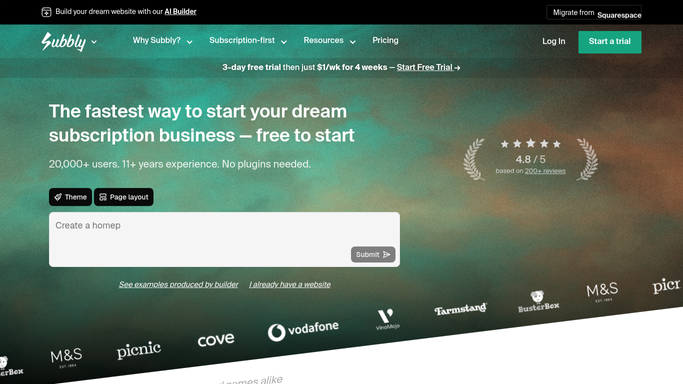
Subbly counts the stock it was told about
Subbly automates a surprising amount for a platform aimed at small businesses, and all of it is worth turning on.
The survey builder puts a quiz in front of a new subscriber and assigns the right SKUs from their answers, so a personalised box is not a manual sorting job. Inventory tracking counts down each SKU as orders are assigned, and emails customers when something they wanted is out of stock. Failed payment re-attempts retry a declined renewal on the days and intervals you choose. The cancellation flow collects a reason from a list you define, and can offer a pause, a skip, a plan switch or a coupon before anyone actually leaves.
That is serious machinery for a business run out of a unit and a spare room.
What all of it shares is a boundary: Subbly acts on what is inside Subbly. The stock figure it counts down is the number you typed in, not what your supplier has on the shelf this morning. It knows the box shipped, not where the parcel is now. It knows the price you charge, not what the cocoa or the candle wax costs now. It has no view of the other box companies changing their pricing, or of your co-packer's schedule.
Next month's box can be planned on real supplier stock
Every supplier keeps a trade site with this morning's stock on it, and the box business already has the password.
The renewal forecast for the fourth turned into a shopping list, then every line checked against each supplier's trade site: in stock or not, at what price, with what lead time, before the buying decision rather than after. Those prices compared with last month's supplier invoices, so a cost that has crept up is caught while the box contents can still change.
Every shipped box followed on the courier's site until it lands, with the ones stuck in a depot pulled out before the email arrives asking about them. Failed renewals listed with how long that subscriber has been with you, because a first-box failure and a two-year subscriber's expired card deserve different notes. This month's cancellation reasons counted and set beside what those people were sent, so a run of the same complaint is a pattern instead of a feeling.
Drafting is where it stops. A note to a subscriber, a save offer, a refund and a cancellation all need a person to press send, and a box business lives on that tone. Reading the supplier's site and building the shopping list does not need supervising.
Ship day arrives either way
The checking has to happen, because the box goes out on the fourth whether or not anybody had time to look.
WebRun is an AI agent that works a real Chrome browser, signed in as you. It opens Subbly, your suppliers' trade sites, the courier and the sheet you plan in, reads what is on each screen, and gives you the month as a list: what renews, what you need to buy, what is short, what stalled and who needs a reply.
It runs on your schedule in your own private environment, and you can watch a run and stop it. Anything going to a subscriber is drafted and waits for you.
The workflows below are already built, and each one names what it opens.
Questions people ask
Will it email my subscribers or cancel anyone?
No. Notes to subscribers, save offers and anything that ends a subscription are drafted and left for you. Reading supplier sites, checking couriers and building the month's buying list is what runs on its own.
Can it check a supplier who has no API and no export?
Yes, and that is usually the reason to bother. If you can sign into the trade site in a browser and see the stock figure, it can read the same screen and write the number into your planning sheet.
Will it change stock numbers inside Subbly?
Only where a workflow says so, and each one states what it touches before you switch it on. Most only read: they report what is short, what moved in price and what has not shipped, and leave the changing to you.
12 ready-made Subbly workflows
Each one names the apps it touches and the exact steps it takes. Open one to read what it will do, then turn it on.






Want one of these running on your own Subbly?
Show WebRun the process once and it will run it on schedule, in your own private browser environment.