Run your new box product launch checklist automatically
Every morning during a product launch window, WebRun opens Subbly to verify the new product is configured correctly, checks your pre-launch checklist Google Sheet for outstanding items, and posts a go or no-go status to Slack with any blockers highlighted so your team can resolve them before launch.
- No credit card
- Under $0.01 per run
- Cancel anytime
What does WebRun do on every run?
The exact actions WebRun takes, in order - in plain language, so you can adjust anything.
-
WebRun signs in and gets to work
Opens
subbly.co/managein a real browser with your saved login - no setup, no API keys. -
1
Subbly - verify product setup and subscription plan configuration
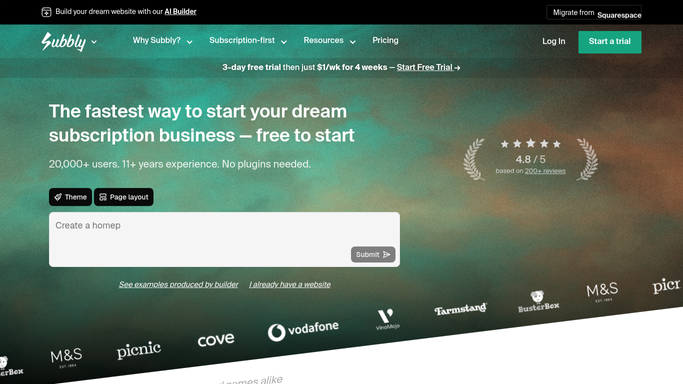
subbly.co How to Automate Subbly

WebRun opens Subbly to verify product setup and subscription plan configuration. - Open Subbly and navigate to Products to confirm the new product is listed with the correct name, price, and description
- Check that the product is linked to the correct subscription plan and that pricing tiers are configured
- Confirm stock quantity is entered and the product is set to the correct visibility status for launch
- Verify the product images and any variant options are correctly configured
Done when All Subbly product configuration items have been checked and their status is recorded.
-
2
Google Sheets - check outstanding checklist items
google.com How to Automate Google Sheets
WebRun opens Google Sheets to check outstanding checklist items. - Open the pre-launch checklist Google Sheet for this product
- Read each checklist row and its completion status
- Identify any items marked incomplete or flagged as blocked
- Note the owner and due date for each outstanding item
Done when All checklist items have been read and outstanding items are listed with their owners.
-
3
Slack - post go or no-go status with blockers
slack.com How to Automate Slack
WebRun opens Slack to post go or no-go status with blockers. - Post a launch-readiness message to the configured Slack channel
- If all Subbly checks and checklist items are complete, post a clear go status
- If any items are outstanding, post a no-go status with a list of blockers and their owners
- Include the product name and the planned launch date in every message
Done when The team has a daily go or no-go status in Slack with any blockers clearly listed.


How do I automate a pre-launch checklist for a new subscription box product?
Every morning during a launch window, WebRun opens Subbly to verify new product configuration, checks your Google Sheets pre-launch checklist for outstanding items, and posts a go or no-go status to Slack with any blockers and their owners clearly listed. Publishing the product live to subscribers is always a deliberate human step in Subbly.
- Team sees a daily go or no-go launch status in Slack without manually checking Subbly
- Blockers and their owners are surfaced each morning so nothing stalls silently
- Product is never published live without a deliberate human action in Subbly
Built for subscription box product managers · subscription e-commerce teams · subscription box marketing managers
How is each run configured?
Secure by default
Connect once, stays signed in
WebRun signs in once and keeps each session in a persistent environment, so every run picks up right where it left off.
Every action is checked against this policy before it runs.
Questions, answered
Does it publish the new product to subscribers automatically?
No. WebRun verifies configuration and posts a readiness status. Publishing the product and making it live to subscribers is a deliberate action your team takes in Subbly after confirming the go status.
Can I customise the checklist for my specific launch requirements?
Yes. The checklist lives in your Google Sheet, so you control every item on it. Add, remove, or change items any time and WebRun reads the updated list on the next run.
What happens once the product is successfully launched?
Once all checks pass and the product is live, you can simply stop the workflow or archive the checklist row. WebRun will stop flagging it as pending.
Related templates
Put this on autopilot.
Turn it on in minutes - or have our team set it up for you.