Get a daily sales digest for your subscription box store
Every evening, WebRun opens Subbly, counts the day's new orders and gross revenue, notes new subscriber activations and any cancellations, and posts a tidy digest to your Slack channel so you wake up knowing exactly how the day went.
- No credit card
- Under $0.01 per run
- Cancel anytime
How do I get a daily sales summary from my Subbly subscription box store?
Every evening, WebRun opens Subbly, tallies the day's orders, gross revenue, new subscriber activations, cancellations, and payment failures, then posts a concise digest to your Slack channel. Your team wakes up with a clear daily snapshot without anyone having to pull a report manually.
- Team sees every day's performance in Slack without touching Subbly
- Cancellations and payment failures are surfaced the same evening they occur
- Zero-order days are reported too, so nothing slips through quietly
Built for subscription box owners · e-commerce operators · subscription commerce teams
What does WebRun do on every run?
The exact actions WebRun takes, in order - in plain language, so you can adjust anything.
-
WebRun signs in and gets to work
Opens
subbly.co/managein a real browser with your saved login - no setup, no API keys. -
1
Subbly - pull daily orders and revenue
subbly.co How to Automate Subbly
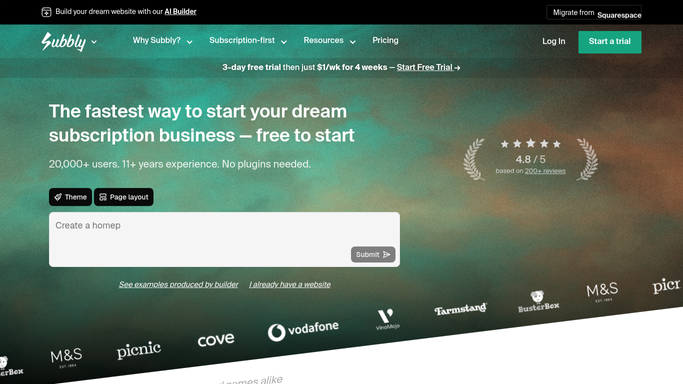
WebRun opens Subbly to pull daily orders and revenue. - Open Subbly and navigate to Orders, filter to today's date range
- Record total order count, gross revenue, and average order value
- Switch to Subscribers and count new activations today
- Note any cancellations or pauses recorded today
- Check for any failed payment attempts flagged today
Done when All key daily metrics have been captured from Subbly.
-
2
Slack - post the digest to your team channel
slack.com How to Automate Slack

WebRun opens Slack to post the digest to your team channel. - Compose a short digest: date, orders, revenue, new subscribers, cancellations, and payment failures
- Post it to the configured Slack channel
- Tag the channel if revenue or cancellations hit a threshold you define
Done when The daily digest is live in Slack for the team to review.
How is each run configured?
Secure by default
Connect once, stays signed in
WebRun signs in once and keeps each session in a persistent environment, so every run picks up right where it left off.
Every action is checked against this policy before it runs.
Questions, answered
Will it message any customers?
No. The digest is an internal Slack post to your team only. WebRun never contacts customers directly.
Can I choose which Slack channel it posts to?
Yes. You set the target channel during setup, and WebRun posts there on every run. You can change it any time.
What if there were no orders today?
It still posts a digest noting zero orders and zero revenue, so you always get a signal even on quiet days.
Related templates
Put this on autopilot.
Turn it on in minutes - or have our team set it up for you.