On Friday, OpenAI gave its ChatGPT agents a wallet. TechCrunch reported on 13 November 2026 that an agent can now finish a purchase for you. Before the checkout goes through you see the items, the total and the card, and you approve with Face ID or a fingerprint. OpenAI says people are "fully in control of the purchases", and that spending limits and pre approved categories are coming later.
Take the shopping out of that and you are left with the question every small business has to answer before it lets software act in its name. Not what the agent can do. Where it stops.
What you are building
An agent that runs on a schedule, inside the tools you are already signed in to, and pauses at one moment: just before something that cannot be taken back. Everything up to that point happens while you are doing something else. Then your phone asks you a question with two buttons on it.
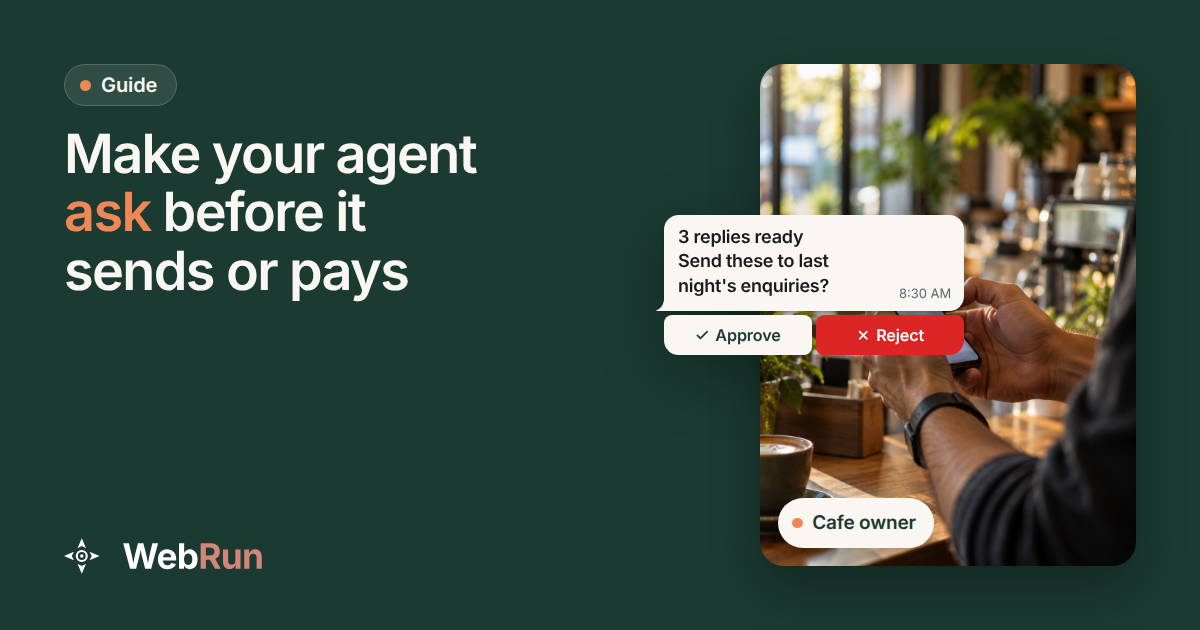
A cafe that takes booking enquiries by email ends up with this.
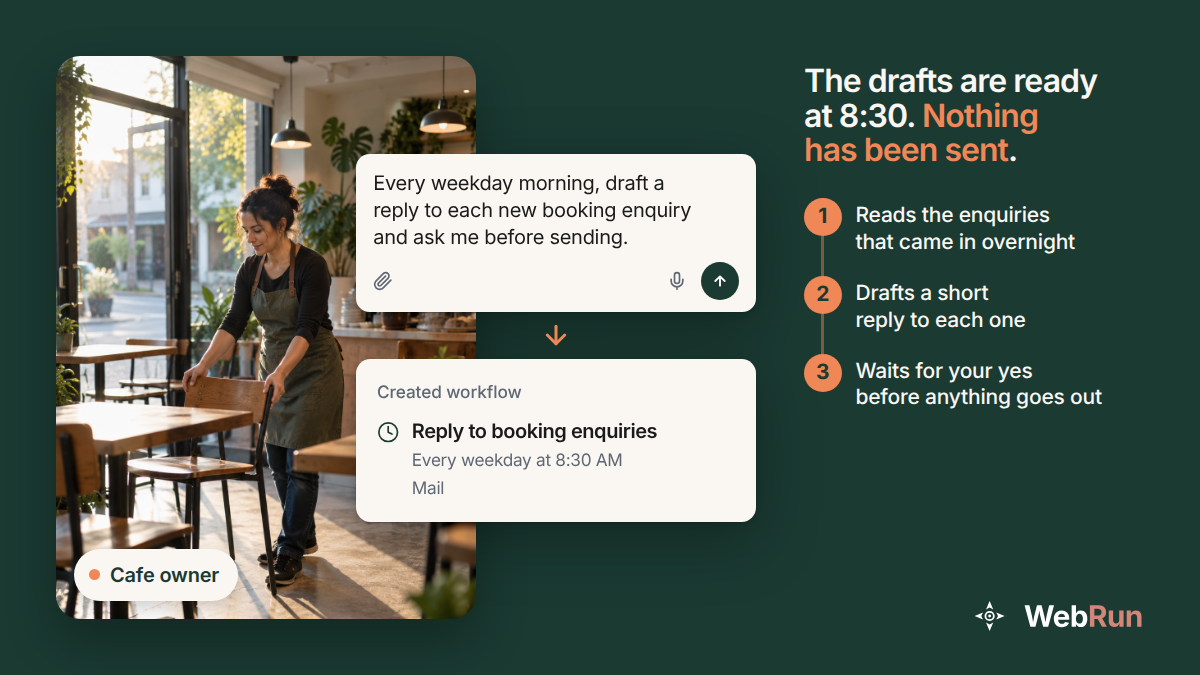
The drafts exist at half past eight. Nobody has been emailed. That gap is the whole point, and you have to set it up on purpose, because it does not happen by itself.
Decide what cannot be taken back
Before you touch any settings, write two lists. It takes five minutes and it is the only part of this that is really about your business rather than about software.
Reading is reversible. Opening a dashboard, pulling a report, checking a tracking number, reading an inbox: if an agent does any of these wrongly, you have lost a minute. Nothing in the world changed.
Acting is not. Sending an email, replying to a review, posting, paying an invoice, issuing a refund, deleting a record, submitting a form a stranger will read: each of these leaves your building. WebRun puts the same rule on its home page: "Anything irreversible (sending email, posting, spending) is drafted for your approval, not done unattended."
The second list is the one worth arguing about with whoever else works there. Most owners find one or two things they assumed were safe. Updating a field in the CRM is irreversible in practice if three people downstream act on what it says. Replying to a supplier is reversible in theory and not in practice.
Step 1: write the stop into the task
Say it in the sentence you give the agent, in plain words, next to the thing that does the damage:
"Every weekday at 8:30, read the new booking enquiries, draft a reply to each one, and ask me before sending anything."
Two things matter in that sentence. The stop is attached to the verb that acts, not added at the end as a general wish. And it names what it is waiting for. "Check with me first" leaves an agent to guess what first means. "Ask me before sending anything" does not.
You will see the result the next morning: a run that got to the end of its work and is sitting still, with a question attached to it.
Step 2: put the rule in the policy, not only in the sentence
A sentence is an instruction. A policy is a rule, and the difference shows up on the day something unusual happens.
Automation policies are evaluated "before it happens, at the infrastructure level rather than in the prompt". They watch every click, keystroke and navigation, and they stop the action before it lands rather than reporting it afterwards.
There are three kinds of rule, and you probably want all three.
Domain rules decide where the agent may go at all. A blocklist names sites it must never open. An allowlist is the strict version: the listed sites and nothing else. There is a category block too.
Capability controls cover the file manager, downloads, uploads, shell commands and the clipboard. Each one can be set to allow, block or require approval.
Action rules are the ones this guide is about. They match on a keyword, a regular expression or a URL path, and they can allow, block or guardrail whatever they match. Guardrailing "pauses for human approval rather than refusing outright", which is what you want for sending and paying, where the job should carry on as soon as you have said yes.
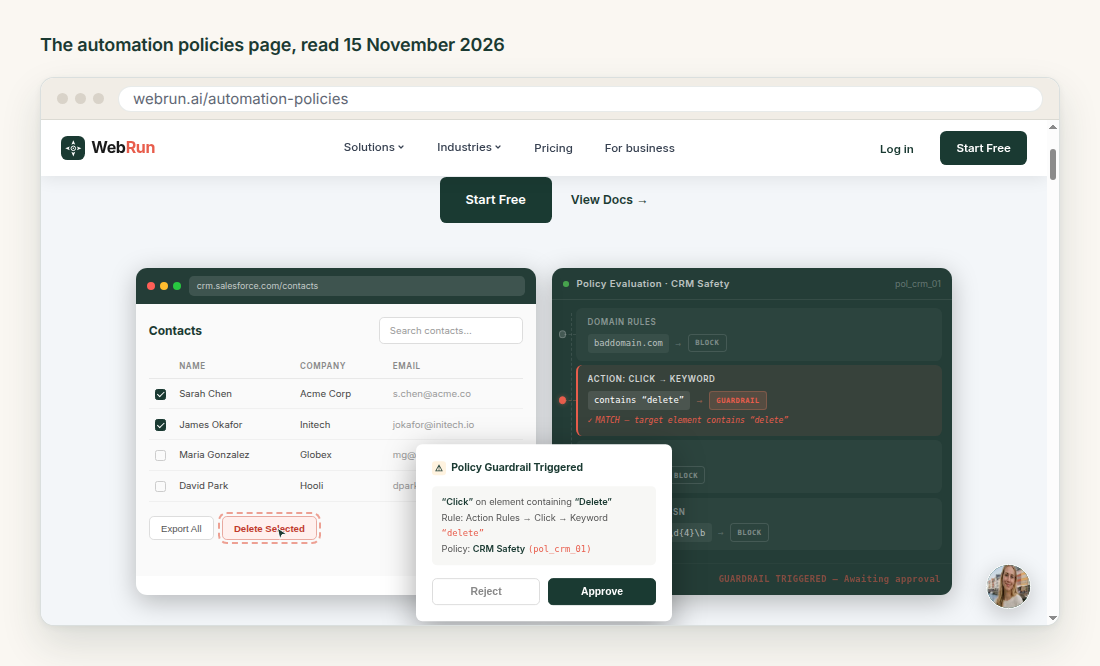
That screenshot is their own worked example. A click on a button whose label contains the word "delete" matches an action rule, the run stops, and the panel on the right reads "awaiting approval". Nothing was deleted while the question sat there.
A policy is attached when the session starts, so the same rules hold whether the run came from a schedule, from the API or from you typing in a chat. That is the reason to put the rule here as well as in the sentence. A reworded task cannot talk its way past it.
Step 3: choose where the question finds you
A pause only works if a person sees it. Guardrails have a setting for exactly this, reachOutMode, with three values: off, guardrail_only, which is the default, and full. With it on, the question is forwarded to a chat you already use, such as Telegram, Slack or Discord. full sends you the result when the run finishes as well.
For anything running unattended, do not leave this at off and plan to check a dashboard every morning. You will not check the dashboard.
Four more moments it stops without being asked
Some pauses need no setting up. A run stops by itself when it meets something only a person can settle.
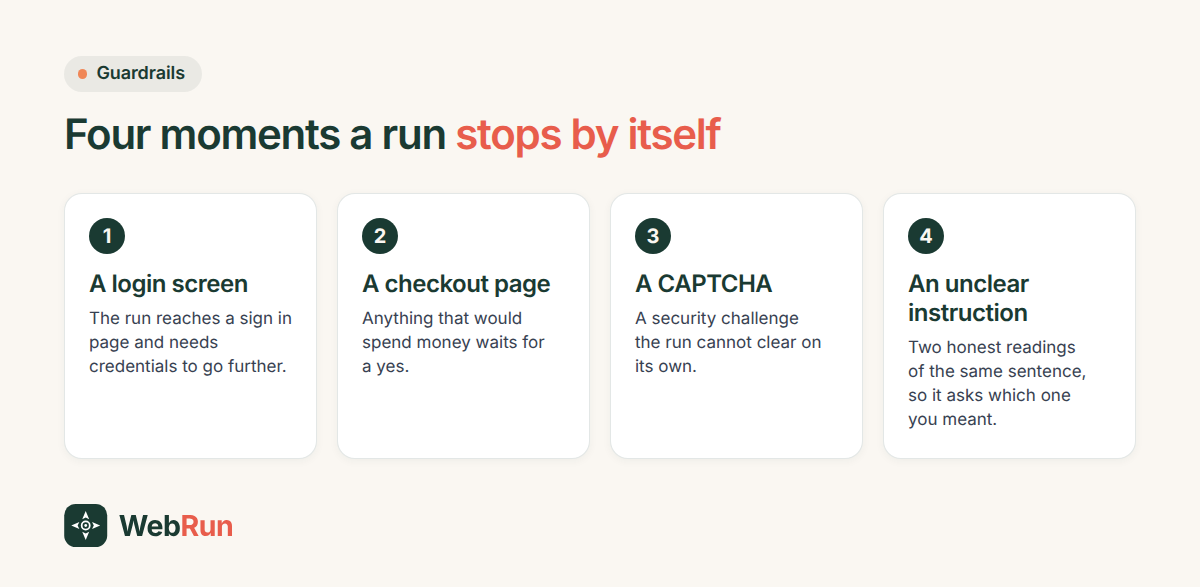
There is a fifth: a security warning, such as an SSL error or a browser warning page. The sequence is the same every time. The task runs, the guardrail triggers and the task pauses, you answer, the agent carries on, the task finishes.
This is why the first run of anything new is worth watching. The pauses show you where your instructions were ambiguous, and an instruction you can tighten is cheaper than an approval you click every morning for a year.
When nobody answers
The usual failure is not an agent doing something wrong. It is a run that stopped politely on Friday evening and was still waiting on Monday with nothing sent.
Three habits fix most of it. Send the questions to the place you actually read, which for most owners is a phone. Keep each question short enough to answer without opening anything else, which means the task should prepare the whole draft before it asks, rather than asking whether it may start. And read back through the pauses after a couple of weeks: the ones you always approve are candidates for a narrower rule, and the ones you sometimes reject are the ones worth keeping.
What to try next
Pick one job you do by hand that ends in sending something, and describe it with the stop written in. Watch the first run, answer the question when it arrives, then put it on a schedule once the drafts have been right three mornings running.
If you would rather start from something already written, the template library has the jobs most small teams hand over first. Otherwise, describe the job in a chat and say where you want it to stop.