Kick off a structured Loop Returns onboarding for every new brand
When a new merchant is onboarded, WebRun opens Loop Returns, steps through the initial configuration checklist including return window settings, resolution options, and policy rules, logs the status of each completed and remaining step to a Notion page, and posts a Slack summary to the onboarding team so no setup item is overlooked.
- No credit card
- Under $0.01 per run
- Cancel anytime
How do I automatically run and document a Loop Returns onboarding checklist for new merchants?
When a new merchant is onboarded, WebRun opens Loop Returns, steps through the initial configuration checklist covering return windows, resolution options, reason codes, and policy rules, and logs the status of each section to a Notion page. A Slack alert points the onboarding team to the page with a summary of what is complete and what still needs attention.
- Every new merchant's Loop Returns setup is documented from day one
- Onboarding team gets a Slack alert with remaining setup steps the same day
- No configuration section is silently left at default without the team knowing
Built for ecommerce agencies · DTC brands onboarding to Loop Returns · Shopify Plus merchants · returns operations teams
What does WebRun do on every run?
The exact actions WebRun takes, in order - in plain language, so you can adjust anything.
-
WebRun signs in and gets to work
Opens
app.loopreturns.comin a real browser with your saved login - no setup, no API keys. -
1
Loop Returns - step through the setup configuration checklist
loopreturns.com How to Automate Loop Returns
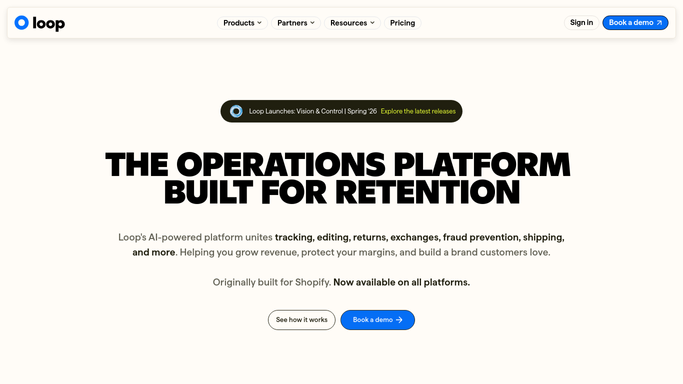
WebRun opens Loop Returns to step through the setup configuration checklist. - Open Loop Returns for the new merchant account
- Navigate through the setup sections: return window, resolution options (refund, exchange, store credit), return reasons, shipping carrier configuration, and policy rules
- Record which sections are configured and which are incomplete or at default
Done when Every Loop Returns setup section has been checked and its status noted.
-
2
Notion - log completed and remaining setup steps
notion.so How to Automate Notion

WebRun opens Notion to log completed and remaining setup steps. - Create a new onboarding page in the Returns Onboarding space for this merchant
- Log each setup section with its status: complete, incomplete, or using default
- Add a checklist of remaining steps the team needs to complete
Done when The merchant's onboarding Notion page is created with all setup statuses logged.
-
3
Slack - alert onboarding team with what remains
slack.com How to Automate Slack

WebRun opens Slack to alert onboarding team with what remains. - Post a Slack message to the onboarding channel with the merchant name and a summary of completed versus remaining setup steps
- Link directly to the Notion onboarding page for the team to reference
Done when The onboarding team is alerted in Slack with a link to the merchant's setup status page.
How is each run configured?
Secure by default
Connect once, stays signed in
WebRun signs in once and keeps each session in a persistent environment, so every run picks up right where it left off.
Every action is checked against this policy before it runs.
Questions, answered
Does it publish or activate any settings in Loop Returns without approval?
No. WebRun checks and documents the configuration status but does not change settings. All Loop Returns configuration changes are made by your onboarding team.
Which Loop Returns setup sections does it cover?
The checklist covers return window, resolution options (refund, exchange, store credit), return reason codes, shipping carrier configuration, and return policy rules.
Can we use this for existing merchants doing a config review?
Yes. You can trigger the workflow manually for any existing merchant account to audit their current Loop Returns configuration and surface any sections still on defaults.
Related templates
Put this on autopilot.
Turn it on in minutes - or have our team set it up for you.