How to Automate Loop Returns
Loop Returns automates the shopper's journey with Workflows rules, Shop Now exchanges and Instant Exchange. What it cannot do is check the carrier, the warehouse or the payment processor to see whether the parcel moved, the item was restocked and the money left, which is where a browser agent like WebRun helps.
 Written by
Grace Okafor
Healthcare operations
Written by
Grace Okafor
Healthcare operations
 Reviewed by
Priya Raghavan
Solutions lead
Reviewed by
Priya Raghavan
Solutions lead
Loop turned the refund request into a second sale
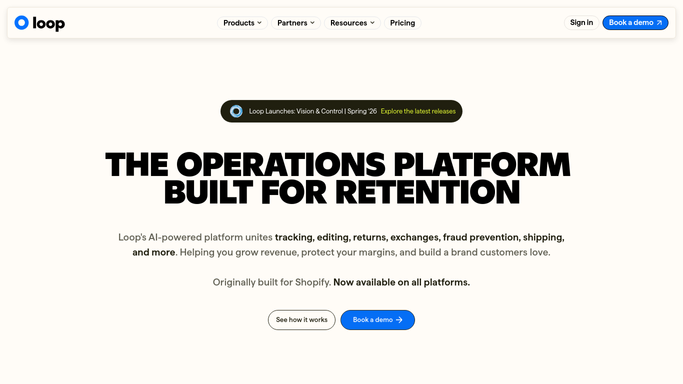
Loop Returns is the post-purchase platform a lot of direct-to-consumer brands run their returns through. It was built for Shopify first and now works across other platforms, and its whole premise is that a return does not have to end in a refund.
A shopper who wants a different size opens the returns portal, and instead of a form and a wait they get the catalogue. They pick the replacement, Loop credits the value of what they are sending back, and the brand keeps the revenue instead of handing it to a payment processor.
That reframes what the returns desk is for. It stops being a cost centre that processes refunds and becomes the last chance to keep a customer who has already decided something went wrong. The people running it care about exchange rate, credit taken and how quickly the replacement ships, which are sales numbers rather than logistics ones.
Exceptions arrive one email at a time
The ordinary return runs itself. The problem is that a meaningful share of returns are not ordinary.
A parcel was posted three weeks ago and never scanned. A customer wants to return something a week past the window and has a reason that is probably true. An item came back with the tags off. Store credit was issued twice. A shopper has returned nine of their last eleven orders. A replacement was promised and the warehouse has not seen the original.
Each one arrives as an email to support, and each one is answered by somebody opening two or three other systems: the carrier's tracking page, the 3PL's portal, the payment processor, the store's own admin. Then they write a reply, make a note, and move to the next one.
The volume is what does the damage. No single case takes long, and the queue never empties, so the people who were supposed to be improving the returns policy spend the week working the exceptions to it.
Shop Now and Workflows shape the return before it ships
Loop automates the shopper's side of a return thoroughly, and a brand that has not configured it properly should start there.
Workflows is the rules engine: if this, then that, applied to a return as it is submitted. Age of the order, the reason given, the product, the customer, the value, any of it can route a return down a different path. Shop Now puts the whole catalogue inside the return portal so an exchange becomes a shopping trip, and Bonus Credit adds a flat or percentage sweetener to make that trade worth taking. Instant Exchange sends the replacement before the original comes back, which is the difference between keeping a customer and refunding one.
All of it operates on the return as Loop understands it: a record created when the shopper filled in the portal.
What Loop does not see is the physical half. Whether the parcel moved. Whether the warehouse received it, and in what condition. Whether the item went back on the shelf or into the write-off bin. Whether the refund actually reached the card. Those facts live on a carrier site, a 3PL portal and a payment dashboard, each behind its own login.
The refund, the parcel and the restock can agree
The physical half of a return leaves a trail, scan by scan, and the trail is legible every morning.
Every open return checked against the carrier's tracking each morning, so a parcel that has not scanned in ten days is flagged while the claim window is still open. Store credit issued in Loop reconciled against what actually left the payment processor, with the doubles and the misses named. Received returns matched to restocked units, so the gap between what came back and what went on the shelf is a number rather than a suspicion.
The pattern work is the other half. Which products come back most, and for which reason, assembled weekly and put next to the page that promised something different. Which customers return most of what they buy, as a list rather than a memory. What the return shipping actually cost per lane, read from the carrier invoice rather than the rate card.
The boundary matters more here than most places. Assembling and comparing runs unattended. Approving a policy exception, issuing a refund and replying to the customer are all draft-and-wait, because each one is money or a relationship.
Following a parcel backwards is nobody's career
A return that stopped moving looks exactly like a return that is moving slowly, right up until the carrier's tracking page is opened and the last scan is read. The decision about writing it off comes after that, and it stays yours.
WebRun is an AI agent that works a real Chrome browser, signed in as you. It opens Loop, the carrier site, the 3PL portal or the payment dashboard, reads what each one says, and puts the comparison in front of the person who has to act on it.
It runs on your schedule in your own private environment, and you can watch a run and stop it. Refunds, credits and messages to shoppers are prepared and wait for approval.
The workflows below are already built, and each one names the systems it opens.
Questions people ask
Can it approve a return outside our policy?
No. It gathers the order, the tracking and the customer's history, then puts the case in front of a person with a drafted reply. Granting an exception is a commercial decision and stays with your team.
We are not on Shopify. Does this still work?
Yes. It works the Loop interface in a browser signed in as you, so the platform underneath your store makes no difference to what it can read or write.
Our 3PL gives us a portal and nothing else. Can it use that?
Yes, and that is the common case. It reads the 3PL's screens the way your operations person would, then compares what the warehouse says with what Loop says and reports the difference.
14 ready-made Loop Returns workflows
Each one names the apps it touches and the exact steps it takes. Open one to read what it will do, then turn it on.





Want one of these running on your own Loop Returns?
Show WebRun the process once and it will run it on schedule, in your own private browser environment.