Start every day with a clear picture of your returns volume
Every morning, WebRun opens Loop Returns, pulls yesterday's return volume, the split between refunds, exchanges, and store credit resolutions, and the top three return reasons, then posts a clean daily digest to your Slack channel so the whole team starts the day with the same picture.
- No credit card
- Under $0.01 per run
- Cancel anytime
What does WebRun do on every run?
The exact actions WebRun takes, in order - in plain language, so you can adjust anything.
-
WebRun signs in and gets to work
Opens
app.loopreturns.comin a real browser with your saved login - no setup, no API keys. -
1
Loop Returns - pull yesterday's returns summary
loopreturns.com How to Automate Loop Returns

WebRun opens Loop Returns to pull yesterday's returns summary. - Open Loop Returns and navigate to the Returns dashboard
- Filter to yesterday's date range and capture total return count
- Record the resolution breakdown: refund count, exchange count, store credit count
- Identify the top three return reasons by volume for the day
Done when Yesterday's volume, resolution mix, and top reasons are captured.
-
2
Slack - post daily returns digest
slack.com How to Automate Slack
WebRun opens Slack to post daily returns digest. - Format a short daily digest with total returns, resolution breakdown, and top three reasons
- Include a day-over-day volume comparison if available
- Post to the returns ops Slack channel
Done when The daily returns digest is posted to Slack.
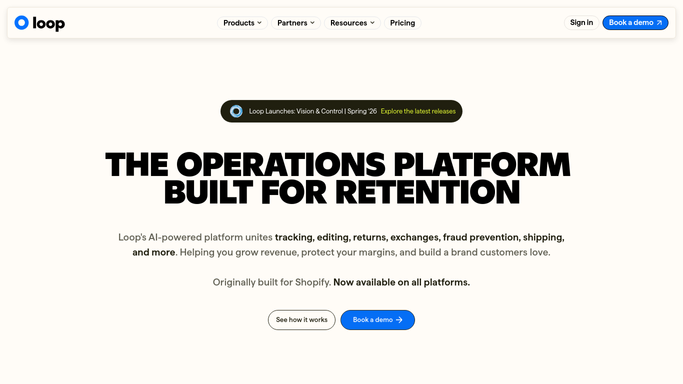

How do I get a daily summary of my returns volume and resolution mix each morning?
WebRun opens Loop Returns every morning and pulls the previous day's total return volume, the breakdown between refunds, exchanges, and store credit resolutions, and the top three return reasons. It then posts a concise digest to Slack so the whole operations team starts each day with a shared, accurate picture without opening Loop Returns manually.
- Entire team shares the same returns picture at the start of every day
- No manual Loop Returns login needed to check yesterday's volume
- Resolution mix trends are visible daily before they become surprises
Built for ecommerce brands · DTC retailers · Shopify merchants · operations managers
How is each run configured?
Secure by default
Connect once, stays signed in
WebRun signs in once and keeps each session in a persistent environment, so every run picks up right where it left off.
Every action is checked against this policy before it runs.
Questions, answered
Does it contact customers or send any external messages?
No. WebRun only posts an internal Slack digest for your ops team. No customer-facing messages are sent.
What if Loop Returns shows zero returns yesterday?
WebRun still posts the digest confirming zero returns, so the team always receives a clear daily signal and never has to wonder if the automation ran.
Can I add more metrics to the digest?
Yes. During setup you can tell WebRun which Loop Returns metrics to include, such as average resolution time or pending count, and it will add them to the daily summary.
Related templates
Put this on autopilot.
Turn it on in minutes - or have our team set it up for you.