Draft proactive return status updates for customers awaiting resolution
Every morning, WebRun opens Loop Returns, finds returns whose status changed overnight such as received, approved, or refunded, drafts a clear status update email for each affected customer, and saves each as a Gmail draft so your team can review and send with one click, keeping customers informed without the manual effort.
- No credit card
- Under $0.01 per run
- Cancel anytime
What does WebRun do on every run?
The exact actions WebRun takes, in order - in plain language, so you can adjust anything.
-
WebRun signs in and gets to work
Opens
app.loopreturns.comin a real browser with your saved login - no setup, no API keys. -
1
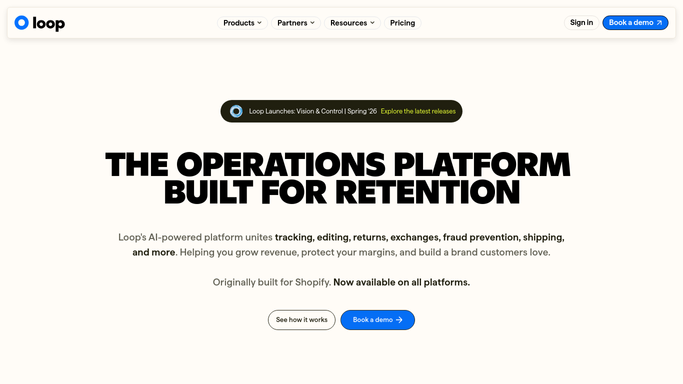
Loop Returns - find returns with overnight status changes
loopreturns.com How to Automate Loop Returns

WebRun opens Loop Returns to find returns with overnight status changes. - Open Loop Returns and filter to returns whose status changed in the past 12 hours
- Capture the new status, customer email, order number, and expected next step for each
- Group by status type: received, approved, refund issued, exchange shipped
Done when All returns with an overnight status change are identified with customer and order details.
-
2
Gmail - draft status update emails for team approval
gmail.com How to Automate Gmail
WebRun opens Gmail to draft status update emails for team approval. - Draft a clear, on-brand status update email for each customer using the new status and next step
- Save each email as a Gmail draft addressed to the customer
- Do NOT send any draft. Leave all drafts unsent for the team to review and approve
Done when Every customer with an overnight return status change has a drafted Gmail update ready for review.

How do I automatically draft return status update emails for customers each morning?
WebRun opens Loop Returns every morning and identifies returns whose status changed overnight, such as received, approved, or refund issued. It drafts a clear, on-brand status update email for each affected customer and saves it as a Gmail draft. No email is sent until a member of your team reviews and approves it, keeping customers informed without the risk of unsanctioned messages.
- Every customer with a status change has a drafted update ready by 7 AM
- No status email is sent to a customer without a human reviewing it first
- CX team spends minutes approving updates instead of writing them from scratch
Built for ecommerce brands · DTC retailers · Shopify merchants · CX and returns teams
How is each run configured?
Secure by default
Connect once, stays signed in
WebRun signs in once and keeps each session in a persistent environment, so every run picks up right where it left off.
Every action is checked against this policy before it runs.
Questions, answered
Will WebRun send these emails to customers automatically?
No. Every email is saved as a Gmail draft and left unsent. A human must review and click Send, so no customer receives a status update without explicit approval.
Which status changes trigger a draft?
WebRun drafts an update for each of these transitions in Loop Returns: return received, refund approved, refund issued, and exchange shipped. You can adjust this list during setup.
What if Loop Returns already sent an automated notification for the same status change?
If Loop Returns sent its own transactional email, you can configure WebRun to skip drafts for that status type, so customers never receive duplicate messages.
Related templates
Put this on autopilot.
Turn it on in minutes - or have our team set it up for you.