Build your daily restocking worklist from completed returns automatically
Every morning, WebRun opens Loop Returns, identifies returns that have been received and marked complete but not yet restocked, groups the items by SKU and warehouse location, and writes a prioritized restocking worklist to Google Sheets for your warehouse team to action.
- No credit card
- Under $0.01 per run
- Cancel anytime
What does WebRun do on every run?
The exact actions WebRun takes, in order - in plain language, so you can adjust anything.
-
WebRun signs in and gets to work
Opens
app.loopreturns.comin a real browser with your saved login - no setup, no API keys. -
1
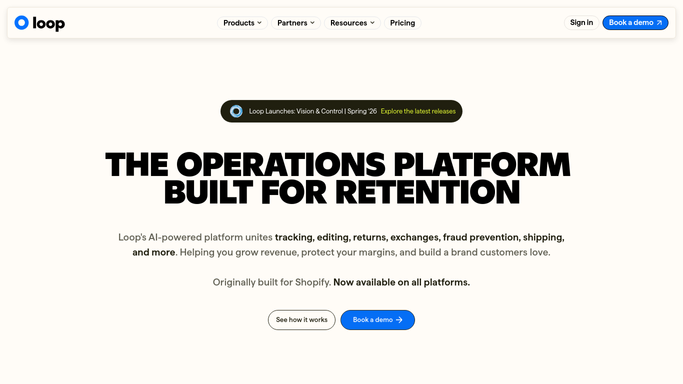
Loop Returns - identify returns ready for restocking
loopreturns.com How to Automate Loop Returns

WebRun opens Loop Returns to identify returns ready for restocking. - Open Loop Returns and filter to returns with a received or completed status
- Identify items not yet marked as restocked
- Capture SKU, product name, quantity, return reason, and warehouse location for each
Done when All completed returns awaiting restocking are listed with their SKU and location details.
-
2
Google Sheets - write prioritized restocking worklist
google.com How to Automate Google Sheets
WebRun opens Google Sheets to write prioritized restocking worklist. - Write today's restocking worklist to the Restocking Worklist sheet, replacing the previous day's list
- Group rows by warehouse location, then sort by SKU within each location
- Flag any item with a return reason of damaged or defective in a separate column
Done when The warehouse team's restocking worklist is current in Google Sheets.

How do I automatically generate a daily restocking worklist from completed returns?
WebRun opens Loop Returns every morning and finds every received return that has not yet been restocked. Items are grouped by warehouse location and SKU and written to a Google Sheets worklist, with damaged or defective items flagged, so your warehouse team starts the shift with a clear, prioritized task list rather than a manual search.
- Warehouse team starts each shift with a ready-to-action restocking list
- Damaged items are automatically flagged before they reach the pick shelf
- No manual Loop Returns search needed to find what needs restocking
Built for ecommerce brands · DTC retailers · warehouse operations teams · Shopify merchants
How is each run configured?
Secure by default
Connect once, stays signed in
WebRun signs in once and keeps each session in a persistent environment, so every run picks up right where it left off.
Every action is checked against this policy before it runs.
Questions, answered
Does it update inventory levels in any other system?
No. WebRun creates the restocking worklist in Google Sheets. Your warehouse team actions it and updates inventory in your warehouse or inventory management system manually.
What happens to items flagged as damaged or defective?
WebRun marks them with a flag in the worklist so your team knows not to restock them. Disposition decisions (liquidate, donate, discard) are left to a human.
Does it carry over items not restocked from the previous day?
Yes. The worklist reflects all pending items from Loop Returns each morning, so any item not yet restocked from prior days will continue to appear until it is actioned.
Related templates
Put this on autopilot.
Turn it on in minutes - or have our team set it up for you.