Watchlist your highest-returning SKUs and act before they hurt margins
Every Monday, WebRun opens Loop Returns, calculates the return rate for each SKU over the past 30 days, identifies products above your defined threshold, and logs them to an Airtable watchlist with return volume, top reasons, and a week-over-week trend so your merchandising team can investigate root causes and act.
- No credit card
- Under $0.01 per run
- Cancel anytime
How do I automatically identify and track SKUs with high return rates each week?
WebRun opens Loop Returns every Monday, calculates the 30-day return rate for each SKU, and identifies products above your defined threshold. High-return SKUs are logged in Airtable with return volume, top reason, and a week-over-week trend flag, giving your merchandising team a ready-to-act watchlist before margin erosion compounds.
- High-return SKUs surface weekly before they drag margins into the red
- Escalating SKUs are flagged with a week-over-week rate increase alert
- Merchandising team has a ready-to-act Airtable watchlist every Monday
Built for ecommerce brands · DTC retailers · Shopify merchants · merchandising and buying teams
What does WebRun do on every run?
The exact actions WebRun takes, in order - in plain language, so you can adjust anything.
-
WebRun signs in and gets to work
Opens
app.loopreturns.comin a real browser with your saved login - no setup, no API keys. -
1
Loop Returns - calculate return rates by SKU
loopreturns.com How to Automate Loop Returns
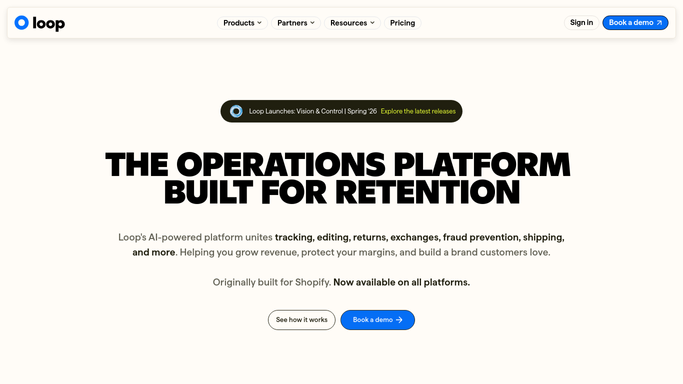
WebRun opens Loop Returns to calculate return rates by SKU. - Open Loop Returns and navigate to returns data filtered to the past 30 days
- Calculate the return rate for each SKU: returns divided by orders
- Filter to SKUs above the return-rate threshold you have set
- Capture SKU, return volume, top return reason, and week-over-week rate change for each
Done when All SKUs above the return-rate threshold are identified with their trend data.
-
2
Airtable - log high-return SKUs to watchlist
airtable.com How to Automate Airtable

WebRun opens Airtable to log high-return SKUs to watchlist. - Update the High Return SKU Watchlist in Airtable with today's data
- Add or update a record for each flagged SKU with return rate, volume, and top reason
- Mark SKUs with a week-over-week increase of more than five percentage points as escalating
Done when The Airtable watchlist reflects this week's high-return SKUs with escalation flags.
How is each run configured?
Secure by default
Connect once, stays signed in
WebRun signs in once and keeps each session in a persistent environment, so every run picks up right where it left off.
Every action is checked against this policy before it runs.
Questions, answered
Does it pull down or discontinue any SKU automatically?
No. WebRun only logs high-return SKUs to the Airtable watchlist. All merchandising decisions such as listing changes, markdowns, or discontinuations are made by your team.
How is the return-rate threshold set?
You define the threshold during setup, for example any SKU above a 15 percent return rate. WebRun applies that threshold each Monday and flags SKUs that exceed it.
What if the same SKU has been on the watchlist for multiple weeks?
The Airtable record is updated each week rather than duplicated, so you can see whether the rate is improving, holding steady, or escalating over time.
Related templates
Put this on autopilot.
Turn it on in minutes - or have our team set it up for you.