Chase agents for missing condition report photos
Every night, WebRun opens RDN, checks each day's recoveries for a complete condition report, texts the agent a reminder over Twilio for any unit missing photos, and logs the gap to a Google Sheet.
- No credit card
- Under $0.01 per run
- Cancel anytime
How do I make sure repo agents upload complete condition report photos?
WebRun checks RDN every night for that day's recoveries and verifies each condition report has the full photo set: all four corners, the VIN plate, odometer, and any existing damage. Any unit missing photos gets an agent text over Twilio naming exactly what's missing, plus a logged row in Google Sheets so gaps don't slip past billing or a dispute.
- Missing photo gaps get caught the same night, not weeks later
- Agents get a specific list of what's missing, not a vague reminder
- A logged history shows which units still need resolution
Built for repossession agencies · field recovery agents · quality control and compliance staff
What does WebRun do on every run?
The exact actions WebRun takes, in order - in plain language, so you can adjust anything.
-
WebRun signs in and gets to work
Opens
www.recoverydatabase.netin a real browser with your saved login - no setup, no API keys. -
1
RDN (Recovery Database Network) - check each recovery for a complete photo set
recoverydatabase.net How to Automate RDN (Recovery Database Network)
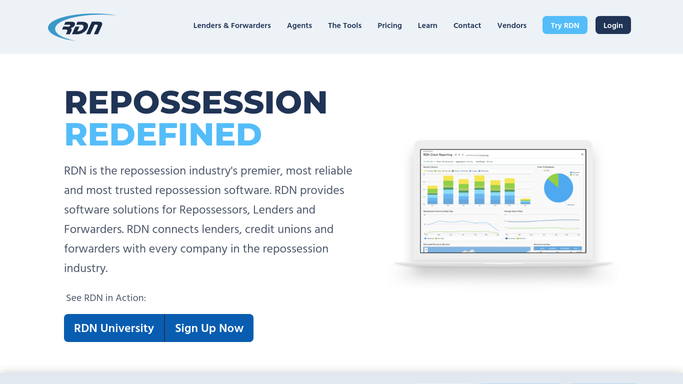
WebRun opens RDN (Recovery Database Network) to check each recovery for a complete photo set. - Open RDN and pull today's recoveries
- Check each one's condition report for the full photo set: all four corners, VIN plate, odometer, and any pre-existing damage
- Flag any recovery missing one or more required photos
Done when Every recovery from today has been checked against your condition report photo requirement.
-
2
Twilio - text the agent for missing photos
twilio.com How to Automate Twilio

WebRun opens Twilio to text the agent for missing photos. - Text the recovering agent naming the vehicle and which photos are missing
- Ask them to upload the missing shots to RDN before their next shift
- Note the time the reminder was sent
Done when Every agent with a gap has been texted exactly what's still missing.
-
3
Google Sheets - log the gap
google.com How to Automate Google Sheets

WebRun opens Google Sheets to log the gap. - Open the condition report tracker
- Log each flagged unit with the agent, vehicle, and missing photo types
- Mark it resolved once the follow up check finds the photos uploaded
Done when The tracker shows every photo gap from today and whether it's been resolved.
How is each run configured?
Secure by default
Connect once, stays signed in
WebRun signs in once and keeps each session in a persistent environment, so every run picks up right where it left off.
Every action is checked against this policy before it runs.
Questions, answered
Why does the photo set matter this much?
A complete condition report protects your agency if a debtor disputes the vehicle's condition at recovery. Missing photos, especially of existing damage, leave that dispute with no evidence on your side.
Does it text the agent automatically?
Yes. This is an internal reminder to your own recovering agent about paperwork on a job they already worked, not a customer message, so it sends the same night without waiting for review.
How does it know a gap has been fixed?
It rechecks RDN on the next run. Once the missing photo types show up on that unit's condition report, WebRun marks the row resolved in the tracker automatically.
Related templates
Put this on autopilot.
Turn it on in minutes - or have our team set it up for you.