See every agent's recovery numbers in one weekly report
Every Monday, WebRun opens RDN, tallies each agent's assignments, recoveries, and close rate for the week, logs it to a Google Sheet, and posts your team a Slack leaderboard.
- No credit card
- Under $0.01 per run
- Cancel anytime
What does WebRun do on every run?
The exact actions WebRun takes, in order - in plain language, so you can adjust anything.
-
WebRun signs in and gets to work
Opens
www.recoverydatabase.netin a real browser with your saved login - no setup, no API keys. -
1
RDN (Recovery Database Network) - tally each agent's week
recoverydatabase.net How to Automate RDN (Recovery Database Network)

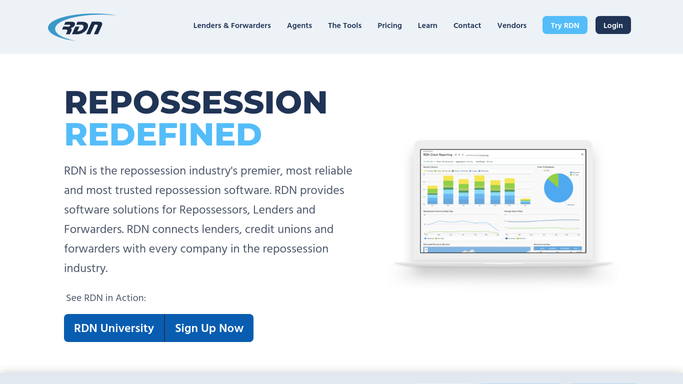
WebRun opens RDN (Recovery Database Network) to tally each agent's week. - Open RDN and pull every assignment worked in the past week by agent
- Count assignments received, units recovered, and units returned unable to locate for each agent
- Calculate each agent's close rate as recoveries over assignments worked
Done when Every active agent has a week's worth of assignments, recoveries, and close rate calculated.
-
2
Google Sheets - log the leaderboard
google.com How to Automate Google Sheets
WebRun opens Google Sheets to log the leaderboard. - Open the agent productivity tracker
- Add this week's row for each agent with assignments, recoveries, and close rate
- Keep prior weeks so trends are visible over time
Done when The tracker has this week's numbers logged alongside prior weeks for every agent.
-
3
Slack - post the weekly report
slack.com How to Automate Slack
WebRun opens Slack to post the weekly report. - Post a leaderboard ranked by close rate or recovery count, whichever your team tracks
- Note any agent whose numbers dropped sharply from the week before
- Keep the report to counts and rates only, no other commentary
Done when Your team has this week's ranked productivity report in Slack.


How do I track weekly recovery productivity across my repo agents?
WebRun opens RDN every Monday and tallies each agent's assignments worked, recoveries, and unable to locate returns from the past week, calculating a close rate for each. It logs the numbers to a Google Sheet tracker alongside prior weeks and posts your team a ranked Slack leaderboard, so performance trends are visible every week, not just at review time.
- Every agent's close rate is visible weekly, not just at annual review
- Performance trends show up in a running Google Sheet, not a one off snapshot
- A dropping agent gets flagged the week it happens, not months later
Built for repossession agency owners · operations managers · field agent team leads
How is each run configured?
Secure by default
Connect once, stays signed in
WebRun signs in once and keeps each session in a persistent environment, so every run picks up right where it left off.
Every action is checked against this policy before it runs.
Questions, answered
Does it account for hard to find cases or bad addresses that aren't the agent's fault?
No. It only counts what's in RDN: assignments worked, recoveries, and unable to locate returns. It doesn't judge case difficulty, so use the numbers as a starting point for a conversation, not the full picture.
How is close rate calculated?
It divides recoveries by assignments worked in the week, using whatever RDN shows as of Monday morning. An assignment still in progress at the cutoff counts toward assignments worked but not yet toward a recovery.
Can each agent see only their own numbers instead of the full leaderboard?
The default is a full team leaderboard in one Slack channel. If you'd rather keep individual numbers private, WebRun can send each agent their own numbers directly instead of posting a shared ranking.
Related templates
Put this on autopilot.
Turn it on in minutes - or have our team set it up for you.