Restock plumbing truck inventory before it runs out on the job
Every Monday, WebRun checks your truck and warehouse parts inventory in Service Fusion, identifies any item at or below its reorder threshold, drafts a purchase order in Google Sheets for your supplier, and posts your operations manager a Slack alert summarising what needs to be ordered and why.
- No credit card
- Under $0.01 per run
- Cancel anytime
How do I automate plumbing truck stock reorder and purchase orders?
Every Monday, WebRun opens Service Fusion and checks truck and warehouse stock levels for plumbing parts including fittings, drain parts, valve cartridges, and water heater components. It drafts a purchase order in Google Sheets for every item at or below its reorder point and posts an alert to your operations Slack channel. The PO is a draft until your manager approves it.
- Low-stock parts are flagged every Monday before techs run out on the job
- A draft purchase order is prepared automatically with no manual inventory count
- Operations manager approves and submits the PO rather than building it from scratch
Built for plumbing contractors · plumbing operations managers · field service inventory teams
What does WebRun do on every run?
The exact actions WebRun takes, in order - in plain language, so you can adjust anything.
-
WebRun signs in and gets to work
Opens
app.servicefusion.comin a real browser with your saved login - no setup, no API keys. -
1
Service Fusion - check truck and warehouse stock levels
servicefusion.com How to Automate Service Fusion
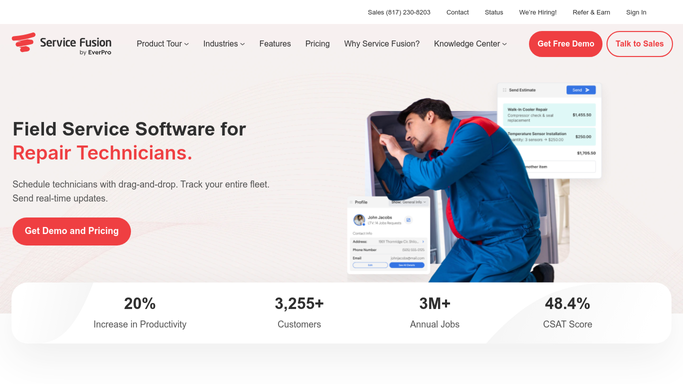
WebRun opens Service Fusion to check truck and warehouse stock levels. - Open Service Fusion and navigate to the Inventory section
- Review stock levels for all tracked parts across trucks and warehouse locations
- Identify any item at or below its reorder point, such as fittings, drain parts, valve cartridges, water heater anodes, or fixture parts
- Note the current quantity, reorder point, and suggested reorder quantity for each low-stock item
Done when All parts at or below their reorder threshold are identified with current and needed quantities.
-
2
Google Sheets - draft purchase order for low-stock parts
google.com How to Automate Google Sheets

WebRun opens Google Sheets to draft purchase order for low-stock parts. - Open the purchase order template in Google Sheets
- Add each low-stock part with the supplier part number, description, current quantity, and quantity to order
- Leave the PO as a draft for the operations manager to review before submitting to the supplier
Done when A draft purchase order is prepared in Google Sheets listing every low-stock part with quantities.
-
3
Slack - alert operations manager to reorder needs
slack.com How to Automate Slack

WebRun opens Slack to alert operations manager to reorder needs. - Post a Slack alert to the operations channel listing the parts that need reordering and linking to the draft PO in Google Sheets
- Flag any parts with zero stock as critical
Done when Operations manager has a Slack alert with the reorder summary and a link to the draft PO.
How is each run configured?
Secure by default
Connect once, stays signed in
WebRun signs in once and keeps each session in a persistent environment, so every run picks up right where it left off.
Every action is checked against this policy before it runs.
Questions, answered
Will it submit a purchase order to my supplier automatically?
No. WebRun drafts the purchase order in Google Sheets and leaves it as a draft for your operations manager to review. Nothing is sent to a supplier without a human approving it first.
How does it know what the reorder points are?
It reads the reorder thresholds already set in Service Fusion for each part. If a part does not have a reorder point configured, it is skipped. You set and maintain the thresholds in your inventory system.
Can it track stock across multiple trucks and a warehouse?
Yes. WebRun reads stock levels across all locations tracked in Service Fusion, including individual truck inventories and the main warehouse, and includes the location detail in the draft PO.
Related templates
Put this on autopilot.
Turn it on in minutes - or have our team set it up for you.