How to Automate Service Fusion
Service Fusion automates the job it holds. Work is dragged onto the schedule, pre-job texts go out on their own, estimates auto-populate with your rates and convert into invoices, and payments land through Service Fusion Payments. Permits, rebates and supply house prices live elsewhere, which is where an agent like WebRun goes.
 Written by
Ben Kirkwood
Solutions engineer
Written by
Ben Kirkwood
Solutions engineer
 Reviewed by
Sofia Marchetti
Marketing operations
Reviewed by
Sofia Marchetti
Marketing operations
Service Fusion is where the call becomes a job and then an invoice
HVAC shops, plumbers, electrical contractors, appliance repair firms and locksmiths make up most of Service Fusion's customers, which tells you what it is for: unglamorous work booked at somebody's house and done by a technician with a phone. It belongs to EverCommerce, and a couple of dozen other trades run on it too.
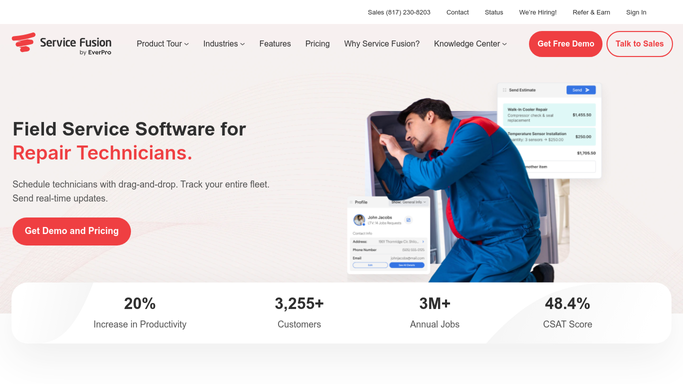
One customer record holds the contact details, the service history, the estimates, the contracts and everything anyone has said to them. Jobs get dragged onto the schedule and assigned. Technicians carry the mobile app, which pushes the day's work out and takes back photos, signatures and notes. Estimates arrive pre-populated with your own service rates and tax, get signed in the field, and become work orders and then invoices without anyone keying them a second time. Money comes in by card or ACH through Service Fusion Payments, GPS Fleet Tracking says where the trucks are, and ServiceCall.ai deals with the phone.
For a shop with six vans and one person answering the office phone, that is the entire business on one screen.
The afternoon goes to websites that belong to somebody else
An electrical contractor's schedule is full of jobs that cannot start yet, and the reason is never inside Service Fusion.
The service change is waiting on the authority having jurisdiction, whose portal still says under review. The meter base swap needs the utility to send somebody, and that gets booked on the utility's own system. The panel quoted three weeks ago is on backorder at the supply house and the price has moved since. The homeowner's financing application is sitting with a lender. The rebate that made the EV charger affordable is administered on the utility's program site. Tuesday's job came from a home warranty company that wants its own authorisation number on the paperwork. The master licence renewal is on the state board's website.
Each one is a login, a search box and a status. Together they are somebody's whole afternoon, every week.
Everything with a job number attached is already handled
Service Fusion covers the inside of the job properly, and a shop that has not turned all of it on should do that first.
Scheduling and dispatching are drag and drop, with routes ordered for the day and adjustable while drivers are out. Automated pre-job text notifications tell the customer the technician is coming, which removes most of the calls asking where he is. Estimates carry your rates and tax automatically, convert into work orders and invoices, and can be signed on the spot with eSign. Service Fusion Payments takes card and ACH, and the QuickBooks integration carries the result into the books.
Every one of those starts from something Service Fusion created. A job exists, so it can be scheduled, texted about, completed, invoiced and paid.
The list in the previous section is not that shape. A permit status is a fact held by a municipality. A rebate approval belongs to a utility program office. A lender decides on financing and tells the homeowner, not the contractor. None of those has any reason to know your job number, and none of them will build an integration for a six-van shop.
Inspection dates, rebate approvals and financing answers can be waiting on Monday
A schedule full of jobs that cannot start is not a scheduling problem. What decides whether the work can go ahead is scattered across other people's systems, and it can be read every morning instead of when somebody remembers.
Financing applications checked with the lender, so the kitchen rewire is either booked or is a different conversation today. Utility rebate submissions tracked to approval, because a rebate that quietly failed is a customer who thinks they are owed money. Permit and inspection status pulled from the jurisdiction each morning, so no crew is sent to a site that cannot be worked.
Supply house stock and today's price for the panel, the wire and the breakers, read before the estimate goes out rather than discovered at the trade counter. Home warranty and property management portals opened for new work orders and their authorisation numbers, so those jobs enter the schedule on Monday instead of being found on Friday when payment fails.
Licences, insurance certificates and continuing education hours checked against the boards that issue them, well before the renewal date.
Nobody has to build anything for this to work
The whole list breaks down into the same four moves. Somebody signs in, looks at a page, writes down what it says and does something about it. Only the last part needs a person who knows the trade.
WebRun does the first three. It drives a real browser, signed in as your office is, on the schedule you set, inside a policy that names which sites it may open and what it may type. There is no API to wait for, no integration to commission and no add-on to buy first.
Anything that leaves the building is drafted, not sent. The estimate follow-up, the note telling a customer their rebate came through, the chaser on a sixty-day invoice: all written, all waiting on you. The looking happens overnight.
The cards below are the jobs contractors hand over first.
Questions people ask
We run Service Fusion and QuickBooks. Does anything change in either one?
Nothing changes. Both stay exactly as they are, and the sync between them is untouched. An agent works alongside, opening the sites neither of them can reach, and hands back a list or a draft. If you switch it off tomorrow, your setup is where you left it.
Who actually presses submit on a rebate claim?
A person does. Status checks and document gathering run unattended, but a submission that commits you to something is filled out and left for review. Anything creating a record on a municipality's or a utility's system waits for someone in the office to read it and send it.
Our supply house has an ordering site but no price feed. Is that usable?
Yes. Reading a supplier's site in a browser is exactly what this is for, so a counter portal with a login and no feed works the same as a modern one. Each run can put current stock and pricing next to the estimate that assumed last month's numbers.
10 ready-made Service Fusion workflows
Each one names the apps it touches and the exact steps it takes. Open one to read what it will do, then turn it on.



Want one of these running on your own Service Fusion?
Show WebRun the process once and it will run it on schedule, in your own private browser environment.