Get ahead of seasonal costume stockouts
Every morning, WebRun opens Artisan POS, checks costume variants (size, style, and color) against how fast the season is selling, drafts a purchase order in QuickBooks for anything trending toward a stockout, and posts the draft list to Slack for you to approve.
- No credit card
- Under $0.01 per run
- Cancel anytime
How do I know when to reorder seasonal costumes before they sell out?
WebRun protects your seasonal costume sales every morning. It checks Artisan POS for costume variants selling faster than expected, drafts a purchase order in QuickBooks sized to cover the rest of the season, and posts the draft to Slack for a manager to approve, so no size or style sells out before you can reorder it.
- Best-selling costume sizes get reordered before they sell out
- Purchase orders are drafted and sized to the season automatically
- Nothing ships to a vendor without a manager's approval
Built for costume shop owners · party supply retailers · seasonal retail buyers
What does WebRun do on every run?
The exact actions WebRun takes, in order - in plain language, so you can adjust anything.
-
WebRun signs in and gets to work
Opens
certek.comin a real browser with your saved login - no setup, no API keys. -
1
Artisan POS - check costume stock by size and style
certek.com How to Automate Artisan POS
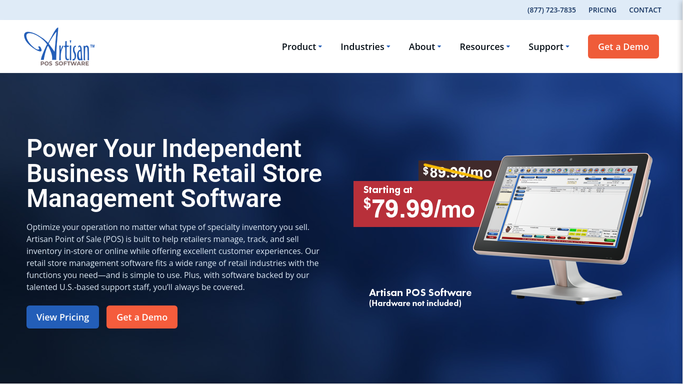
WebRun opens Artisan POS to check costume stock by size and style. - Open Artisan POS and pull costume variant stock by size, style, and color
- Compare each variant's remaining stock to this season's sell-through pace
- Flag variants projected to sell out before the season ends
Done when Every at-risk costume variant is identified with its remaining stock and sell-through pace.
-
2
QuickBooks - draft a purchase order for low stock
- Open QuickBooks and look up the usual vendor and cost for each flagged variant
- Draft a purchase order with quantities sized to cover the rest of the season
- Leave the purchase order unsubmitted, it is not sent to the vendor automatically
Done when A draft purchase order exists for every at-risk variant, unsubmitted.
-
3
Slack - send the draft list for approval
slack.com How to Automate Slack

WebRun opens Slack to send the draft list for approval. - Post the draft purchase order and the at-risk variant list to the purchasing channel
- Sort by how soon each variant is projected to sell out
- Wait for a manager to approve before anything is submitted to a vendor
Done when Purchasing has the draft order and can approve or edit it before it goes out.
How is each run configured?
Secure by default
Connect once, stays signed in
WebRun signs in once and keeps each session in a persistent environment, so every run picks up right where it left off.
Every action is checked against this policy before it runs.
Questions, answered
Will it submit the purchase order to my vendor?
No. WebRun only drafts the purchase order in QuickBooks and posts it to Slack for review. A manager has to approve and submit it before anything is ordered or charged.
How does it know which sizes are running low?
It compares each costume variant's remaining stock in Artisan POS to how fast that variant has been selling this season, not just a flat reorder point.
What happens to costumes that aren't selling?
They're left off the draft order. WebRun only flags variants on pace to sell out, so slow movers don't get reordered by mistake.
Related templates
Put this on autopilot.
Turn it on in minutes - or have our team set it up for you.